
SSStyx - Minecraft Skins & Skin History
Current Minecraft skin of the player SSStyx, loaded from the official Mojang API. Rotate the 3D model with your mouse or finger, then download the skin as a PNG file and use it in Minecraft: Bedrock Edition or Java Edition for free. When SSStyx changes their skin, this page updates automatically and the old skin stays in the history below.
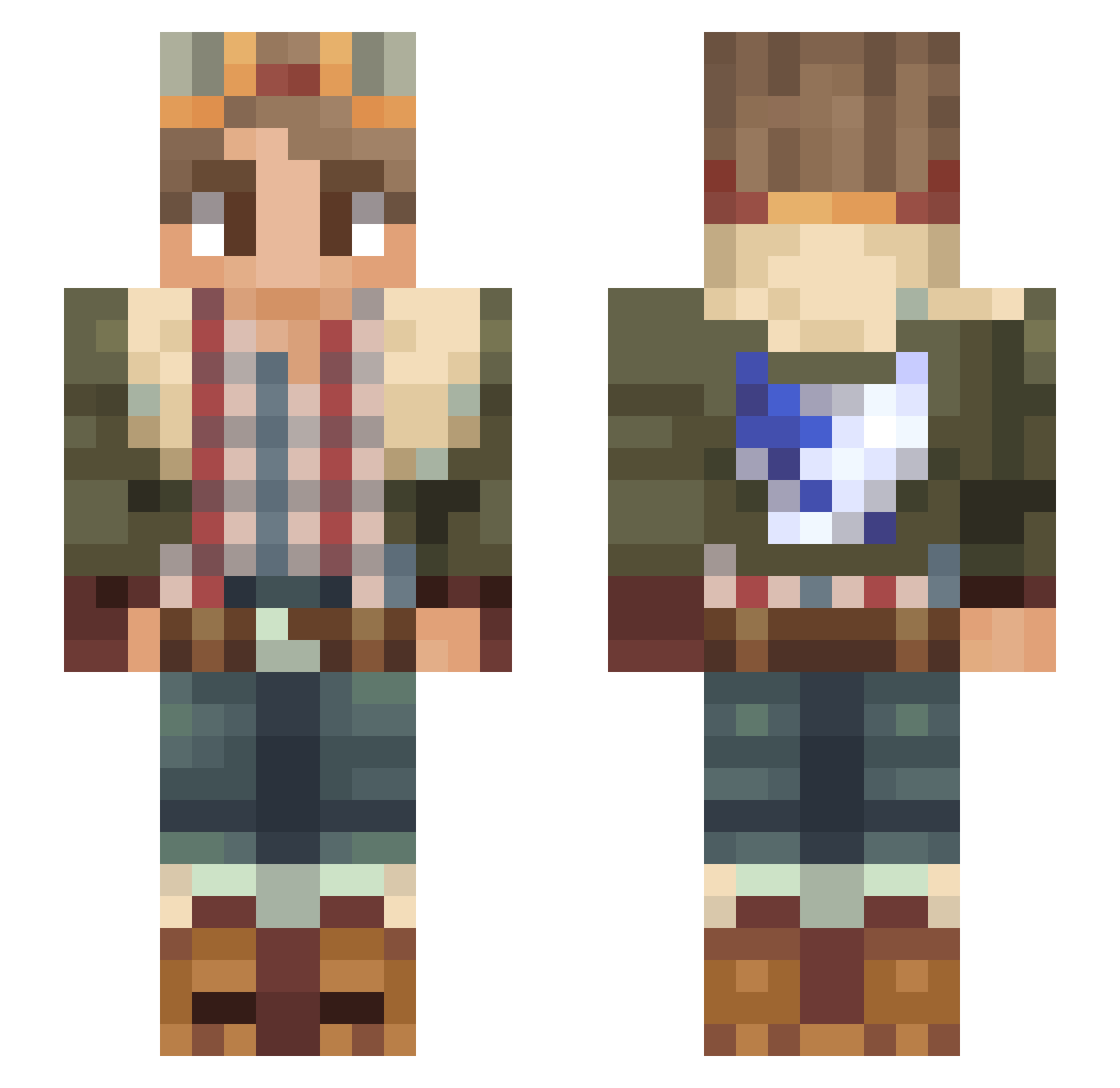
Other players with this skin (52)
SSStyx was the 17th player we have seen with this skin, first spotted on 15.08.2026. The same skin was seen on these players. Open a nickname to see their current skin and skin history.
 KenOpOne la_banane0925 Kami_ihene poopsockzzz Mon_Rad OreoSpi
 echo4eons Jordanix TuZZiK01 SaveD099 Gummybaer Kototri Naojiko Scenith cavalofriendly
 Milktea026 MolhoDeSoja24 Drammeli
 K6S310DR Farikie deebius2 DOD55 Bananamilk0205 lewcozade DKortman MrKJester JoshRiffs Fouin3tt3 1k1ru Tooasts0 Repeinado Elussive_ _RDias_ WaltzingWalrus TheHappyAsian Aliocas hippoterus123 Vasconce3211 muruking LoserMint IDdJIN TTatico Mineiro_Arrumado Havajan xXVinylXx SternDesert6535 MOFENG1219 Psaychedelic DIMaCrAft Cervisiar Papi_Cupidon HUNTERFXB
More Scout Regiment Minecraft skins
See all 195 Scout Regiment skins
How to install the SSStyx skin
- Press the Download button above to save the skin as a PNG file.
- Minecraft: Bedrock Edition (PE): open the Dressing Room from the main menu (or tap your character → Edit Character), go to Classic Skins → Owned, press the + (new skin) button, choose the downloaded PNG and pick the Slim (Alex) model. Works on PC and mobile; consoles cannot import custom skins.
- Minecraft: Java Edition: open the Minecraft Launcher, go to the Skins tab, click New Skin, load the PNG, pick the Slim (Alex) model and press Save & Use. You can also upload it at minecraft.net → Profile → Change Skin.
The skin does not show up after import - what should I do?
Restart Minecraft and open the Dressing Room again - imported skins sometimes appear only after a restart. Also make sure you selected the imported skin and picked the Slim (Alex) model.
Which model should I choose, Classic or Slim?
This skin is designed for the Slim (Alex) model. If you pick the wrong model, the arms of the skin will look stretched or squeezed.
Is the skin of SSStyx free to download?
Yes. Press Download, save the PNG file and use it in Minecraft: Bedrock Edition or Java Edition - no payment or registration needed. The skin also works on multiplayer servers and Realms.
More skins
Looking for more? Go back to all Minecraft skins and check the top skins of the week, month and all time, or find any player's skin by nickname.