
SO__Y - Minecraft Skins & Skin History
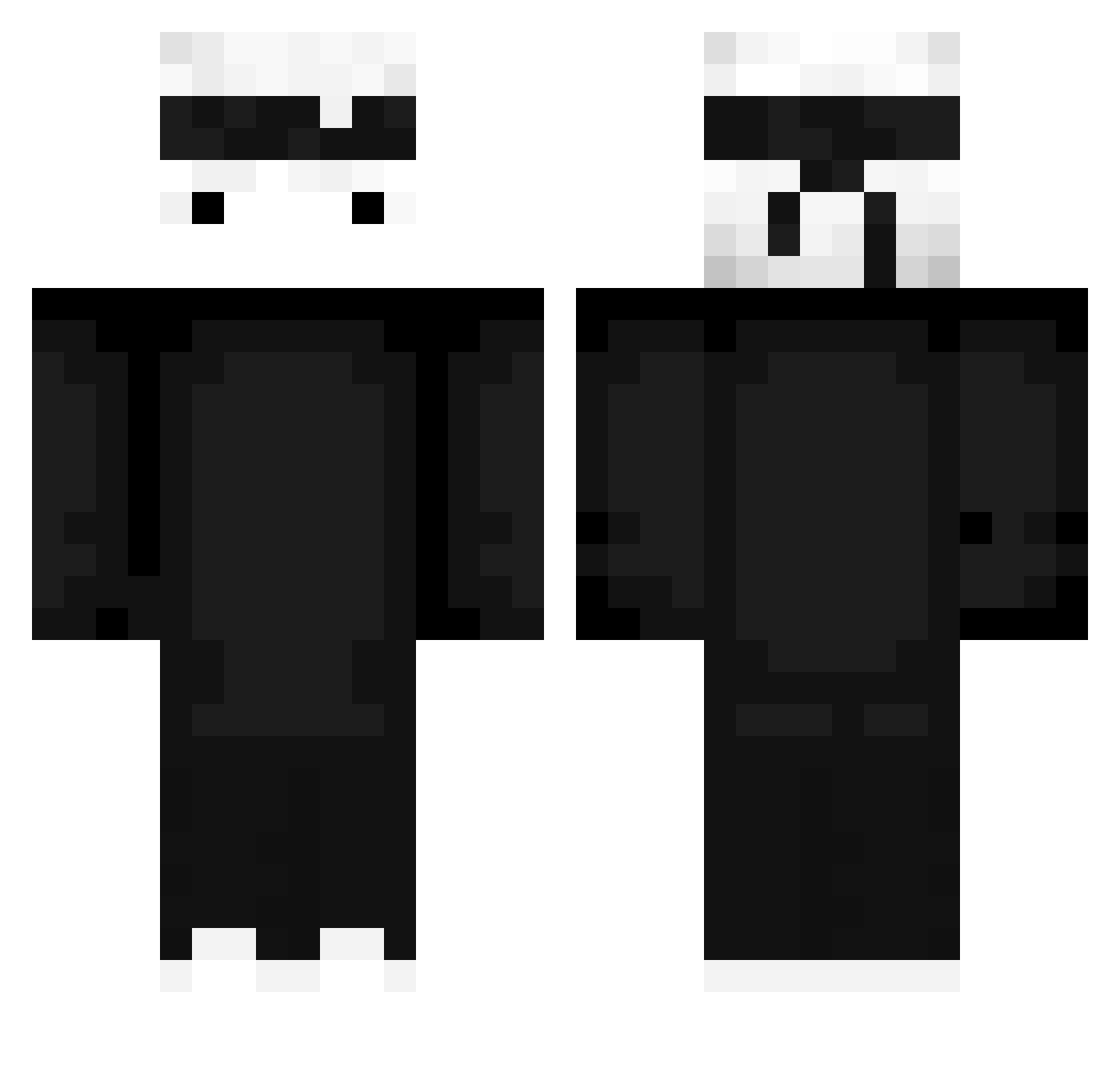
Current Minecraft skin of the player SO__Y, loaded from the official Mojang API. Rotate the 3D model with your mouse or finger, then download the skin as a PNG file and use it in Minecraft: Bedrock Edition or Java Edition for free. When SO__Y changes their skin, this page updates automatically and the old skin stays in the history below.
Other players with this skin (428)
SO__Y was the 150th player we have seen with this skin, first spotted on 26.08.2026. The same skin was seen on these players. Open a nickname to see their current skin and skin history.
 YSR76 TTcool23
 Jegusman aquazzEdits Frxxncesko ItMarkituz Sempai64 FlameSWordAxe pillomayo11 AHeckinNerd dazza07 rxja SonGian_ARG SPACE__BAR__ slmshady69 Marcobis lukas12pl MillsoTM Zven2K 6OHuHO6 Houri imnik_ ace_boy xpwe Gordin7942 Exlok1 Nipeys luciathecreeper aLittleWhite ItsBrandon66_ Eginard Vefros Kolan4ick DraxiPL kws1698 LofiCatSkater ElectricMan143 lucygirl13 lanqu18 Frequen_Z soyorlandx oskargame2121 Spectra_77 Walking6 vNade wHeelz_2 maksio254 zaitsv XzayX fengrunqi Mr_Potatoface otoboke9 SuperBanaNCIKK Lazzione _Martyxko_ Krcalko Raimis24_ teoooxx jozzie2000 mamamababu
More Ninja Minecraft skins
How to install the SO__Y skin
- Press the Download button above to save the skin as a PNG file.
- Minecraft: Bedrock Edition (PE): open the Dressing Room from the main menu (or tap your character → Edit Character), go to Classic Skins → Owned, press the + (new skin) button, choose the downloaded PNG and pick the Classic (Steve) model. Works on PC and mobile; consoles cannot import custom skins.
- Minecraft: Java Edition: open the Minecraft Launcher, go to the Skins tab, click New Skin, load the PNG, pick the Classic (Steve) model and press Save & Use. You can also upload it at minecraft.net → Profile → Change Skin.
The skin does not show up after import - what should I do?
Restart Minecraft and open the Dressing Room again - imported skins sometimes appear only after a restart. Also make sure you selected the imported skin and picked the Classic (Steve) model.
Which model should I choose, Classic or Slim?
This skin is designed for the Classic (Steve) model. If you pick the wrong model, the arms of the skin will look stretched or squeezed.
Is the skin of SO__Y free to download?
Yes. Press Download, save the PNG file and use it in Minecraft: Bedrock Edition or Java Edition - no payment or registration needed. The skin also works on multiplayer servers and Realms.
More skins
Looking for more? Go back to all Minecraft skins and check the top skins of the week, month and all time, or find any player's skin by nickname.