
SMSRabbit - Minecraft Skins & Skin History
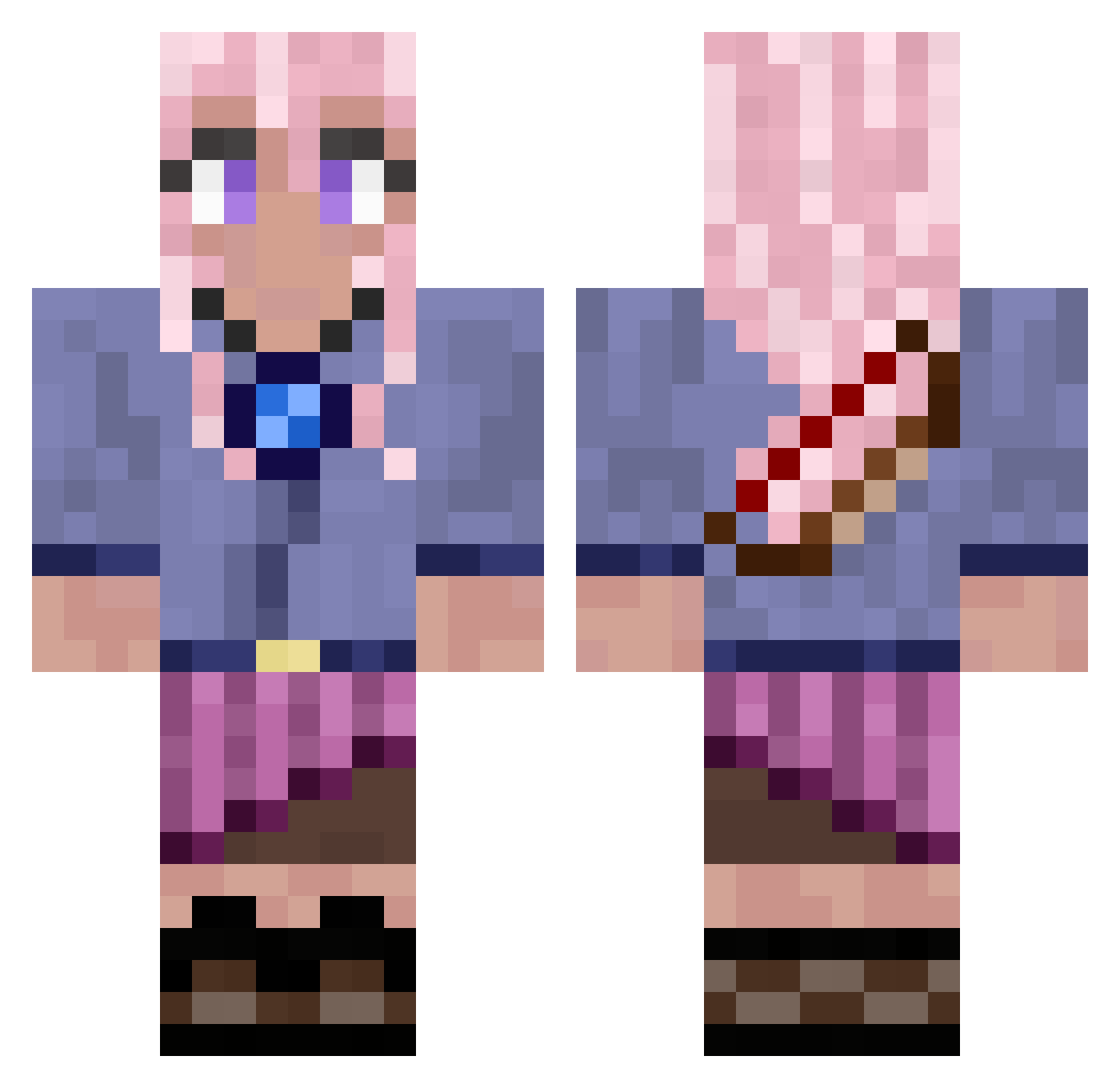
Current Minecraft skin of the player SMSRabbit, loaded from the official Mojang API. Rotate the 3D model with your mouse or finger, then download the skin as a PNG file and use it in Minecraft: Bedrock Edition or Java Edition for free. When SMSRabbit changes their skin, this page updates automatically and the old skin stays in the history below.
Other players with this skin (654)
SMSRabbit was the 122nd player we have seen with this skin, first spotted on 10.08.2026. The same skin was seen on these players. Open a nickname to see their current skin and skin history.
 Sxpper_ kdevil2 qyangg Yakir_the_king Kapaero GirlisCrazy IPressedK LightMerlin Gabriel_Reis PeroBellInZona beeboodeeboo wurm1 KazU330 k0k0ro1007 andyycandyy Wizzunnn Madamsalem sola111222 AlicornMiranda PanickingPanda2 EAServerStinks Doc_Maple_ HazardousFrk vaportrails2112 VickiDA iamtarkan ergoXYZ yxalina Helenka2013 Lilcso1112 Banakashi KitsuneYuki_ EvaBoa lizziemonthe SettledTech hyang8727 spaghettilegs03
 noodpro64 LunaTiger123 BreezeIe
 CutoffHydra752 Bockuss opscene A1NKE CaliGirl42 emma51043
 CaiGuynotShyGuy yyauso Hows1234 YalikeJahzz uffiiiik Eleveniks rupiecie Raksbach SaltyImposter Csemaa Bigsad2020 AlbertRoblox ArcadiaRCH fischotter98
More Kyoko Kirigiri Minecraft skins
See all 53 Kyoko Kirigiri skins
How to install the SMSRabbit skin
- Press the Download button above to save the skin as a PNG file.
- Minecraft: Bedrock Edition (PE): open the Dressing Room from the main menu (or tap your character → Edit Character), go to Classic Skins → Owned, press the + (new skin) button, choose the downloaded PNG and pick the Classic (Steve) model. Works on PC and mobile; consoles cannot import custom skins.
- Minecraft: Java Edition: open the Minecraft Launcher, go to the Skins tab, click New Skin, load the PNG, pick the Classic (Steve) model and press Save & Use. You can also upload it at minecraft.net → Profile → Change Skin.
The skin does not show up after import - what should I do?
Restart Minecraft and open the Dressing Room again - imported skins sometimes appear only after a restart. Also make sure you selected the imported skin and picked the Classic (Steve) model.
Which model should I choose, Classic or Slim?
This skin is designed for the Classic (Steve) model. If you pick the wrong model, the arms of the skin will look stretched or squeezed.
Is the skin of SMSRabbit free to download?
Yes. Press Download, save the PNG file and use it in Minecraft: Bedrock Edition or Java Edition - no payment or registration needed. The skin also works on multiplayer servers and Realms.
More skins
Looking for more? Go back to all Minecraft skins and check the top skins of the week, month and all time, or find any player's skin by nickname.