
SHOEX_2017 - Minecraft Skins & Skin History
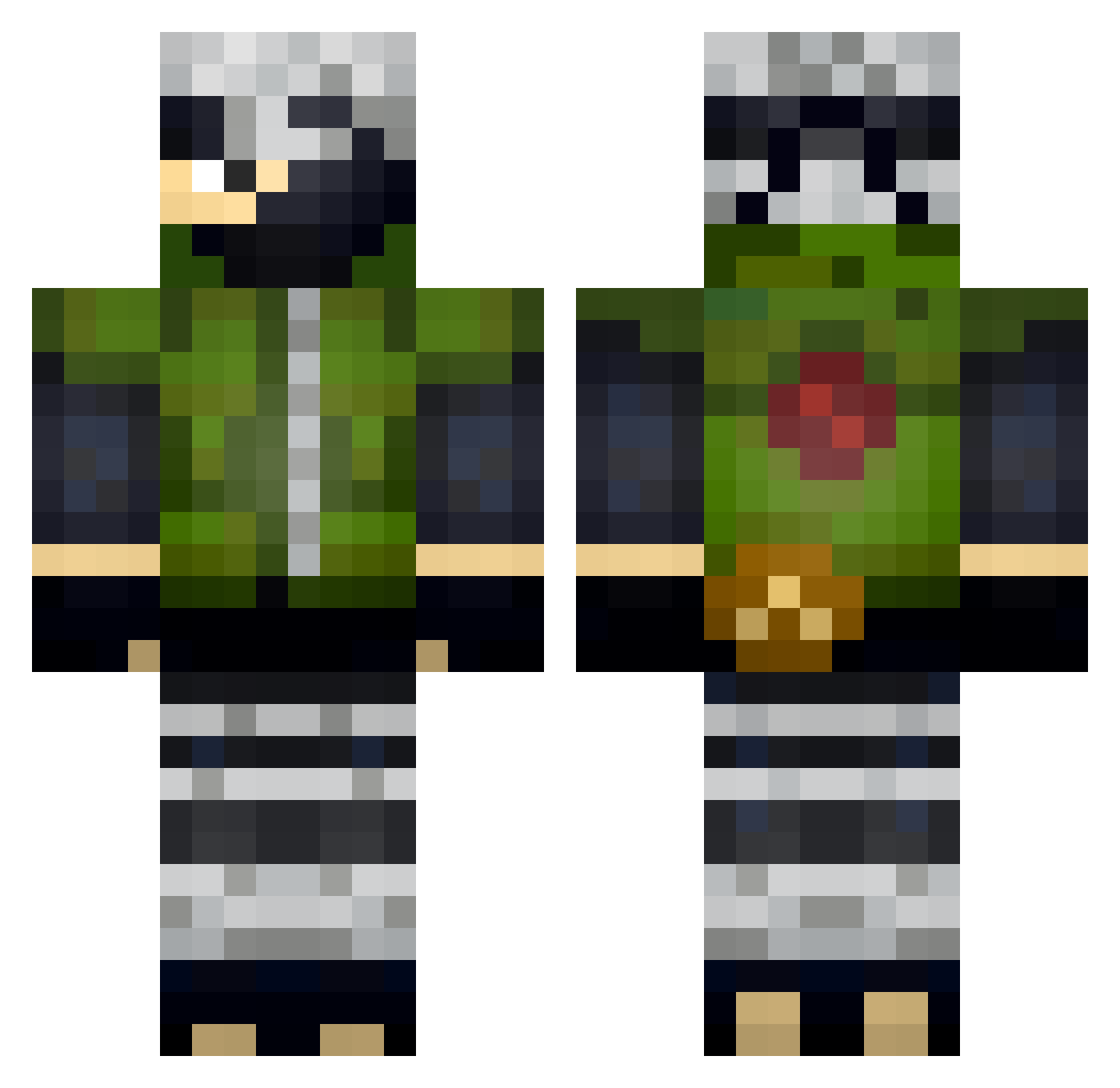
Current Minecraft skin of the player SHOEX_2017, loaded from the official Mojang API. Rotate the 3D model with your mouse or finger, then download the skin as a PNG file and use it in Minecraft: Bedrock Edition or Java Edition for free. When SHOEX_2017 changes their skin, this page updates automatically and the old skin stays in the history below.
Other players with this skin (59)
SHOEX_2017 was the 37th player we have seen with this skin, first spotted on 22.09.2026. The same skin was seen on these players. Open a nickname to see their current skin and skin history.
 eflamboyant SonNolan Byronne09 Kurayami939 NiltonGaymer DerAlu PlayerBadlion Guerino100 A_Killer136 Aschblau75Fna CrisMieres LeqitSebi_187er Nicholas_Nova davezr KosmeticsN4me Galavizin CackPunch Flimzeh BloopsHD Andre3702 WhySllKnowPlug LOSTGAM3R IAndroidPvP_ Jizabella MouseMechV2 operation_bagels Zendrik83 ianmancha Mardanos Ch1ckenNWaffles lucianolanes GGMx_IBR4H1M ChrisAlt68 Silentblade1551 Natsu2204 Sizzurp69 Jordob protocreep aniquma xIMaki Vinorek2 Th3Titas FabriPvperoPro killervincedu13 Pandange xponyfighter2010 dom197 anapaukala Dhelmot WuxNivia xiaochenzhu Jamsch playfire666 Kavilla SrWinn ZickZackWieEinR8 JaykidSparks whodisboi SlenZox
More Kakashi Hatake Minecraft skins
See all 468 Kakashi Hatake skins
How to install the SHOEX_2017 skin
- Press the Download button above to save the skin as a PNG file.
- Minecraft: Bedrock Edition (PE): open the Dressing Room from the main menu (or tap your character → Edit Character), go to Classic Skins → Owned, press the + (new skin) button, choose the downloaded PNG and pick the Classic (Steve) model. Works on PC and mobile; consoles cannot import custom skins.
- Minecraft: Java Edition: open the Minecraft Launcher, go to the Skins tab, click New Skin, load the PNG, pick the Classic (Steve) model and press Save & Use. You can also upload it at minecraft.net → Profile → Change Skin.
The skin does not show up after import - what should I do?
Restart Minecraft and open the Dressing Room again - imported skins sometimes appear only after a restart. Also make sure you selected the imported skin and picked the Classic (Steve) model.
Which model should I choose, Classic or Slim?
This skin is designed for the Classic (Steve) model. If you pick the wrong model, the arms of the skin will look stretched or squeezed.
Is the skin of SHOEX_2017 free to download?
Yes. Press Download, save the PNG file and use it in Minecraft: Bedrock Edition or Java Edition - no payment or registration needed. The skin also works on multiplayer servers and Realms.
More skins
Looking for more? Go back to all Minecraft skins and check the top skins of the week, month and all time, or find any player's skin by nickname.