
SHADOWYo - Minecraft Skins & Skin History
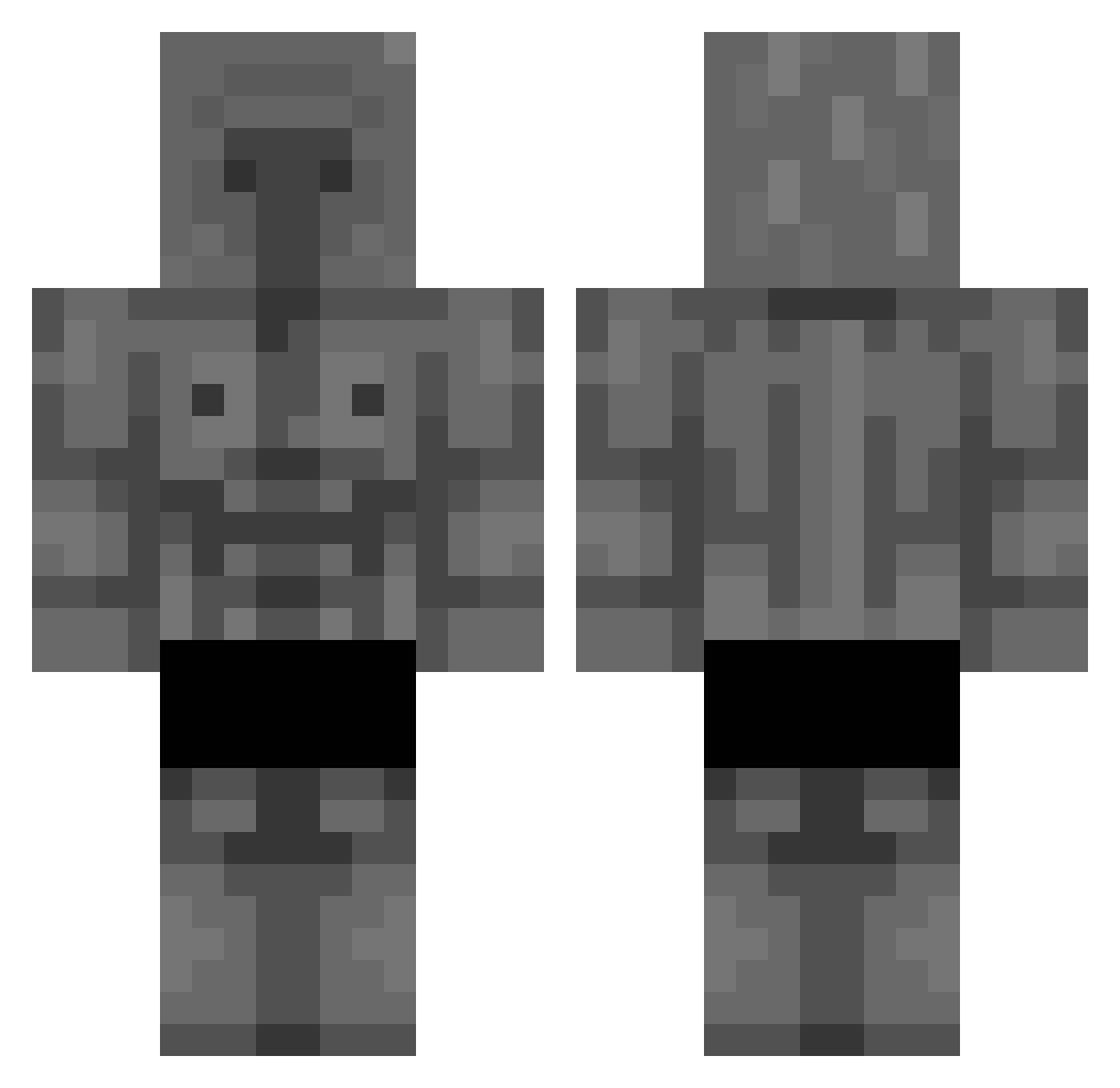
Current Minecraft skin of the player SHADOWYo, loaded from the official Mojang API. Rotate the 3D model with your mouse or finger, then download the skin as a PNG file and use it in Minecraft: Bedrock Edition or Java Edition for free. When SHADOWYo changes their skin, this page updates automatically and the old skin stays in the history below.
Other players with this skin (365)
SHADOWYo was the 340th player we have seen with this skin, first spotted on 13.11.2026. The same skin was seen on these players. Open a nickname to see their current skin and skin history.
 satache BHG56 DavidOn360FPS alamano7 Jarfiixx flapek88 JustPisak N44TE DxnRaven dedusssik Capivarachad Maz10 Coup2pantoufle myomum rk4_ ViniBertucci AIMAR_PRO EnotBanan VitroWoW MESSICAPO Vlad129 kai_aaron01 Jicaro Bort3x Ahpher epische_melone Kabanos2137 KOZ_203 Hunterxd2909 Al3h_ ultragramer01 klizz8656 MiniPaymon PacificSim dtap5 B4nd1D0 MihaiViteazu MIMazrum_ BedonMoloka D_PlaY_ lulu8609 itoLios CaptainCapybara9 Ghost_cool VinsP1ay Bernardoa7x SlimJimSanJan Capivariados CHARTONIMA angutadam42 mrskm69 chatle0 50yunpanxd ilp3nnarello Wescon7 Triter03 Aguacate_101 hakyui Shainat sx_hn1
More Stone Golem Minecraft skins
How to install the SHADOWYo skin
- Press the Download button above to save the skin as a PNG file.
- Minecraft: Bedrock Edition (PE): open the Dressing Room from the main menu (or tap your character → Edit Character), go to Classic Skins → Owned, press the + (new skin) button, choose the downloaded PNG and pick the Classic (Steve) model. Works on PC and mobile; consoles cannot import custom skins.
- Minecraft: Java Edition: open the Minecraft Launcher, go to the Skins tab, click New Skin, load the PNG, pick the Classic (Steve) model and press Save & Use. You can also upload it at minecraft.net → Profile → Change Skin.
The skin does not show up after import - what should I do?
Restart Minecraft and open the Dressing Room again - imported skins sometimes appear only after a restart. Also make sure you selected the imported skin and picked the Classic (Steve) model.
Which model should I choose, Classic or Slim?
This skin is designed for the Classic (Steve) model. If you pick the wrong model, the arms of the skin will look stretched or squeezed.
Is the skin of SHADOWYo free to download?
Yes. Press Download, save the PNG file and use it in Minecraft: Bedrock Edition or Java Edition - no payment or registration needed. The skin also works on multiplayer servers and Realms.
More skins
Looking for more? Go back to all Minecraft skins and check the top skins of the week, month and all time, or find any player's skin by nickname.