
SHA1TANOP - Minecraft Skins & Skin History
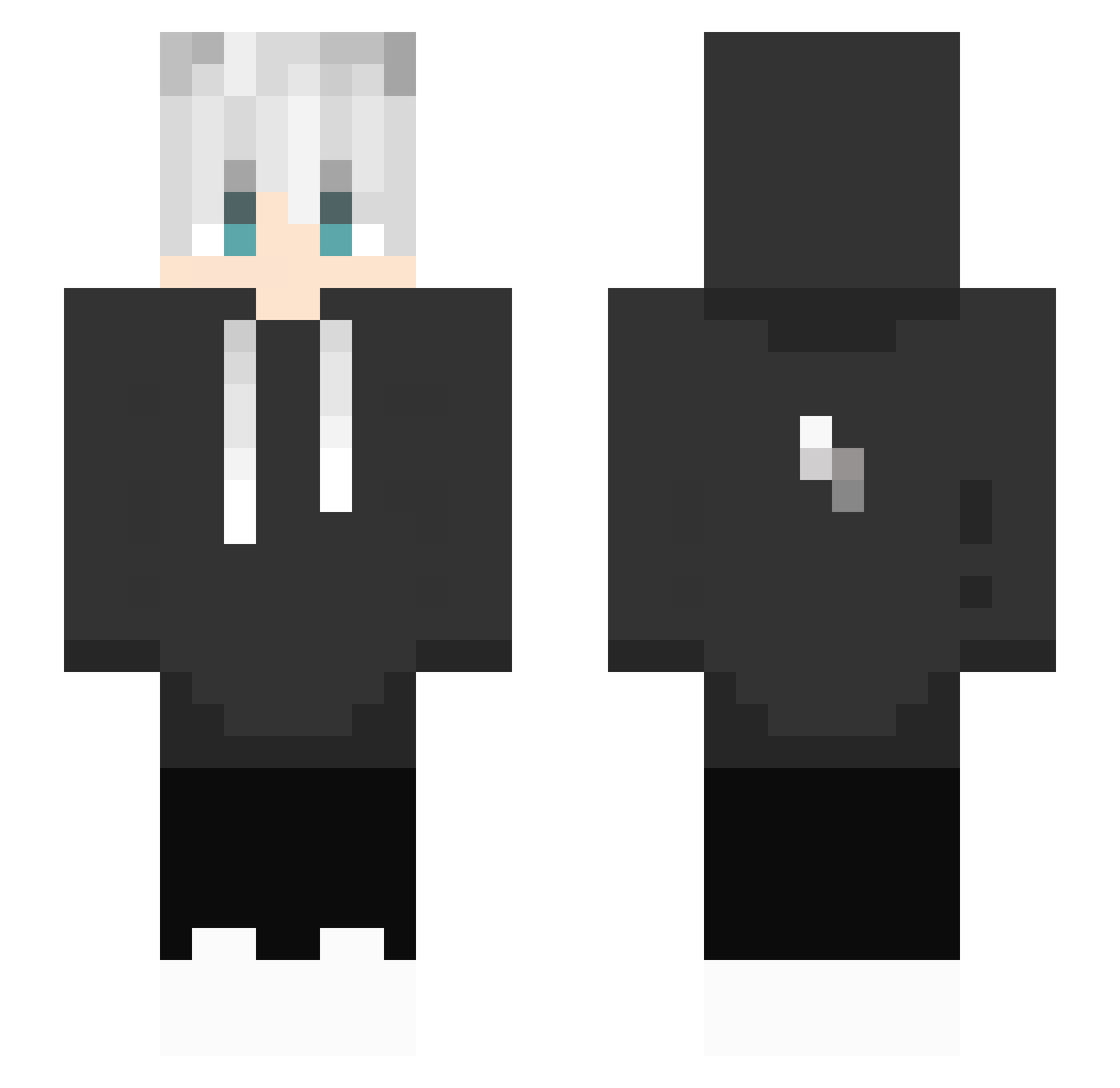
Current Minecraft skin of the player SHA1TANOP, loaded from the official Mojang API. Rotate the 3D model with your mouse or finger, then download the skin as a PNG file and use it in Minecraft: Bedrock Edition or Java Edition for free. When SHA1TANOP changes their skin, this page updates automatically and the old skin stays in the history below.
Other players with this skin (391)
SHA1TANOP was the 363rd player we have seen with this skin, first spotted on 22.10.2026. The same skin was seen on these players. Open a nickname to see their current skin and skin history.
 WeebsticKay lukas1234765 wwwHiNaTa DevakiNotFound Goblinman2321 Raphou1967 czako100000 Chrissaybye DerKull44 Train97 Laclin00 Zercxsfvv Dezsoke0918 imgerardv wonbin99 limpid19 nianqingrenLh kranose DreamDrunk Nigitrex UnRepeat EscanorSin95 princeharry113 Phoenix_The_Bird cz39 zzh47 norb3rtko Sebas354 ARegularDay DroperKew HAdams SMaxMax ccccchi7 PLAYER112233 darkdog974 Secreecy27 CrimsonCrewser RosaryLY it_progaming4m Djillusion100 Txnkla elsty our404 TKLingFeng syn6_ Elionse Sylx_Yt Mariomark1 Enoch_123 knighe gUOliver7Q danibug1392 Mask_cn MatheusRP7 Andalman Leshizzle98 herr_muetze Xavix_07 lijinpeng youchengui
More Lightning Bolt Minecraft skins
See all 831 Lightning Bolt skins
How to install the SHA1TANOP skin
- Press the Download button above to save the skin as a PNG file.
- Minecraft: Bedrock Edition (PE): open the Dressing Room from the main menu (or tap your character → Edit Character), go to Classic Skins → Owned, press the + (new skin) button, choose the downloaded PNG and pick the Slim (Alex) model. Works on PC and mobile; consoles cannot import custom skins.
- Minecraft: Java Edition: open the Minecraft Launcher, go to the Skins tab, click New Skin, load the PNG, pick the Slim (Alex) model and press Save & Use. You can also upload it at minecraft.net → Profile → Change Skin.
The skin does not show up after import - what should I do?
Restart Minecraft and open the Dressing Room again - imported skins sometimes appear only after a restart. Also make sure you selected the imported skin and picked the Slim (Alex) model.
Which model should I choose, Classic or Slim?
This skin is designed for the Slim (Alex) model. If you pick the wrong model, the arms of the skin will look stretched or squeezed.
Is the skin of SHA1TANOP free to download?
Yes. Press Download, save the PNG file and use it in Minecraft: Bedrock Edition or Java Edition - no payment or registration needed. The skin also works on multiplayer servers and Realms.
More skins
Looking for more? Go back to all Minecraft skins and check the top skins of the week, month and all time, or find any player's skin by nickname.