
SGfannr - Minecraft Skins & Skin History
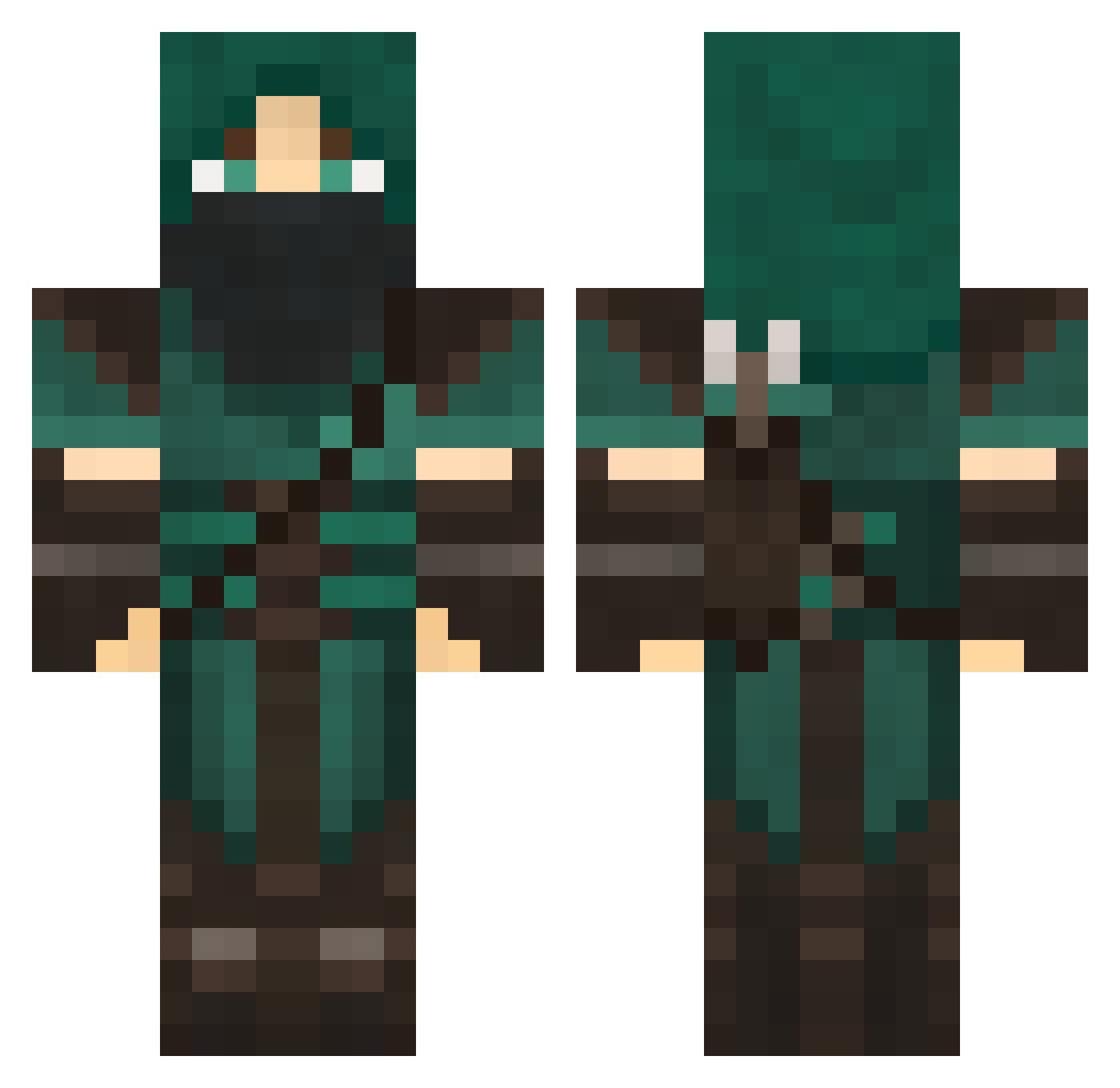
Current Minecraft skin of the player SGfannr, loaded from the official Mojang API. Rotate the 3D model with your mouse or finger, then download the skin as a PNG file and use it in Minecraft: Bedrock Edition or Java Edition for free. When SGfannr changes their skin, this page updates automatically and the old skin stays in the history below.
Other players with this skin (706)
SGfannr was the 61st player we have seen with this skin, first spotted on 04.08.2026. The same skin was seen on these players. Open a nickname to see their current skin and skin history.
 whyem pokemon_god1234 Halscions Ezayzay tkcarson Joelslab LegacyIsBorn krauss758 Chumano hunter7rob Panda_Templar10 Immobius FurirKeeper PickMast AustinWearsPrada Gartastrophe Razael_ dragon52009 michalzag ep1choneybadger Ex_Ghost GroOwnz cshideler chuy2849 flying_bowser Twicks jompa707 BOMBloader evanthegreatred 8Olympia PhoenixNINJA15 anthriax todelo TheRedKellogs Andrenalin18 ximpx MurataHimeko vgunning J0J074 ThatLovableNerd RougeAssassin999 luke4dead TIYI GAMERTACTICS742 BlueBarbados Cayd535 oodraft MalachoreV Saalmaan Liarin Silvodes tipsyturtle Komodo321 xACE009x Belaan Mextrai Coduo7 TheChosunOne Artsy Raven_Kai
More Rogue Minecraft skins
How to install the SGfannr skin
- Press the Download button above to save the skin as a PNG file.
- Minecraft: Bedrock Edition (PE): open the Dressing Room from the main menu (or tap your character → Edit Character), go to Classic Skins → Owned, press the + (new skin) button, choose the downloaded PNG and pick the Classic (Steve) model. Works on PC and mobile; consoles cannot import custom skins.
- Minecraft: Java Edition: open the Minecraft Launcher, go to the Skins tab, click New Skin, load the PNG, pick the Classic (Steve) model and press Save & Use. You can also upload it at minecraft.net → Profile → Change Skin.
The skin does not show up after import - what should I do?
Restart Minecraft and open the Dressing Room again - imported skins sometimes appear only after a restart. Also make sure you selected the imported skin and picked the Classic (Steve) model.
Which model should I choose, Classic or Slim?
This skin is designed for the Classic (Steve) model. If you pick the wrong model, the arms of the skin will look stretched or squeezed.
Is the skin of SGfannr free to download?
Yes. Press Download, save the PNG file and use it in Minecraft: Bedrock Edition or Java Edition - no payment or registration needed. The skin also works on multiplayer servers and Realms.
More skins
Looking for more? Go back to all Minecraft skins and check the top skins of the week, month and all time, or find any player's skin by nickname.