
SEUNGJUN1223 - Minecraft Skins & Skin History
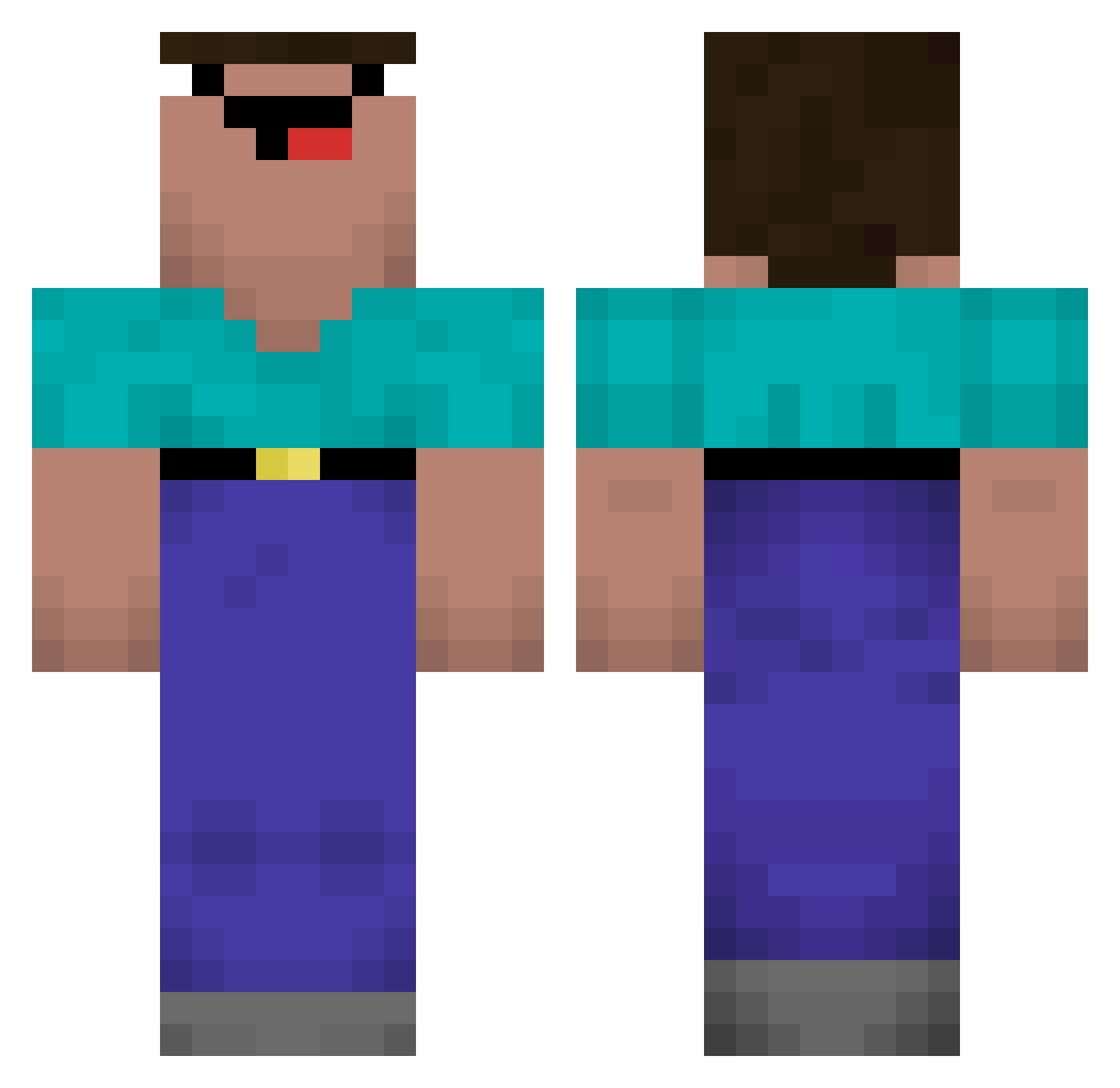
Current Minecraft skin of the player SEUNGJUN1223, loaded from the official Mojang API. Rotate the 3D model with your mouse or finger, then download the skin as a PNG file and use it in Minecraft: Bedrock Edition or Java Edition for free. When SEUNGJUN1223 changes their skin, this page updates automatically and the old skin stays in the history below.
Other players with this skin (570)
SEUNGJUN1223 was the 443rd player we have seen with this skin, first spotted on 15.10.2026. The same skin was seen on these players. Open a nickname to see their current skin and skin history.
 Aamlid br_ANONIMO MisterTeaRN TNPL ReeiZer K4ndy_ Pingash kktxn MammutvonHartz4 Papu_real_345 Bananero3038 ERICHEL Nogiolo Trusheur Imwegsteher Zombie_Bca fresle Christian_Vogel Xiao_soda_ otvriiangnl2012 caujasutom Antzuuuu BobbyLPs carloskoerichh l6stdreams AlperenFurkan 13noobasik13 ds4rmx catspunch swerrxx wje0810 cvvio RockTooth123 rento1025 Shadow_Skyer Artifactr Creativecraftey suwxz ELBUNE Rtianhao ToBx_Bot lSBl Razziel21 Clebiinho Matheus695s Rss0 __Limpan___ MandezzSpartan aronatom BaseIQ MyvOrigami Afroschiss russaknick Gunner513 BeeBamBoo BeanManJosh123 GruvArbetarna sam70100 Wierdguy23 bqab
More Classic Minecraft skins
How to install the SEUNGJUN1223 skin
- Press the Download button above to save the skin as a PNG file.
- Minecraft: Bedrock Edition (PE): open the Dressing Room from the main menu (or tap your character → Edit Character), go to Classic Skins → Owned, press the + (new skin) button, choose the downloaded PNG and pick the Classic (Steve) model. Works on PC and mobile; consoles cannot import custom skins.
- Minecraft: Java Edition: open the Minecraft Launcher, go to the Skins tab, click New Skin, load the PNG, pick the Classic (Steve) model and press Save & Use. You can also upload it at minecraft.net → Profile → Change Skin.
The skin does not show up after import - what should I do?
Restart Minecraft and open the Dressing Room again - imported skins sometimes appear only after a restart. Also make sure you selected the imported skin and picked the Classic (Steve) model.
Which model should I choose, Classic or Slim?
This skin is designed for the Classic (Steve) model. If you pick the wrong model, the arms of the skin will look stretched or squeezed.
Is the skin of SEUNGJUN1223 free to download?
Yes. Press Download, save the PNG file and use it in Minecraft: Bedrock Edition or Java Edition - no payment or registration needed. The skin also works on multiplayer servers and Realms.
More skins
Looking for more? Go back to all Minecraft skins and check the top skins of the week, month and all time, or find any player's skin by nickname.