
SBD_500 - Minecraft Skins & Skin History
Current Minecraft skin of the player SBD_500, loaded from the official Mojang API. Rotate the 3D model with your mouse or finger, then download the skin as a PNG file and use it in Minecraft: Bedrock Edition or Java Edition for free. When SBD_500 changes their skin, this page updates automatically and the old skin stays in the history below.
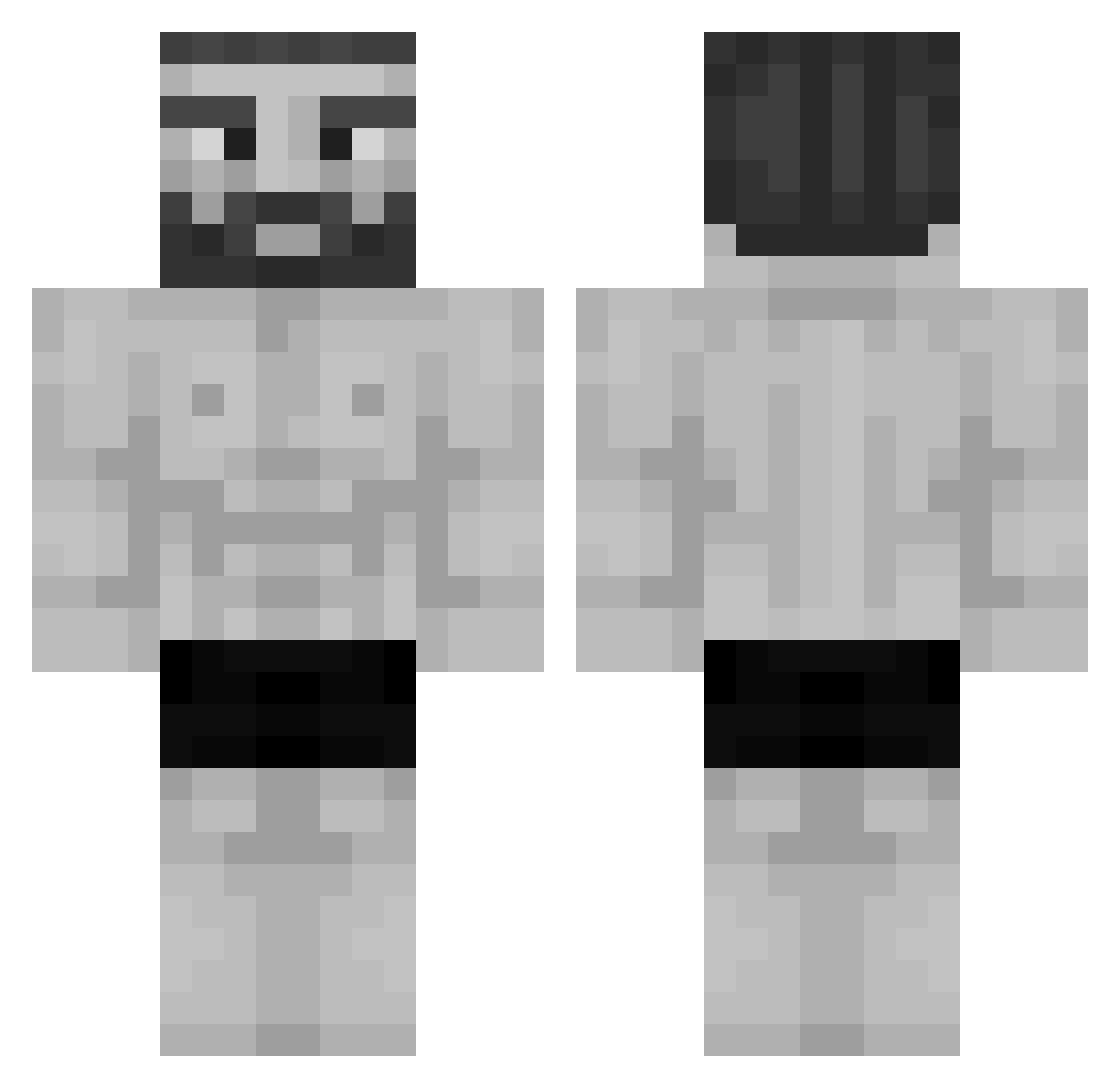
Other players with this skin (994)
SBD_500 was the 501st player we have seen with this skin, first spotted on 12.09.2026. The same skin was seen on these players. Open a nickname to see their current skin and skin history.
 ZzISavage TimeLineBeast PattyLustig Bombonasso SifilisSenpai 0bYq Chec99 LagoGameZ RealRiper Jammer373 TJTNT_BOOM Christosito_1 Mire_money Joalts8 Samacool07 RuedigerNdSoTief Tinchoxs Mult10n3 SIIQT SwoleGod2187 ppippi27 rafaphou12 bbaamm834 Parkillp Bantas Benza0 Izbandut53 Tchimbembe Smyil SzynkaSzew xcoxulicax hajin006 EminemWrapper Simi_YE MR_MOO_MOO_6969 Gordo_foda pr0nt ManelJG Chomcia GIGACHAD6969420 Hischii GreenShark739 mallet_horse 1Renzo __Krunk__ Lliamas ChrisX20X Brunnosy poisonousleon Coco322 Eness20111 felYb77_ memescott10 Nikfiury_777 Mertblt7 lolssakki JerryIsNice Reffolini Clarkie63 Kubi
More Gigachad Minecraft skins
How to install the SBD_500 skin
- Press the Download button above to save the skin as a PNG file.
- Minecraft: Bedrock Edition (PE): open the Dressing Room from the main menu (or tap your character → Edit Character), go to Classic Skins → Owned, press the + (new skin) button, choose the downloaded PNG and pick the Classic (Steve) model. Works on PC and mobile; consoles cannot import custom skins.
- Minecraft: Java Edition: open the Minecraft Launcher, go to the Skins tab, click New Skin, load the PNG, pick the Classic (Steve) model and press Save & Use. You can also upload it at minecraft.net → Profile → Change Skin.
The skin does not show up after import - what should I do?
Restart Minecraft and open the Dressing Room again - imported skins sometimes appear only after a restart. Also make sure you selected the imported skin and picked the Classic (Steve) model.
Which model should I choose, Classic or Slim?
This skin is designed for the Classic (Steve) model. If you pick the wrong model, the arms of the skin will look stretched or squeezed.
Is the skin of SBD_500 free to download?
Yes. Press Download, save the PNG file and use it in Minecraft: Bedrock Edition or Java Edition - no payment or registration needed. The skin also works on multiplayer servers and Realms.
More skins
Looking for more? Go back to all Minecraft skins and check the top skins of the week, month and all time, or find any player's skin by nickname.