
SANTI171 - Minecraft Skins & Skin History
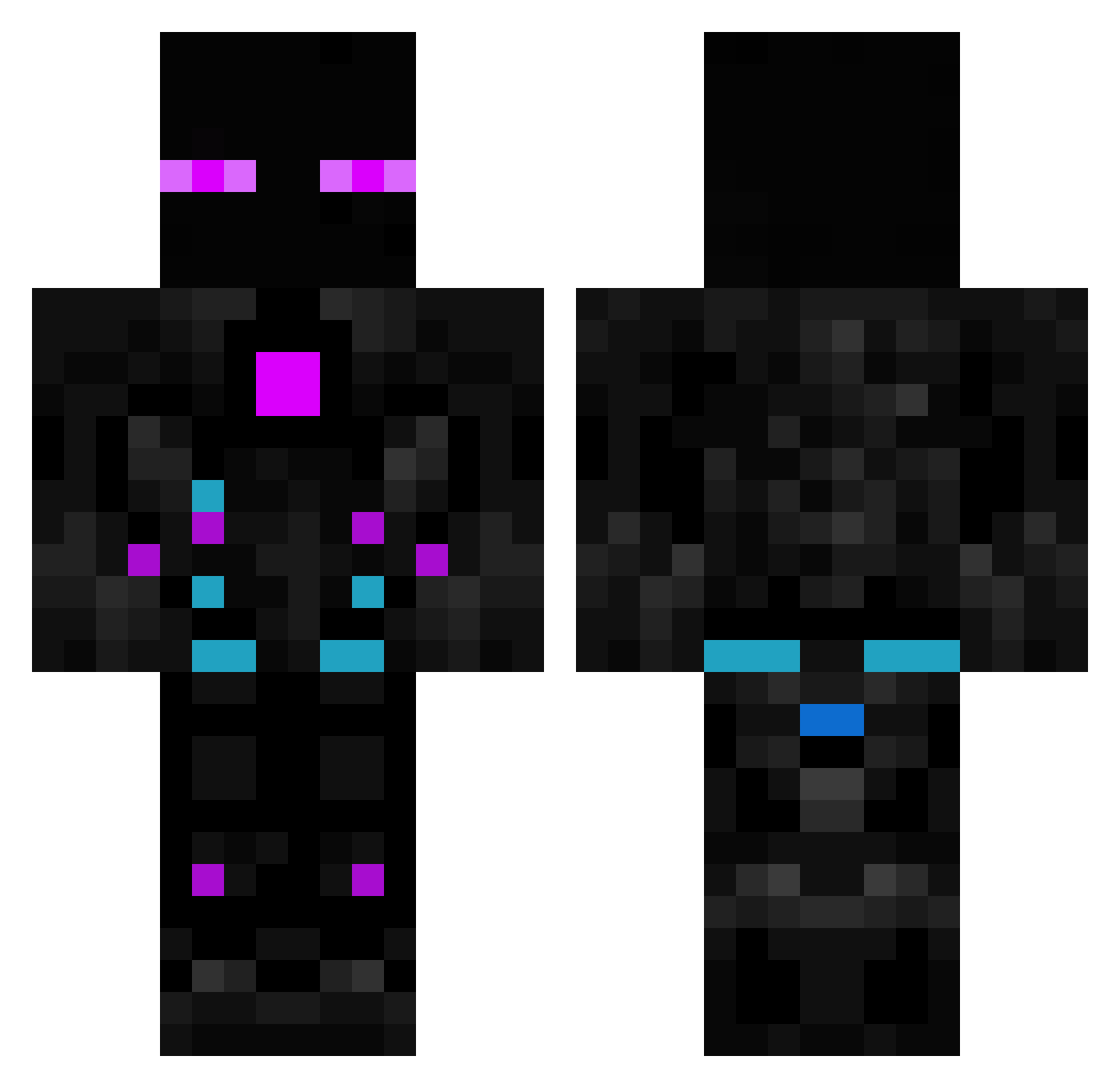
Current Minecraft skin of the player SANTI171, loaded from the official Mojang API. Rotate the 3D model with your mouse or finger, then download the skin as a PNG file and use it in Minecraft: Bedrock Edition or Java Edition for free. When SANTI171 changes their skin, this page updates automatically and the old skin stays in the history below.
Other players with this skin (614)
SANTI171 was the 556th player we have seen with this skin, first spotted on 28.10.2026. The same skin was seen on these players. Open a nickname to see their current skin and skin history.
 EnderTerran756 Nocktor Zamzarah NekonMS JOPRF9 A8_BeztZed_VN Maitre_Mouton Naranjo_06 TFresh337 madcraft29 wellyton2 ZachOfAlpha The0dor24 KELLERMAN747 Y0SAWA EnderX81 SpiderRider51 1Polish xxXThatOn3GuyXxx Eita1101 _das_Lama_ Slajom777 Russling48 Cursed_Wyvern Bambus786 alibaba48 troy8787 AnderBro_Play _Reaper_70 ibrahim_LOL mateoooo20 Blitz166 Soul04215 SupersplashKai TailWind90 xXx_VEMADOS_xXx ezjolesz Enderman1606 iamsmort loueece StaBiK nmbcxdark08 EthanGal _karczoch_ Dzsdzs LimonataLP4 LilSwepess_ putrauta Mystik_Schadow JackHuang01 1sam0102 Frosko307 Bebbo155 poppo987456 TudorM311 syius_jr BossMaku Kriminell07 l_Mercury_l Kunze2612
More Cyborg Minecraft skins
How to install the SANTI171 skin
- Press the Download button above to save the skin as a PNG file.
- Minecraft: Bedrock Edition (PE): open the Dressing Room from the main menu (or tap your character → Edit Character), go to Classic Skins → Owned, press the + (new skin) button, choose the downloaded PNG and pick the Classic (Steve) model. Works on PC and mobile; consoles cannot import custom skins.
- Minecraft: Java Edition: open the Minecraft Launcher, go to the Skins tab, click New Skin, load the PNG, pick the Classic (Steve) model and press Save & Use. You can also upload it at minecraft.net → Profile → Change Skin.
The skin does not show up after import - what should I do?
Restart Minecraft and open the Dressing Room again - imported skins sometimes appear only after a restart. Also make sure you selected the imported skin and picked the Classic (Steve) model.
Which model should I choose, Classic or Slim?
This skin is designed for the Classic (Steve) model. If you pick the wrong model, the arms of the skin will look stretched or squeezed.
Is the skin of SANTI171 free to download?
Yes. Press Download, save the PNG file and use it in Minecraft: Bedrock Edition or Java Edition - no payment or registration needed. The skin also works on multiplayer servers and Realms.
More skins
Looking for more? Go back to all Minecraft skins and check the top skins of the week, month and all time, or find any player's skin by nickname.