
S1lverSTAR96 - Minecraft Skins & Skin History
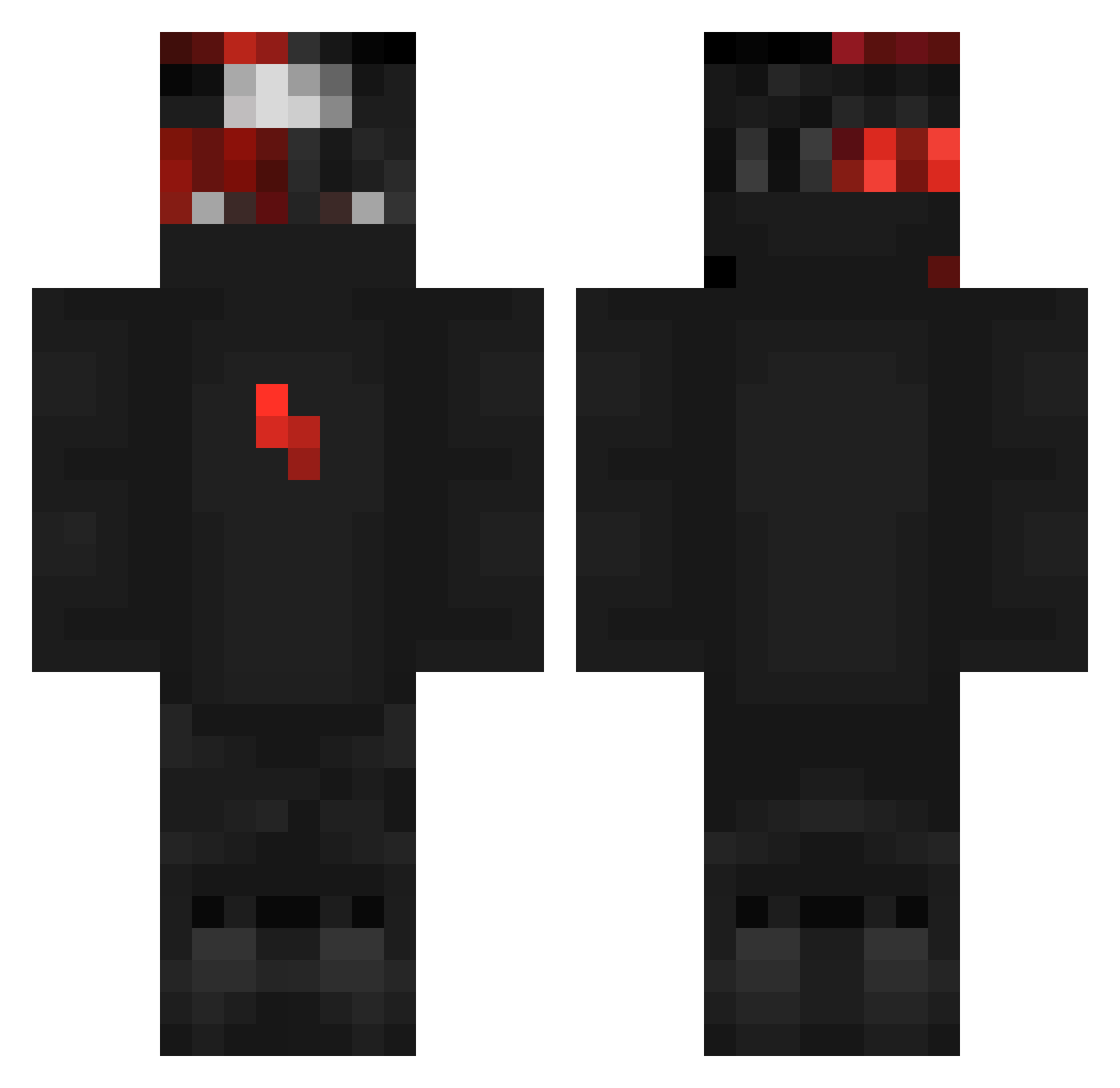
Current Minecraft skin of the player S1lverSTAR96, loaded from the official Mojang API. Rotate the 3D model with your mouse or finger, then download the skin as a PNG file and use it in Minecraft: Bedrock Edition or Java Edition for free. When S1lverSTAR96 changes their skin, this page updates automatically and the old skin stays in the history below.
Other players with this skin (299)
S1lverSTAR96 was the 224th player we have seen with this skin, first spotted on 10.10.2026. The same skin was seen on these players. Open a nickname to see their current skin and skin history.
 Avy_ Matteo046 BalisticSniper Leon_qxr jsR21 Nejcik96 checho0770 Zy_WOo shellbellxo1 Lucifer016 Deodeor 84KS LOST_Shxdow NormalDoctor madspotofficial Ricky007q Twyler_br llupo ThunderScore12 kot_nurkot Flymath vResiixZ Xaik Sttyxx haiwing48 BlazeCS DRAKKO123 Incredibleissac Costy2555 Zotez Aimprax yamxl Puhssessed AntiReduce erykl08 Zarlin89 SUPERMAN0234 TizzonE MrProd_ xBigWiz _DarkDen_ DarkFeitan qReapzzz ENNY_87 Kaiper_35 shoppyggtototyp 0roza SamfromHell06 mVrzyn67 Deez_6934 xInstinctZ PARKHM ReTr0FaB Z_E__U_S _Yousef_Enab zyleum RocketPat xTwiisto Phliqz Darkalios
More Ninja Minecraft skins
How to install the S1lverSTAR96 skin
- Press the Download button above to save the skin as a PNG file.
- Minecraft: Bedrock Edition (PE): open the Dressing Room from the main menu (or tap your character → Edit Character), go to Classic Skins → Owned, press the + (new skin) button, choose the downloaded PNG and pick the Classic (Steve) model. Works on PC and mobile; consoles cannot import custom skins.
- Minecraft: Java Edition: open the Minecraft Launcher, go to the Skins tab, click New Skin, load the PNG, pick the Classic (Steve) model and press Save & Use. You can also upload it at minecraft.net → Profile → Change Skin.
The skin does not show up after import - what should I do?
Restart Minecraft and open the Dressing Room again - imported skins sometimes appear only after a restart. Also make sure you selected the imported skin and picked the Classic (Steve) model.
Which model should I choose, Classic or Slim?
This skin is designed for the Classic (Steve) model. If you pick the wrong model, the arms of the skin will look stretched or squeezed.
Is the skin of S1lverSTAR96 free to download?
Yes. Press Download, save the PNG file and use it in Minecraft: Bedrock Edition or Java Edition - no payment or registration needed. The skin also works on multiplayer servers and Realms.
More skins
Looking for more? Go back to all Minecraft skins and check the top skins of the week, month and all time, or find any player's skin by nickname.