
RyuZen_FX - Minecraft Skins & Skin History
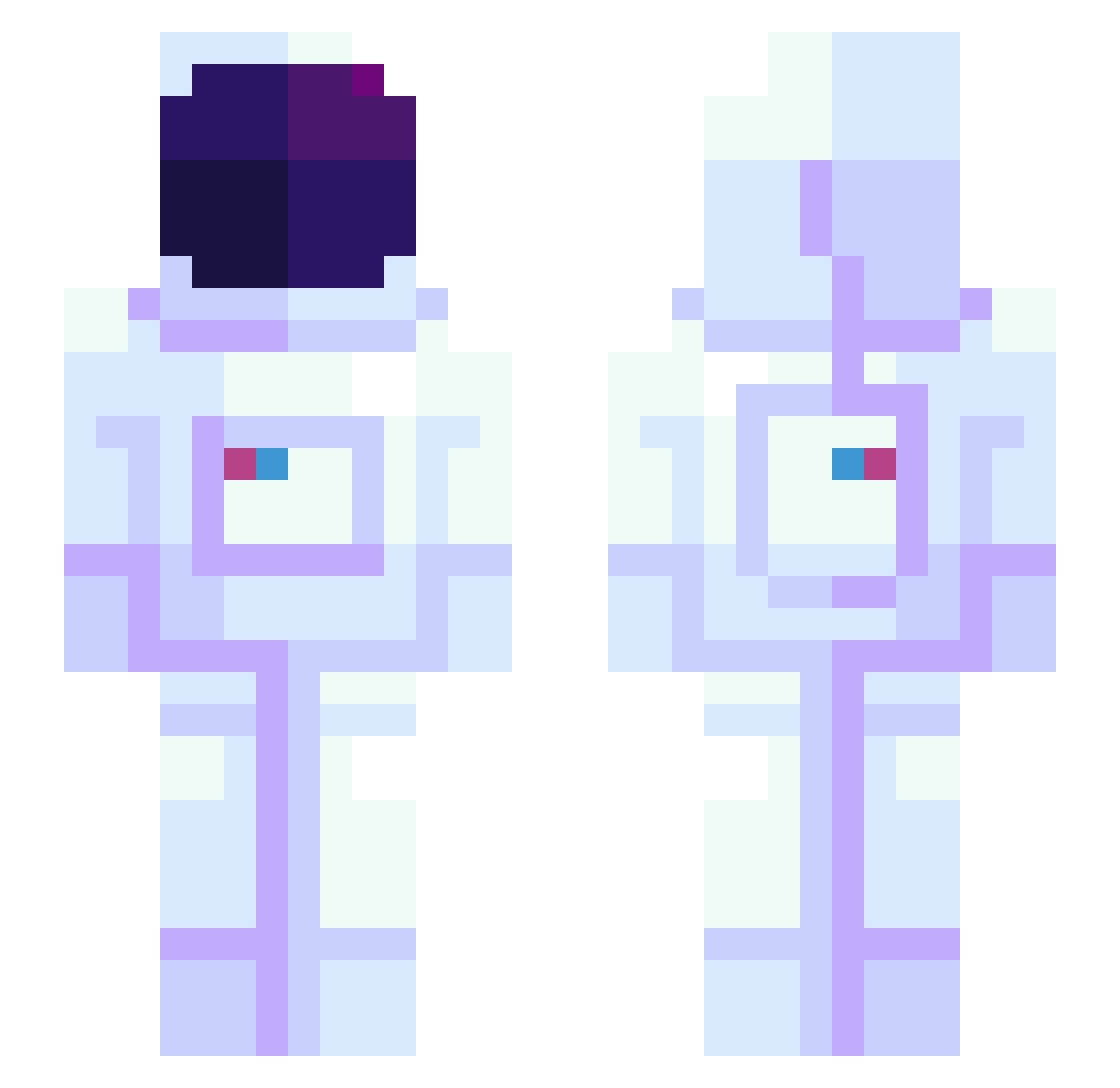
Current Minecraft skin of the player RyuZen_FX, loaded from the official Mojang API. Rotate the 3D model with your mouse or finger, then download the skin as a PNG file and use it in Minecraft: Bedrock Edition or Java Edition for free. When RyuZen_FX changes their skin, this page updates automatically and the old skin stays in the history below.
Other players with this skin (943)
RyuZen_FX was the 36th player we have seen with this skin, first spotted on 27.07.2026. The same skin was seen on these players. Open a nickname to see their current skin and skin history.
 28_2108 lab453 MrBludamir jimami3 Princess_CY CptJason wooriru Reveless delilah_grace widge42 mostran Kayu_W LVrong Mariel_Almaraz Void_Time gutovmg Watashigary HBdiuleni pmdgamer keep1006
 Aekhloria LILWHITT 7BamBamJr7 Astramist ScootDubh
 Keffko wonderland443 Purposei AdyAkle haze3357 Pantk14 Erhenwald BeefTwurky getshyamalaned Pfuch NE0GE0_alt Saleratus Tommy_Coops i_might_be_ryan HaoHao_185 Fbix BigGram Magmar_Terrible SneakieMinecraft Phatos666 vnylla JAEHOONLEE Rubiaaaa KylaLianneee lukaosadcijs Yepu YesImBlue FluShTheBatSanta AstronoMoonMoon KingKpool laziestjuan LIGUNGUN Crue78 LaDaurenz Solstheim
More Astronaut Minecraft skins
How to install the RyuZen_FX skin
- Press the Download button above to save the skin as a PNG file.
- Minecraft: Bedrock Edition (PE): open the Dressing Room from the main menu (or tap your character → Edit Character), go to Classic Skins → Owned, press the + (new skin) button, choose the downloaded PNG and pick the Slim (Alex) model. Works on PC and mobile; consoles cannot import custom skins.
- Minecraft: Java Edition: open the Minecraft Launcher, go to the Skins tab, click New Skin, load the PNG, pick the Slim (Alex) model and press Save & Use. You can also upload it at minecraft.net → Profile → Change Skin.
The skin does not show up after import - what should I do?
Restart Minecraft and open the Dressing Room again - imported skins sometimes appear only after a restart. Also make sure you selected the imported skin and picked the Slim (Alex) model.
Which model should I choose, Classic or Slim?
This skin is designed for the Slim (Alex) model. If you pick the wrong model, the arms of the skin will look stretched or squeezed.
Is the skin of RyuZen_FX free to download?
Yes. Press Download, save the PNG file and use it in Minecraft: Bedrock Edition or Java Edition - no payment or registration needed. The skin also works on multiplayer servers and Realms.
More skins
Looking for more? Go back to all Minecraft skins and check the top skins of the week, month and all time, or find any player's skin by nickname.