
RyomOQF - Minecraft Skins & Skin History
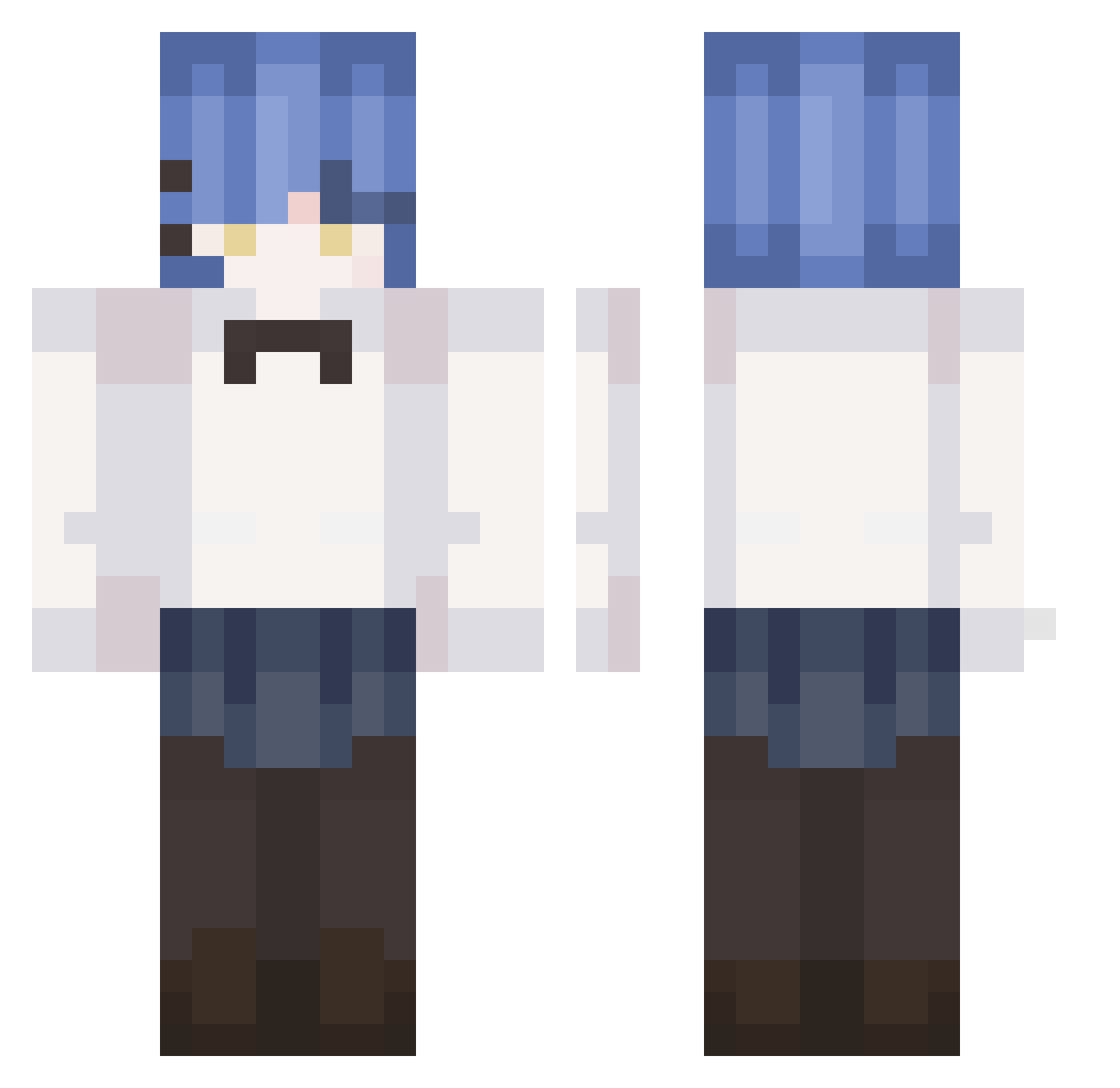
Current Minecraft skin of the player RyomOQF, loaded from the official Mojang API. Rotate the 3D model with your mouse or finger, then download the skin as a PNG file and use it in Minecraft: Bedrock Edition or Java Edition for free. When RyomOQF changes their skin, this page updates automatically and the old skin stays in the history below.
Other players with this skin (239)
RyomOQF was the 81st player we have seen with this skin, first spotted on 28.08.2026. The same skin was seen on these players. Open a nickname to see their current skin and skin history.
 Totoropantsu Rex_Doom UnBonPoulet nnnrrrl123m kdli RyoYamada_ oreo256 RoSiG3851 Jodod K1tSu_0 Eden240 anxsoon Mamaiedori96 Yamadalover RoTasIzKoRsAn iam9trash Hazai_ idontknow_nomore RyoGtfi uuuuuuuuniiiiiii MakersNacy lazywanna _res_tp_fms MrZonera spattyhattington Angelo357 eybruda WaterFishKing Ryo17y Azurlane RG_khs asdf5416 minatomirai28 Yamada__Ryo Theoldyuqi hyoco_ng hongsieunsi33 P4QU1TO plastilinchik
 TendingFlea62 Kaiiiaii bigrock123456 DDDOrae RyoWJFy RyanYang0 Vulpnar kk_shawu vghshe8
 yuHow1129 takasho4869 Silleex04 KOOONY_ Ly4nnnnn nuyhes kessoku Str34k Cactus54 CR_XiaoDi Holomorphyc IGaRaShiYuiKa
More Rem Minecraft skins
How to install the RyomOQF skin
- Press the Download button above to save the skin as a PNG file.
- Minecraft: Bedrock Edition (PE): open the Dressing Room from the main menu (or tap your character → Edit Character), go to Classic Skins → Owned, press the + (new skin) button, choose the downloaded PNG and pick the Classic (Steve) model. Works on PC and mobile; consoles cannot import custom skins.
- Minecraft: Java Edition: open the Minecraft Launcher, go to the Skins tab, click New Skin, load the PNG, pick the Classic (Steve) model and press Save & Use. You can also upload it at minecraft.net → Profile → Change Skin.
The skin does not show up after import - what should I do?
Restart Minecraft and open the Dressing Room again - imported skins sometimes appear only after a restart. Also make sure you selected the imported skin and picked the Classic (Steve) model.
Which model should I choose, Classic or Slim?
This skin is designed for the Classic (Steve) model. If you pick the wrong model, the arms of the skin will look stretched or squeezed.
Is the skin of RyomOQF free to download?
Yes. Press Download, save the PNG file and use it in Minecraft: Bedrock Edition or Java Edition - no payment or registration needed. The skin also works on multiplayer servers and Realms.
More skins
Looking for more? Go back to all Minecraft skins and check the top skins of the week, month and all time, or find any player's skin by nickname.