
Rymma - Minecraft Skins & Skin History
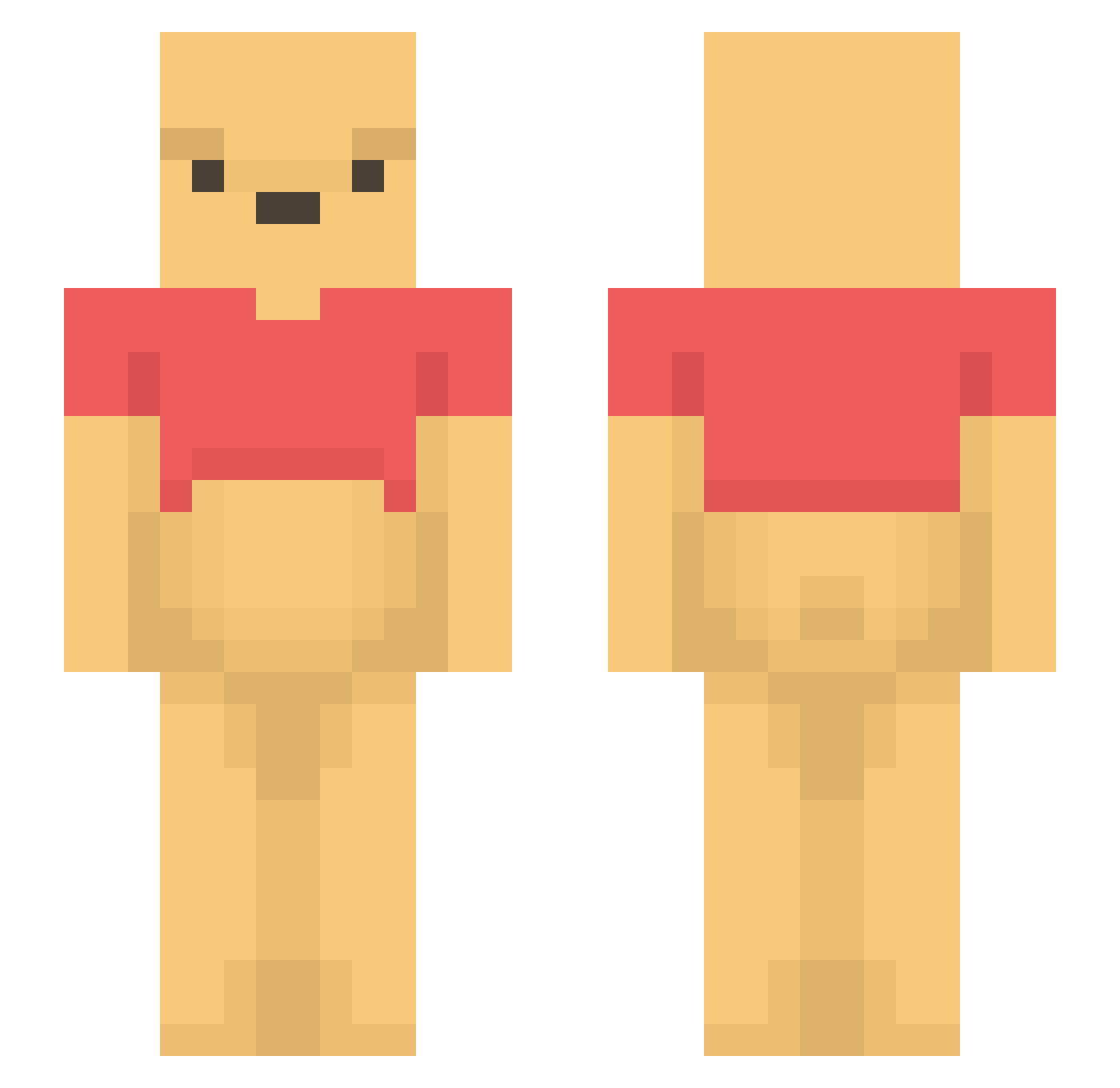
Current Minecraft skin of the player Rymma, loaded from the official Mojang API. Rotate the 3D model with your mouse or finger, then download the skin as a PNG file and use it in Minecraft: Bedrock Edition or Java Edition for free. When Rymma changes their skin, this page updates automatically and the old skin stays in the history below.
Other players with this skin (1644)
Rymma was the 1569th player we have seen with this skin, first spotted on 14.11.2026. The same skin was seen on these players. Open a nickname to see their current skin and skin history.
 ImghostCrafty LilKelpSquare DrFlorm thanis seeejooo didtpwls southman_king alemor12345 Robinious Tree64 theZKL mathysslaso6 llamabanjo mathieu6294 SucckMaster tess12333 Steph520xjp milovanmax taylapitsey9 HeisterL sung_ho0414 orestinas Mnyak xxhurulee lepompiste PINKSH07 TheOddRomulus victurdia Debii559 Yoka_x30 cloudofmoon didtosmite chaysianna Pinkddorai Conjiee Piaaaaar Assh0e06 verstingen NmslDu OwOre Srboje01 shoronp ZENZOMZ thatpicklegamer1 melonpc1 Sv2_Shade_te8 justink00013 diamencia natsumedesuga Sweetyzlol kujira_ari XiJinPooh Ninja1113 YoloBozo gingersux Nimajnev werkop2 grubbier karppo SooLiquid
More Winnie The Pooh Minecraft skins
See all 378 Winnie The Pooh skins
How to install the Rymma skin
- Press the Download button above to save the skin as a PNG file.
- Minecraft: Bedrock Edition (PE): open the Dressing Room from the main menu (or tap your character → Edit Character), go to Classic Skins → Owned, press the + (new skin) button, choose the downloaded PNG and pick the Slim (Alex) model. Works on PC and mobile; consoles cannot import custom skins.
- Minecraft: Java Edition: open the Minecraft Launcher, go to the Skins tab, click New Skin, load the PNG, pick the Slim (Alex) model and press Save & Use. You can also upload it at minecraft.net → Profile → Change Skin.
The skin does not show up after import - what should I do?
Restart Minecraft and open the Dressing Room again - imported skins sometimes appear only after a restart. Also make sure you selected the imported skin and picked the Slim (Alex) model.
Which model should I choose, Classic or Slim?
This skin is designed for the Slim (Alex) model. If you pick the wrong model, the arms of the skin will look stretched or squeezed.
Is the skin of Rymma free to download?
Yes. Press Download, save the PNG file and use it in Minecraft: Bedrock Edition or Java Edition - no payment or registration needed. The skin also works on multiplayer servers and Realms.
More skins
Looking for more? Go back to all Minecraft skins and check the top skins of the week, month and all time, or find any player's skin by nickname.