
Rychu_Pukawa - Minecraft Skins & Skin History
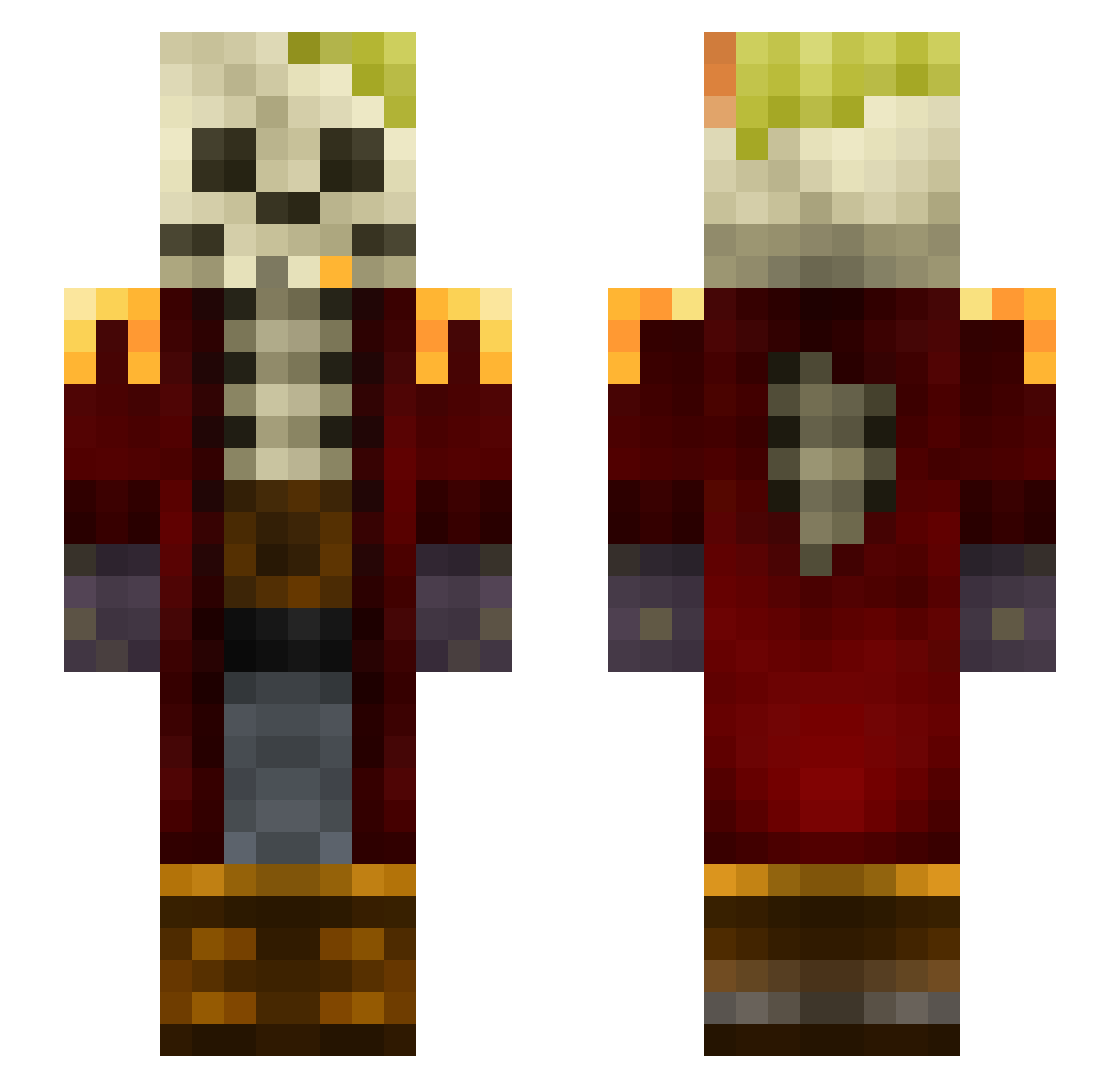
Current Minecraft skin of the player Rychu_Pukawa, loaded from the official Mojang API. Rotate the 3D model with your mouse or finger, then download the skin as a PNG file and use it in Minecraft: Bedrock Edition or Java Edition for free. When Rychu_Pukawa changes their skin, this page updates automatically and the old skin stays in the history below.
Other players with this skin (93)
Rychu_Pukawa was the 31st player we have seen with this skin, first spotted on 24.08.2026. The same skin was seen on these players. Open a nickname to see their current skin and skin history.
 Exphon MuffinTimeGG Jan00159 DayLiZz Gracin_favorite2 BerkayDoygun cankacakk Fetia Junger mqnso_ zombirock Chodicus_ MyToad Zygomatix Zayyne_ ACAMALYZX PilotHades z43o EKBR Jakubinos
 _n1k__ KUKUxue1 TarGaryeN77 blueshifty Martim9090 _YellowEye_ ClaudioMajorino StrikeRoberto91 Z0RNIK Popeyelmarino MagicFlakes BlackVanta CAPTAIN1781 Pork_Nbeans Duo2kk fxzionz SpaceBoyChase I3lueArroWw UUmonkey maxigrom Norsk35 Matys_Matys zarens87 Tchico722 nomadichermit FlipFl4p Il_Sardo Rathian_05 HACKO9998 tetebetquo Hurt_you Bezdalius shadow_crede yordit saikisaikisaiki Skaercro cOsmium_2601 gabriel_busther FumacaM1 Luke170000
More Captain Minecraft skins
How to install the Rychu_Pukawa skin
- Press the Download button above to save the skin as a PNG file.
- Minecraft: Bedrock Edition (PE): open the Dressing Room from the main menu (or tap your character → Edit Character), go to Classic Skins → Owned, press the + (new skin) button, choose the downloaded PNG and pick the Slim (Alex) model. Works on PC and mobile; consoles cannot import custom skins.
- Minecraft: Java Edition: open the Minecraft Launcher, go to the Skins tab, click New Skin, load the PNG, pick the Slim (Alex) model and press Save & Use. You can also upload it at minecraft.net → Profile → Change Skin.
The skin does not show up after import - what should I do?
Restart Minecraft and open the Dressing Room again - imported skins sometimes appear only after a restart. Also make sure you selected the imported skin and picked the Slim (Alex) model.
Which model should I choose, Classic or Slim?
This skin is designed for the Slim (Alex) model. If you pick the wrong model, the arms of the skin will look stretched or squeezed.
Is the skin of Rychu_Pukawa free to download?
Yes. Press Download, save the PNG file and use it in Minecraft: Bedrock Edition or Java Edition - no payment or registration needed. The skin also works on multiplayer servers and Realms.
More skins
Looking for more? Go back to all Minecraft skins and check the top skins of the week, month and all time, or find any player's skin by nickname.