
RyanTCG - Minecraft Skins & Skin History
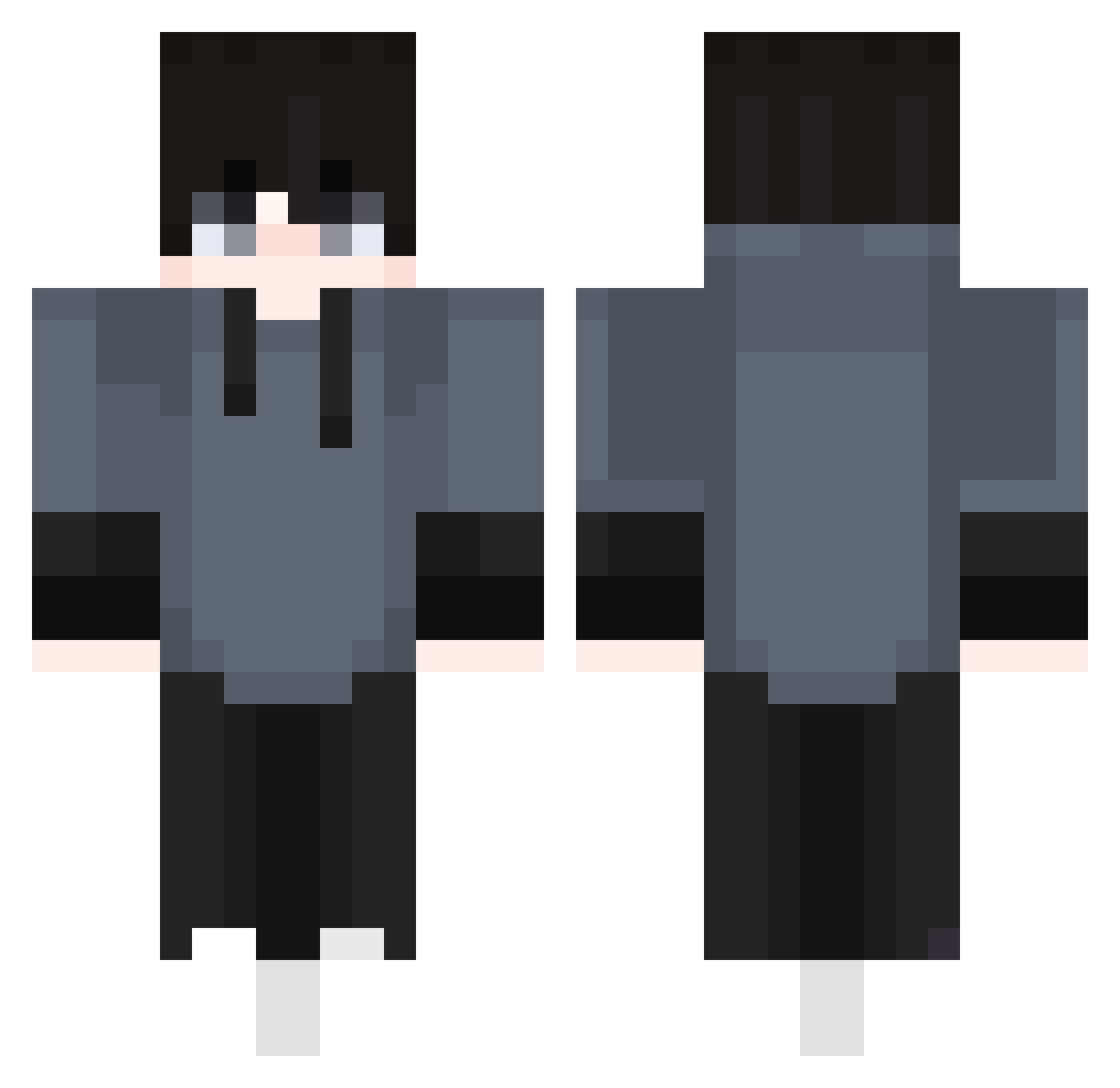
Current Minecraft skin of the player RyanTCG, loaded from the official Mojang API. Rotate the 3D model with your mouse or finger, then download the skin as a PNG file and use it in Minecraft: Bedrock Edition or Java Edition for free. When RyanTCG changes their skin, this page updates automatically and the old skin stays in the history below.
Other players with this skin (517)
RyanTCG was the 421st player we have seen with this skin, first spotted on 04.11.2026. The same skin was seen on these players. Open a nickname to see their current skin and skin history.
 Fawen_Aliswhat xP4trykx420 Kishogu LelexOG Siwoonggg1123 skysky826 AngelGP3 Eber03 KruteOW Rahul_Py Cnt6001 igna12 02582 Ichii777 duong123456799 davi_black38 Yasiruya xiaobo12 Chocpers SAHACOREJS MarcusEd Sparkycat18 yhenrii Darwim70 Rippka Donavan13 xadax71071128 hello09 seokwoo72 littlenoob883 Ashrph_xD Tekaizito FizzMajapahit Itachi_Pe KamilC2010 KemKem2020 JeffSilv Daniel_Alderson Rotmanis jio_0213 1ts_blu3 bielerp The_Alejo UdrosKudra __Emirhan__ Save_MySelf yul_E Asinando GABSJOGA MrSovia Yauxejj Bear_Bearik endureee KiyotakaYu StarForge85 looed AdamIsJoJo IsaTV_05 rfad_keto TheRealMonster72
How to install the RyanTCG skin
- Press the Download button above to save the skin as a PNG file.
- Minecraft: Bedrock Edition (PE): open the Dressing Room from the main menu (or tap your character → Edit Character), go to Classic Skins → Owned, press the + (new skin) button, choose the downloaded PNG and pick the Classic (Steve) model. Works on PC and mobile; consoles cannot import custom skins.
- Minecraft: Java Edition: open the Minecraft Launcher, go to the Skins tab, click New Skin, load the PNG, pick the Classic (Steve) model and press Save & Use. You can also upload it at minecraft.net → Profile → Change Skin.
The skin does not show up after import - what should I do?
Restart Minecraft and open the Dressing Room again - imported skins sometimes appear only after a restart. Also make sure you selected the imported skin and picked the Classic (Steve) model.
Which model should I choose, Classic or Slim?
This skin is designed for the Classic (Steve) model. If you pick the wrong model, the arms of the skin will look stretched or squeezed.
Is the skin of RyanTCG free to download?
Yes. Press Download, save the PNG file and use it in Minecraft: Bedrock Edition or Java Edition - no payment or registration needed. The skin also works on multiplayer servers and Realms.
More skins
Looking for more? Go back to all Minecraft skins and check the top skins of the week, month and all time, or find any player's skin by nickname.