
RxgueOne - Minecraft Skins & Skin History
Current Minecraft skin of the player RxgueOne, loaded from the official Mojang API. Rotate the 3D model with your mouse or finger, then download the skin as a PNG file and use it in Minecraft: Bedrock Edition or Java Edition for free. When RxgueOne changes their skin, this page updates automatically and the old skin stays in the history below.
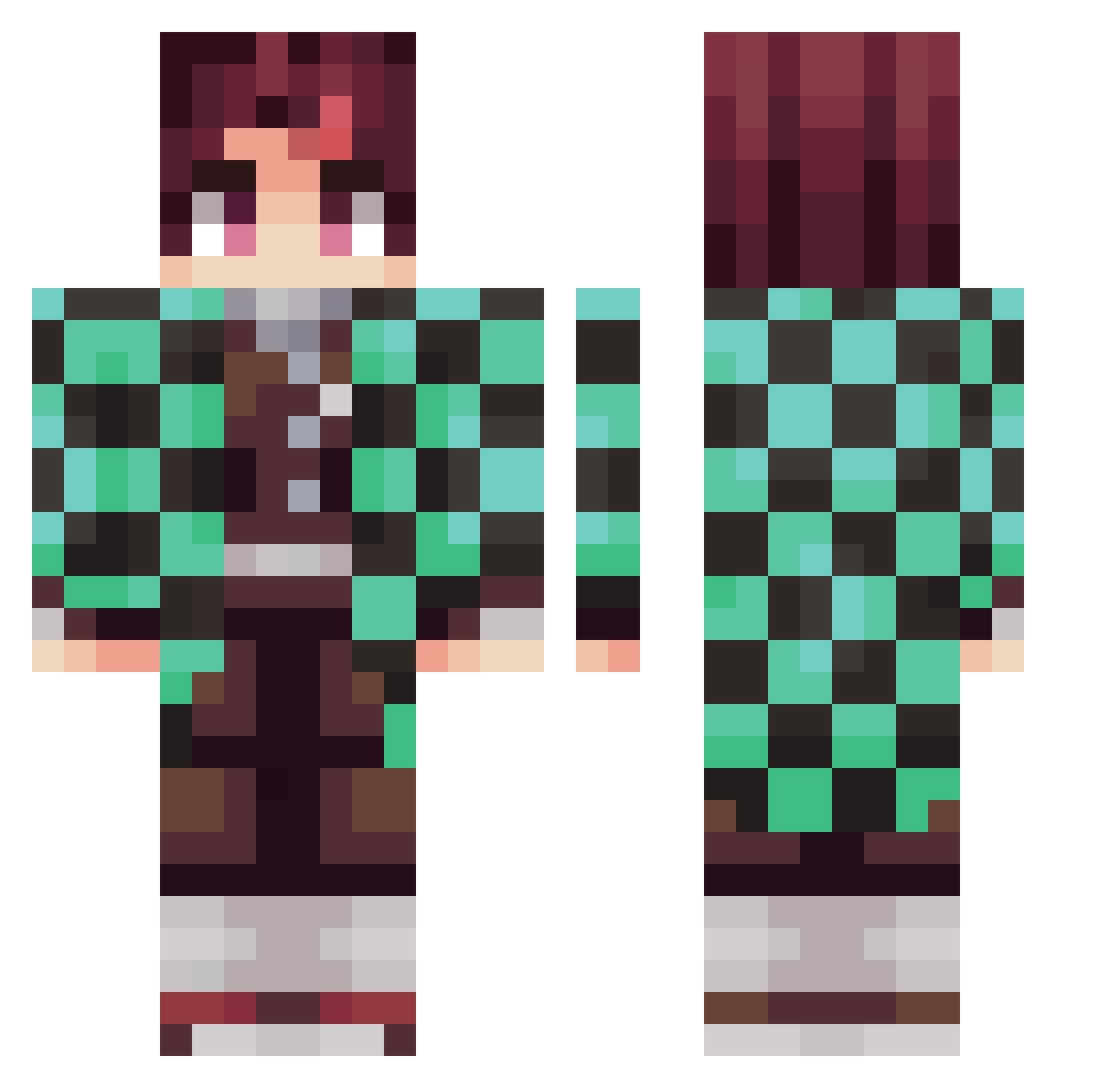
Other players with this skin (282)
RxgueOne was the 198th player we have seen with this skin, first spotted on 06.10.2026. The same skin was seen on these players. Open a nickname to see their current skin and skin history.
 BlintBeastwood Agent_84 Kalishi Tanjiro_0 JohniMae Shierdo istratsi DDemonslayer134 craZeyFPS Viidarru Adriuh_ Eason052899 blasterabood DinoBlood3 Promartin04 Justadrian1 twotungs magemerlin8 Mehrrr Carlitossxd2 xXKingAkainuXx Ryziel ZuckinFombie BatWitAGat Zunderbuechse Overlord1st hoss9592 MOJJI_STRAWBERRY Hibikick23 Yann_Mc94 Koworai Hellothere73 hallulla JNHAY01 thieflink fish777 Crimsonfeather3 samselpoivre lNeritantan Jah_r axelpro1 Moseeh RAMBOHYPHENMED hyeon_u Aeryle_ LDADAW Psycho_jalvaro HowMuchWhatDo jiwoo5264 Ferreirazao CamiRose1 Aquallusion J073 Classic_Thomas stonekeeper36 DjEclectic yarin_yaari Iminent Pallas_The_Great Lukas1415
More Tanjiro Kamado Minecraft skins
See all 437 Tanjiro Kamado skins
How to install the RxgueOne skin
- Press the Download button above to save the skin as a PNG file.
- Minecraft: Bedrock Edition (PE): open the Dressing Room from the main menu (or tap your character → Edit Character), go to Classic Skins → Owned, press the + (new skin) button, choose the downloaded PNG and pick the Classic (Steve) model. Works on PC and mobile; consoles cannot import custom skins.
- Minecraft: Java Edition: open the Minecraft Launcher, go to the Skins tab, click New Skin, load the PNG, pick the Classic (Steve) model and press Save & Use. You can also upload it at minecraft.net → Profile → Change Skin.
The skin does not show up after import - what should I do?
Restart Minecraft and open the Dressing Room again - imported skins sometimes appear only after a restart. Also make sure you selected the imported skin and picked the Classic (Steve) model.
Which model should I choose, Classic or Slim?
This skin is designed for the Classic (Steve) model. If you pick the wrong model, the arms of the skin will look stretched or squeezed.
Is the skin of RxgueOne free to download?
Yes. Press Download, save the PNG file and use it in Minecraft: Bedrock Edition or Java Edition - no payment or registration needed. The skin also works on multiplayer servers and Realms.
More skins
Looking for more? Go back to all Minecraft skins and check the top skins of the week, month and all time, or find any player's skin by nickname.