
Rusalkaa - Minecraft Skins & Skin History
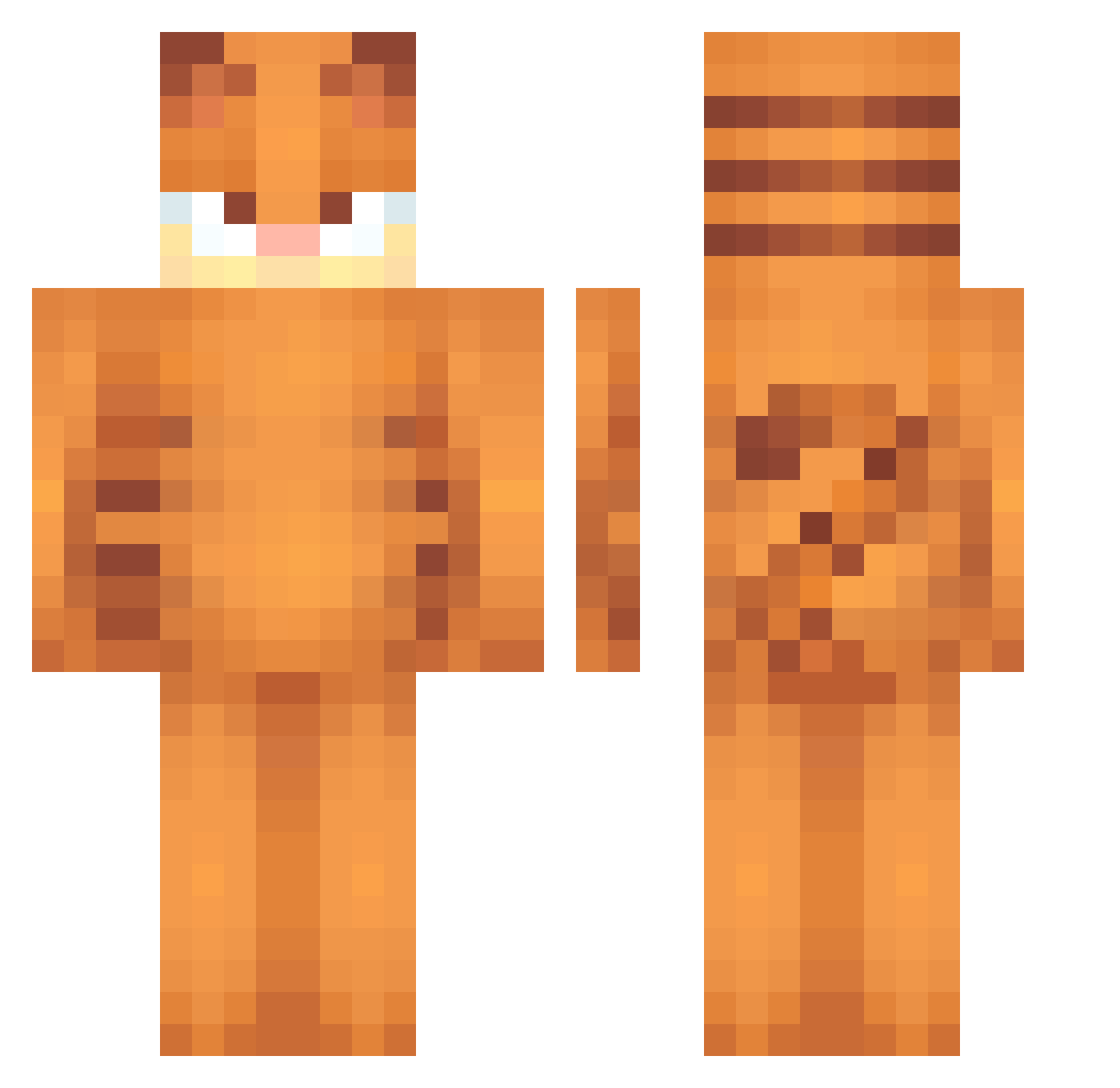
Current Minecraft skin of the player Rusalkaa, loaded from the official Mojang API. Rotate the 3D model with your mouse or finger, then download the skin as a PNG file and use it in Minecraft: Bedrock Edition or Java Edition for free. When Rusalkaa changes their skin, this page updates automatically and the old skin stays in the history below.
Other players with this skin (685)
Rusalkaa was the 642nd player we have seen with this skin, first spotted on 12.11.2026. The same skin was seen on these players. Open a nickname to see their current skin and skin history.
 NedasM cristianby06 martinka45 Prestila pichosaur Sonechka69420 Fazen_HD FroggyChloe TaraKung JuaNBra_ IHasM1lf Raghadast C4vao sam0123456 icymust JustV1bing1 cartoon7124 bignosepizza J9ak FreshP3rra Perfectengrish1 Blondu_29 MyLillyLOVE zhimu1 Cero_Bell Icemanatee estefi131313 DevsWings Berres_ Harukun12 Lowxs lasagne_is_tasty RupeeYA RavenDeLaClaw nantoucher LIMBO_PARTY ocifi fluffywoofness uuu710 synkvrwy Aloula_ qgif KiLeU_r AnthoTechno CagosTV Zentlisz xkajmil _BwoPls 2qety mayaa Demolidor2006 iosy velsie LuckyHard Luphoq meowwwwwdsfs Phantom99880 Sooby_111 Jusepening MilesMorales_
More Garfield Minecraft skins
How to install the Rusalkaa skin
- Press the Download button above to save the skin as a PNG file.
- Minecraft: Bedrock Edition (PE): open the Dressing Room from the main menu (or tap your character → Edit Character), go to Classic Skins → Owned, press the + (new skin) button, choose the downloaded PNG and pick the Classic (Steve) model. Works on PC and mobile; consoles cannot import custom skins.
- Minecraft: Java Edition: open the Minecraft Launcher, go to the Skins tab, click New Skin, load the PNG, pick the Classic (Steve) model and press Save & Use. You can also upload it at minecraft.net → Profile → Change Skin.
The skin does not show up after import - what should I do?
Restart Minecraft and open the Dressing Room again - imported skins sometimes appear only after a restart. Also make sure you selected the imported skin and picked the Classic (Steve) model.
Which model should I choose, Classic or Slim?
This skin is designed for the Classic (Steve) model. If you pick the wrong model, the arms of the skin will look stretched or squeezed.
Is the skin of Rusalkaa free to download?
Yes. Press Download, save the PNG file and use it in Minecraft: Bedrock Edition or Java Edition - no payment or registration needed. The skin also works on multiplayer servers and Realms.
More skins
Looking for more? Go back to all Minecraft skins and check the top skins of the week, month and all time, or find any player's skin by nickname.