
Rururoriri - Minecraft Skins & Skin History
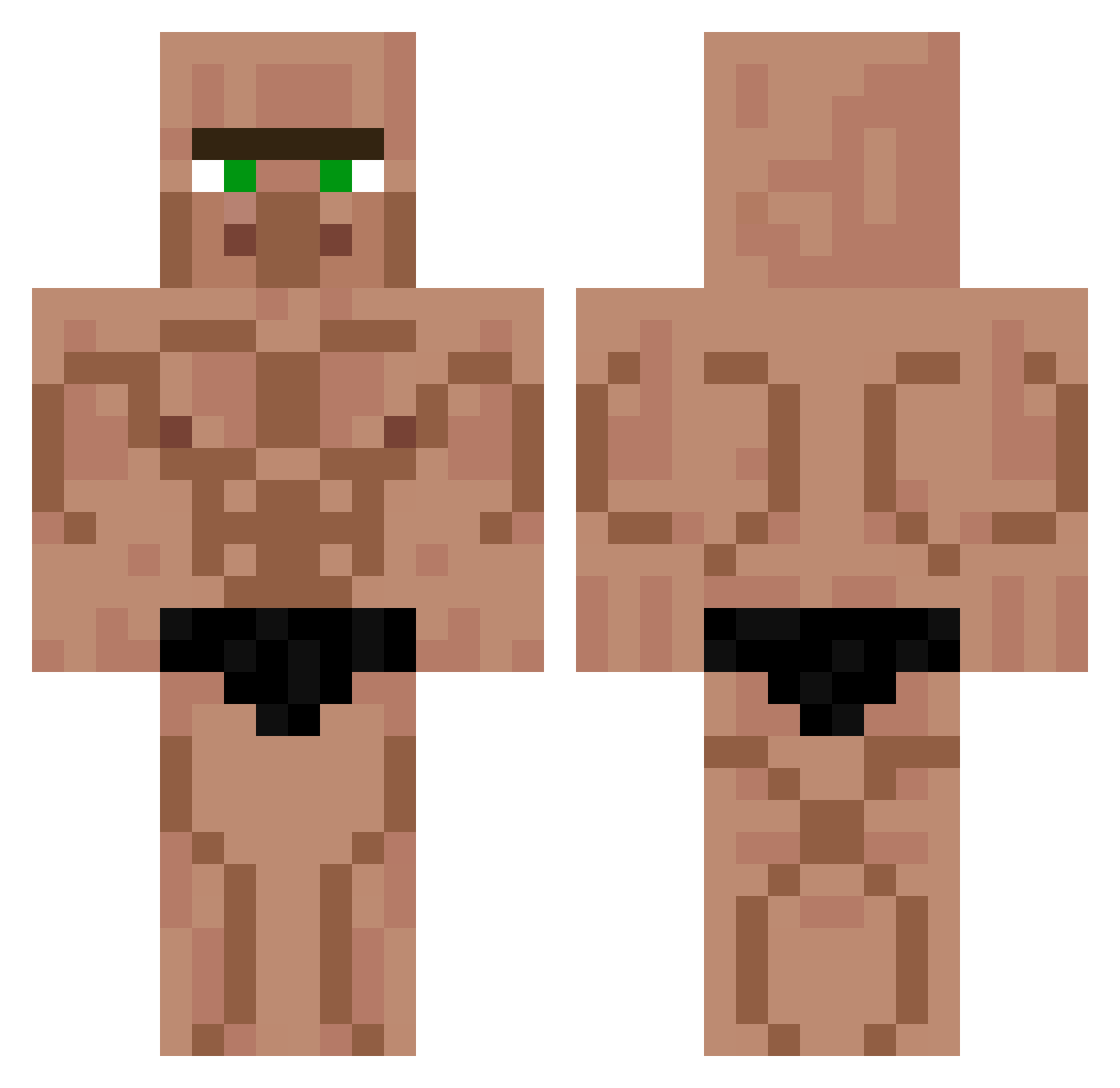
Current Minecraft skin of the player Rururoriri, loaded from the official Mojang API. Rotate the 3D model with your mouse or finger, then download the skin as a PNG file and use it in Minecraft: Bedrock Edition or Java Edition for free. When Rururoriri changes their skin, this page updates automatically and the old skin stays in the history below.
Other players with this skin (426)
Rururoriri was the 356th player we have seen with this skin, first spotted on 17.10.2026. The same skin was seen on these players. Open a nickname to see their current skin and skin history.
 Mxcc0011 cowdude101 Aveau NICOpltr Ezpeas_o_cake Rabbit_bear TomasGreschuck Kaver78 MR_FFFO Rem______ SjufoBob joaozinho2010 boberinobo Heasty _KingOfCubes_ Kaleos29 flydanjo LittleRemus ShakeBTW Leno117 ElliP99 Tyabin3125 ArukaySama p1p_ Mart1Ro LordCardigan Ecosses Polyxene lack7 ABDULHKEM 24iq_ buster56 kkakdduki airjuans75 tlswlgud Z1tes luix00uk Jesse_Santos Kn1Fy bevi76 miyaoka_otouto Rafael_Delas Boubouchka _Seba___ glodnychomik Stevie_Potato FatManPt2 TheBlackMonke169 lecea23 Iirim_ kanata220223 Mochaugraal rltjd0969 DrunkDriver21 VXTXNNN LeoK15 SExWoon JayHawk Patatate_ wgbossman
More Muscle Minecraft skins
How to install the Rururoriri skin
- Press the Download button above to save the skin as a PNG file.
- Minecraft: Bedrock Edition (PE): open the Dressing Room from the main menu (or tap your character → Edit Character), go to Classic Skins → Owned, press the + (new skin) button, choose the downloaded PNG and pick the Classic (Steve) model. Works on PC and mobile; consoles cannot import custom skins.
- Minecraft: Java Edition: open the Minecraft Launcher, go to the Skins tab, click New Skin, load the PNG, pick the Classic (Steve) model and press Save & Use. You can also upload it at minecraft.net → Profile → Change Skin.
The skin does not show up after import - what should I do?
Restart Minecraft and open the Dressing Room again - imported skins sometimes appear only after a restart. Also make sure you selected the imported skin and picked the Classic (Steve) model.
Which model should I choose, Classic or Slim?
This skin is designed for the Classic (Steve) model. If you pick the wrong model, the arms of the skin will look stretched or squeezed.
Is the skin of Rururoriri free to download?
Yes. Press Download, save the PNG file and use it in Minecraft: Bedrock Edition or Java Edition - no payment or registration needed. The skin also works on multiplayer servers and Realms.
More skins
Looking for more? Go back to all Minecraft skins and check the top skins of the week, month and all time, or find any player's skin by nickname.