
Runestaff - Minecraft Skins & Skin History
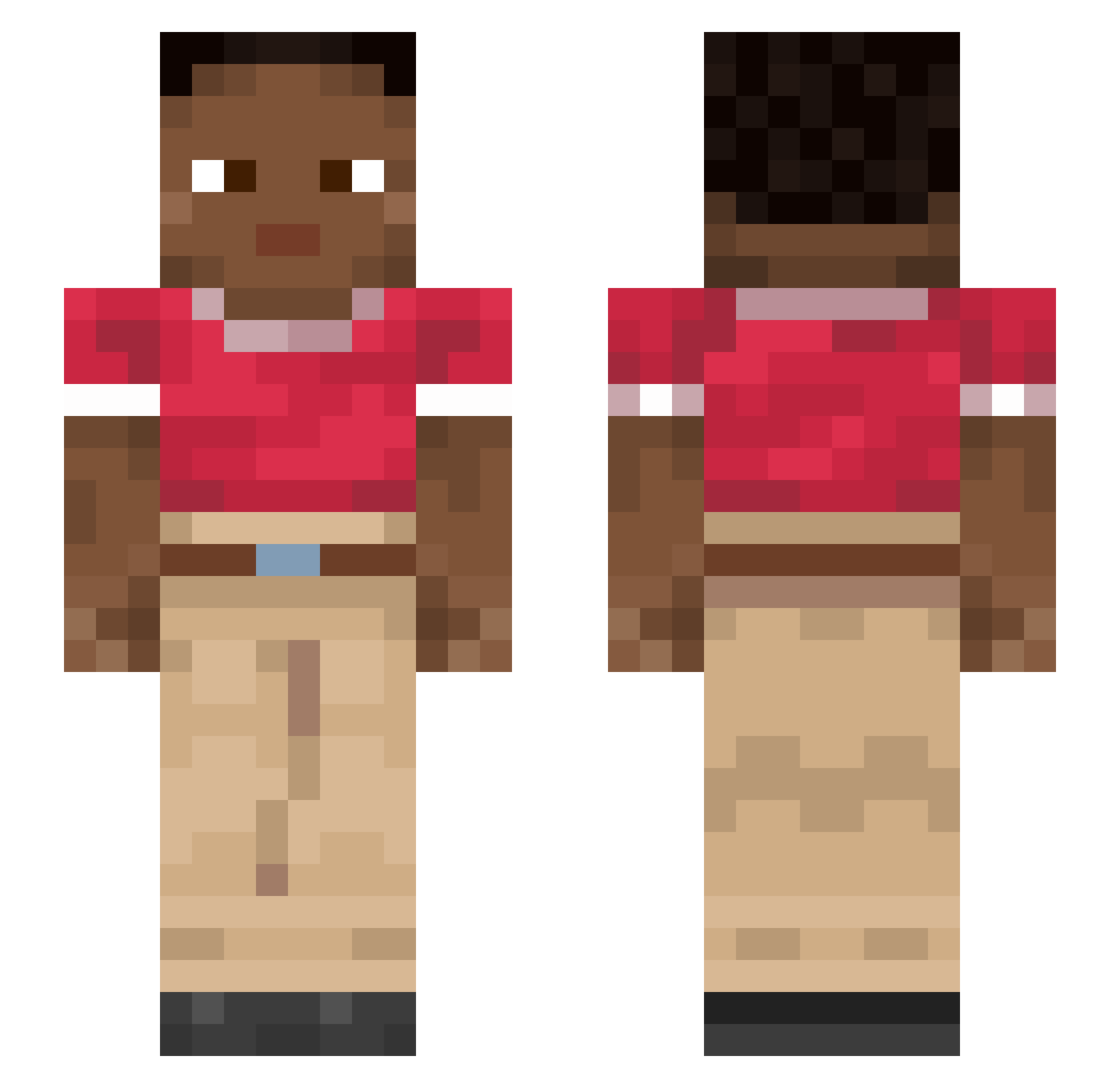
Current Minecraft skin of the player Runestaff, loaded from the official Mojang API. Rotate the 3D model with your mouse or finger, then download the skin as a PNG file and use it in Minecraft: Bedrock Edition or Java Edition for free. When Runestaff changes their skin, this page updates automatically and the old skin stays in the history below.
Other players with this skin (913)
Runestaff was the 286th player we have seen with this skin, first spotted on 28.08.2026. The same skin was seen on these players. Open a nickname to see their current skin and skin history.
 Bob_T26
 NORMAL231 victimized PIPPILANGPIK BigMacLargeHuge purled meezgirl RfJulia amnu_73 Catery Gabrieleg1976 jogaletfees coupons Combustive YukioWebGUI manege Taylorite PhysicKing Devachan fisch11111111111 PR4E5T 9o0j Viva_Dark_ Ostension AiloW88 bastide Constipates dandoc Maille Thrillant _qp12 Eroka369 Meatface wildtype jeffervv1 Velvets Pharas MattySimps veriidity_ Repitch Imjfg_tr donk321 BigPucciBoiJosh joserskid Anxci FormDangai zeekmc Badgerer TUTTARONTOP Incloude dnw_msmc_hkf geste hxtsukoi Lunalilita BigGafferElt Elrocas1 joao933 JaguarPro1 lysai Djinni
How to install the Runestaff skin
- Press the Download button above to save the skin as a PNG file.
- Minecraft: Bedrock Edition (PE): open the Dressing Room from the main menu (or tap your character → Edit Character), go to Classic Skins → Owned, press the + (new skin) button, choose the downloaded PNG and pick the Slim (Alex) model. Works on PC and mobile; consoles cannot import custom skins.
- Minecraft: Java Edition: open the Minecraft Launcher, go to the Skins tab, click New Skin, load the PNG, pick the Slim (Alex) model and press Save & Use. You can also upload it at minecraft.net → Profile → Change Skin.
The skin does not show up after import - what should I do?
Restart Minecraft and open the Dressing Room again - imported skins sometimes appear only after a restart. Also make sure you selected the imported skin and picked the Slim (Alex) model.
Which model should I choose, Classic or Slim?
This skin is designed for the Slim (Alex) model. If you pick the wrong model, the arms of the skin will look stretched or squeezed.
Is the skin of Runestaff free to download?
Yes. Press Download, save the PNG file and use it in Minecraft: Bedrock Edition or Java Edition - no payment or registration needed. The skin also works on multiplayer servers and Realms.
More skins
Looking for more? Go back to all Minecraft skins and check the top skins of the week, month and all time, or find any player's skin by nickname.