
RunKitty427 - Minecraft Skins & Skin History
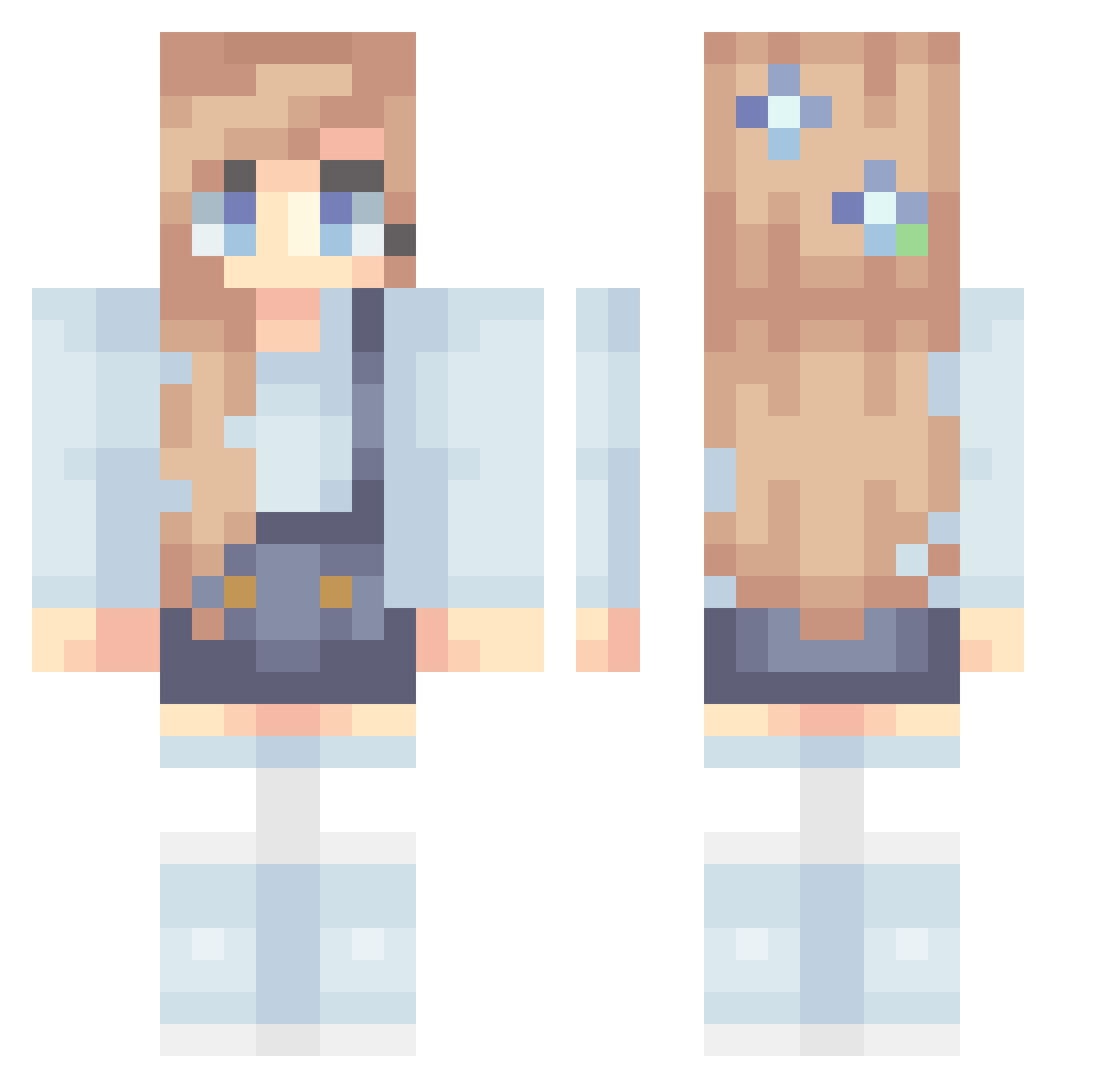
Current Minecraft skin of the player RunKitty427, loaded from the official Mojang API. Rotate the 3D model with your mouse or finger, then download the skin as a PNG file and use it in Minecraft: Bedrock Edition or Java Edition for free. When RunKitty427 changes their skin, this page updates automatically and the old skin stays in the history below.
Other players with this skin (320)
RunKitty427 was the 255th player we have seen with this skin, first spotted on 16.10.2026. The same skin was seen on these players. Open a nickname to see their current skin and skin history.
 kathybirb VibekeL piano_pia Melodysws batspider112 HappyDog3468 hyerin0825 Liss2101 ellaaaaa_ Johnsen369 LousSunshine ohShy kirin0077 MaddieJoy Abbv toastycat27 powergirl21 Maliinchen RainbowFlash05 BluPolaris PrincesHolly hione0 Cherie_l KDough Gylfie04 Lucetta13 Mercerrr Emilinja bizzlelizzle Eliza_Bean OakJuggler Hitshi CoolMooshroom CakeLel Chrissy2600 Nagi_Ng madynotmaddie ChrisiSophia Cosmonaut898 Alocalcatlover89 SailorKat Ovana 2010tess niteisbae Pixieboo Skittle428 moonsplash07 oliviarose01 ivcax3 Sassy_Time NadiaaSaleh Maix1225 lessywessy Orchid_Girl TiKa29x xxoxcourtneyxox Patk44 jurassicmeow Sheryn Itz_Me_Maddie
More Flowers Minecraft skins
How to install the RunKitty427 skin
- Press the Download button above to save the skin as a PNG file.
- Minecraft: Bedrock Edition (PE): open the Dressing Room from the main menu (or tap your character → Edit Character), go to Classic Skins → Owned, press the + (new skin) button, choose the downloaded PNG and pick the Classic (Steve) model. Works on PC and mobile; consoles cannot import custom skins.
- Minecraft: Java Edition: open the Minecraft Launcher, go to the Skins tab, click New Skin, load the PNG, pick the Classic (Steve) model and press Save & Use. You can also upload it at minecraft.net → Profile → Change Skin.
The skin does not show up after import - what should I do?
Restart Minecraft and open the Dressing Room again - imported skins sometimes appear only after a restart. Also make sure you selected the imported skin and picked the Classic (Steve) model.
Which model should I choose, Classic or Slim?
This skin is designed for the Classic (Steve) model. If you pick the wrong model, the arms of the skin will look stretched or squeezed.
Is the skin of RunKitty427 free to download?
Yes. Press Download, save the PNG file and use it in Minecraft: Bedrock Edition or Java Edition - no payment or registration needed. The skin also works on multiplayer servers and Realms.
More skins
Looking for more? Go back to all Minecraft skins and check the top skins of the week, month and all time, or find any player's skin by nickname.