
RotheHalsley - Minecraft Skins & Skin History
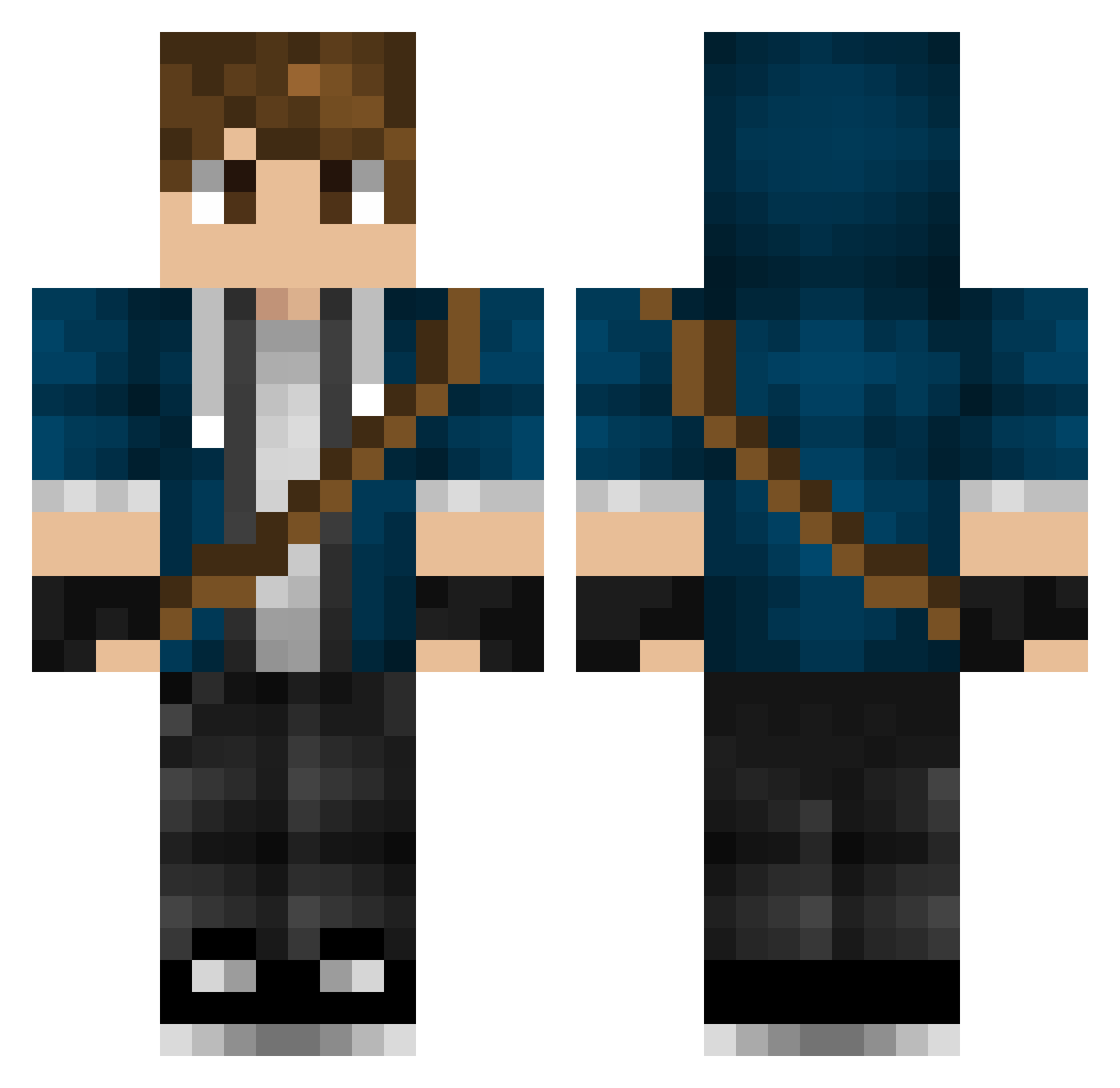
Current Minecraft skin of the player RotheHalsley, loaded from the official Mojang API. Rotate the 3D model with your mouse or finger, then download the skin as a PNG file and use it in Minecraft: Bedrock Edition or Java Edition for free. When RotheHalsley changes their skin, this page updates automatically and the old skin stays in the history below.
Other players with this skin (447)
RotheHalsley was the 383rd player we have seen with this skin, first spotted on 19.10.2026. The same skin was seen on these players. Open a nickname to see their current skin and skin history.
 BubbleGummy CalmSymmetry GalacticKing501 Caldemax Kyzro05 ljj223 Sait0u Gaarmstrong318 ARN00B727 jess_shadow Sweeney173 TheFinalSpark Tobischreck Teisko Goldghost7 RedPotato_2 Iridescent_Blade rossko15 T_wist StormT1 Tr0ubadix04 IsaacWang FoolhardyAK ycx8889 DancedSky Phyro0815 B4SB0 Sydka_ Potato_Cube Sergeant_Mika maffacool912 FreshNato TiiMMii13 Meo1i HeimdaL25 KnightHusky Steelslayer95 EXYHH loldjlollo GentleWindy PapaFrancesco gucordeiro212 ilMelzo Hayabusa31 JhonyGP Raiondesu Hsccccc Volatius98 Strypherrr N4gnu09 Hloridus Skreeemer AR3NLive xFeeshy Edde0716 rodrigovigario Ithrial12 MiningMika Hybrid2018 Silverkin
More Messenger Bag Minecraft skins
See all 535 Messenger Bag skins
How to install the RotheHalsley skin
- Press the Download button above to save the skin as a PNG file.
- Minecraft: Bedrock Edition (PE): open the Dressing Room from the main menu (or tap your character → Edit Character), go to Classic Skins → Owned, press the + (new skin) button, choose the downloaded PNG and pick the Classic (Steve) model. Works on PC and mobile; consoles cannot import custom skins.
- Minecraft: Java Edition: open the Minecraft Launcher, go to the Skins tab, click New Skin, load the PNG, pick the Classic (Steve) model and press Save & Use. You can also upload it at minecraft.net → Profile → Change Skin.
The skin does not show up after import - what should I do?
Restart Minecraft and open the Dressing Room again - imported skins sometimes appear only after a restart. Also make sure you selected the imported skin and picked the Classic (Steve) model.
Which model should I choose, Classic or Slim?
This skin is designed for the Classic (Steve) model. If you pick the wrong model, the arms of the skin will look stretched or squeezed.
Is the skin of RotheHalsley free to download?
Yes. Press Download, save the PNG file and use it in Minecraft: Bedrock Edition or Java Edition - no payment or registration needed. The skin also works on multiplayer servers and Realms.
More skins
Looking for more? Go back to all Minecraft skins and check the top skins of the week, month and all time, or find any player's skin by nickname.