
Rost911 - Minecraft Skins & Skin History
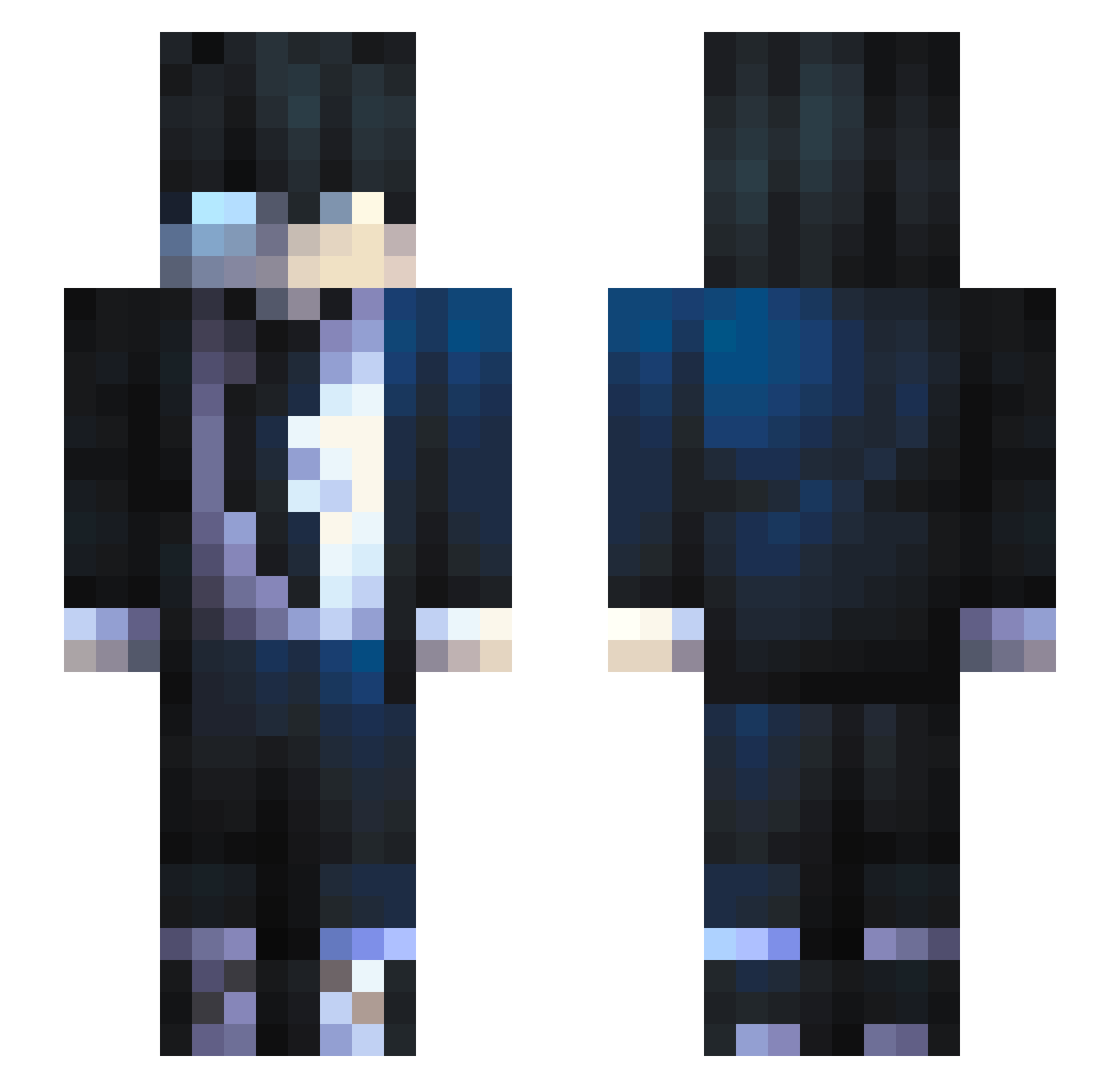
Current Minecraft skin of the player Rost911, loaded from the official Mojang API. Rotate the 3D model with your mouse or finger, then download the skin as a PNG file and use it in Minecraft: Bedrock Edition or Java Edition for free. When Rost911 changes their skin, this page updates automatically and the old skin stays in the history below.
Other players with this skin (684)
Rost911 was the 466th player we have seen with this skin, first spotted on 07.10.2026. The same skin was seen on these players. Open a nickname to see their current skin and skin history.
 HaxiKun JohanSM ArthurAlves123 Wizzo0901 Zettas Kalaaay Traflow HeaZy63 CallMeDevill VOID_PRIME Pocho27 YTTheJad HPZ0112 denisja qmikey panzlol PaulaArya Mickey07188750 injoya KioctoMG floflo0822 Forblood gUIQ2D NanoSoundz kaylinox Konvaa SBBANGE DreaLynx GBOOOO Gollmann4647 BoSin_wAtVrU mrfantastic3123 DiscoKartoffel Gwynbleidd20 RodrigoStarky Rafael94 Nhannek yofrey MX9471 Janx222 josh_draconic GatoGoober namedlate Doyobi LoneWolfITA ziraqz Gabishhh AndyLin569 DaizKael KlayAG Supermonkey844 Thanaball PFPARTLEII Josuca077 stalkx6 kirito0279 e1a_msmc_wac Coleen2012n sossio00 hareng06
How to install the Rost911 skin
- Press the Download button above to save the skin as a PNG file.
- Minecraft: Bedrock Edition (PE): open the Dressing Room from the main menu (or tap your character → Edit Character), go to Classic Skins → Owned, press the + (new skin) button, choose the downloaded PNG and pick the Slim (Alex) model. Works on PC and mobile; consoles cannot import custom skins.
- Minecraft: Java Edition: open the Minecraft Launcher, go to the Skins tab, click New Skin, load the PNG, pick the Slim (Alex) model and press Save & Use. You can also upload it at minecraft.net → Profile → Change Skin.
The skin does not show up after import - what should I do?
Restart Minecraft and open the Dressing Room again - imported skins sometimes appear only after a restart. Also make sure you selected the imported skin and picked the Slim (Alex) model.
Which model should I choose, Classic or Slim?
This skin is designed for the Slim (Alex) model. If you pick the wrong model, the arms of the skin will look stretched or squeezed.
Is the skin of Rost911 free to download?
Yes. Press Download, save the PNG file and use it in Minecraft: Bedrock Edition or Java Edition - no payment or registration needed. The skin also works on multiplayer servers and Realms.
More skins
Looking for more? Go back to all Minecraft skins and check the top skins of the week, month and all time, or find any player's skin by nickname.