
RosiePosie2008 - Minecraft Skins & Skin History
Current Minecraft skin of the player RosiePosie2008, loaded from the official Mojang API. Rotate the 3D model with your mouse or finger, then download the skin as a PNG file and use it in Minecraft: Bedrock Edition or Java Edition for free. When RosiePosie2008 changes their skin, this page updates automatically and the old skin stays in the history below.
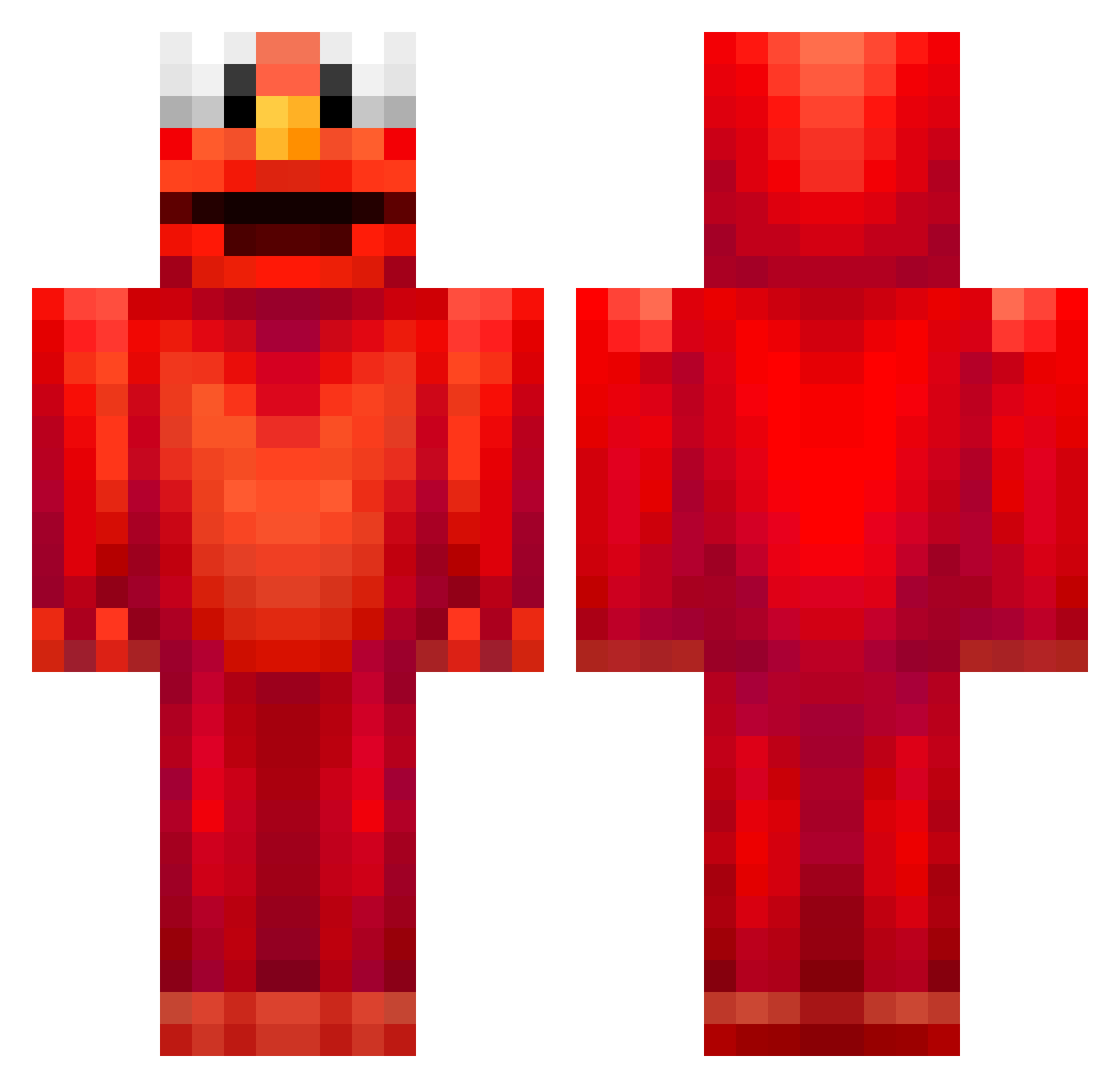
Other players with this skin (678)
RosiePosie2008 was the 261st player we have seen with this skin, first spotted on 08.09.2026. The same skin was seen on these players. Open a nickname to see their current skin and skin history.
 chickricee condoe BlockKing119 DOG_dog1 Sharmion BlueLSD replays2k zadywam Borghetti Bleak75 Uchka07 Arnold33 Amyg32 MR___NOBODY PolarAndyman SparkzOnPC ghhttrrs160 pubgmobile123 ElmoPenta papalexi magarac07 ItzKaz IIILuvElmoIII KUMAMOTOPP HSK10 puppy_lovejena CapraTv akramsgirlfriend P_eanut1924 Auntao WatermelonUwU23 zukigyaku
 maty2401 jackwardaaa Emil2003 Nickmaster96 4dacause wi_le felixMC10 Sync_07 DoggyNico 5hyeon MaNiNBlacK12 6AB _acee4 glueless walters2002 huddybismyname tathilde YeahButNahui Bokmoo4595 MUSUNGJUN CapnStabn PeekoCZ Mobzilla605 Effecten teampoepslaaf EmiliedeJong MonsterPjorten J4ckTheStripper
More Elmo Minecraft skins
How to install the RosiePosie2008 skin
- Press the Download button above to save the skin as a PNG file.
- Minecraft: Bedrock Edition (PE): open the Dressing Room from the main menu (or tap your character → Edit Character), go to Classic Skins → Owned, press the + (new skin) button, choose the downloaded PNG and pick the Classic (Steve) model. Works on PC and mobile; consoles cannot import custom skins.
- Minecraft: Java Edition: open the Minecraft Launcher, go to the Skins tab, click New Skin, load the PNG, pick the Classic (Steve) model and press Save & Use. You can also upload it at minecraft.net → Profile → Change Skin.
The skin does not show up after import - what should I do?
Restart Minecraft and open the Dressing Room again - imported skins sometimes appear only after a restart. Also make sure you selected the imported skin and picked the Classic (Steve) model.
Which model should I choose, Classic or Slim?
This skin is designed for the Classic (Steve) model. If you pick the wrong model, the arms of the skin will look stretched or squeezed.
Is the skin of RosiePosie2008 free to download?
Yes. Press Download, save the PNG file and use it in Minecraft: Bedrock Edition or Java Edition - no payment or registration needed. The skin also works on multiplayer servers and Realms.
More skins
Looking for more? Go back to all Minecraft skins and check the top skins of the week, month and all time, or find any player's skin by nickname.