
Rosdo - Minecraft Skins & Skin History
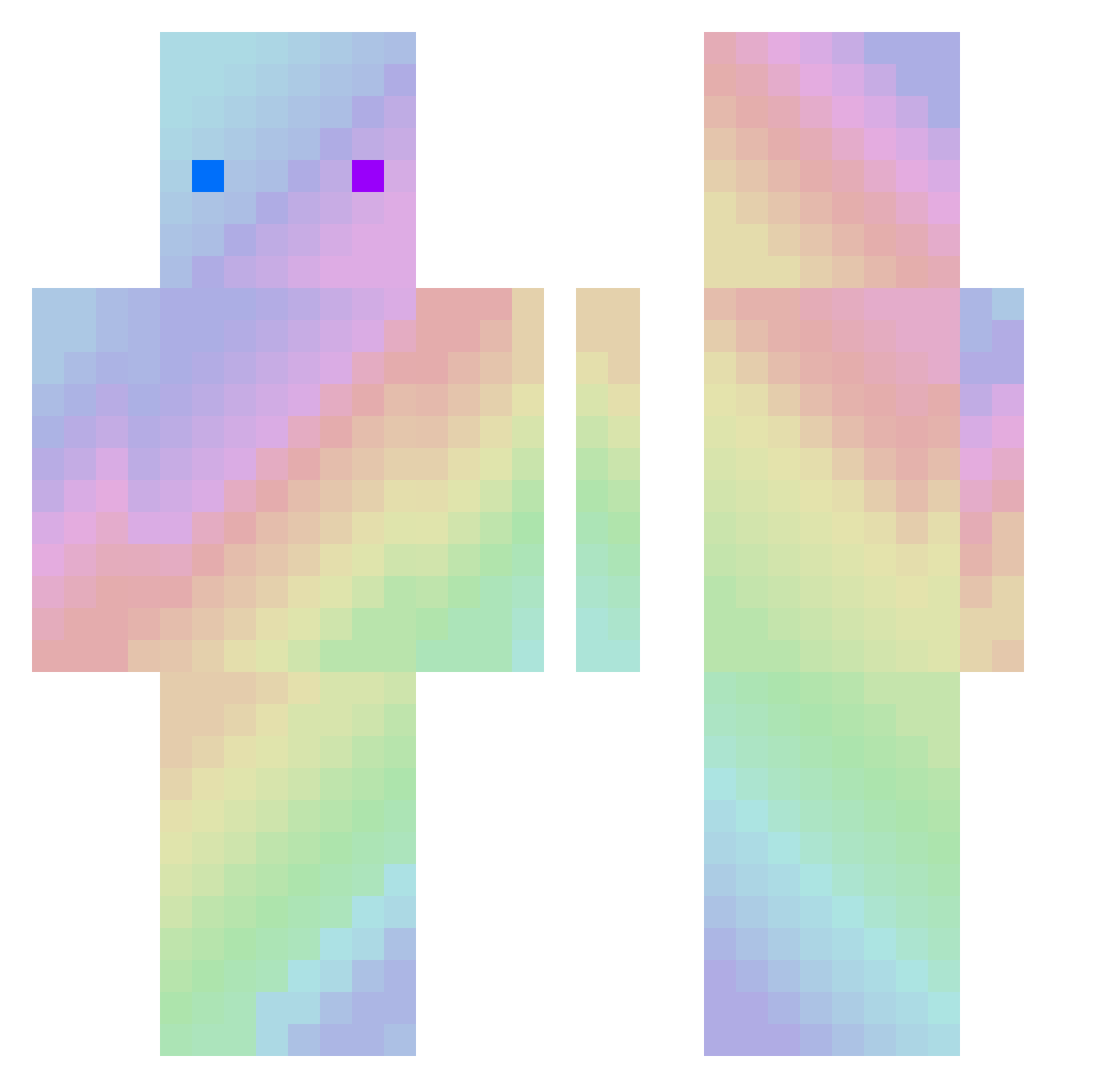
Current Minecraft skin of the player Rosdo, loaded from the official Mojang API. Rotate the 3D model with your mouse or finger, then download the skin as a PNG file and use it in Minecraft: Bedrock Edition or Java Edition for free. When Rosdo changes their skin, this page updates automatically and the old skin stays in the history below.
Other players with this skin (297)
Rosdo was the 235th player we have seen with this skin, first spotted on 22.10.2026. The same skin was seen on these players. Open a nickname to see their current skin and skin history.
 PapaGreen fognite Chrumphrey Le_ayas2007 Vaginosceptyk sydney702 timblanc MewZik_ Fraddo HappyNewbie lyy711 Mixa_Limon CocoP0d Acrylic_Name MaxiMaxiMax dookiemonster01 Colsta Gyerantak Pata_Pataa klingeljman zackyee6 ARS7 NIMEIininder Makson_Klakson famer23 Beastmode2730 mangdoongs mathrgz cmll_ GiovaDC98 V4v0u Real_mamba extrudeur Linharress Scramasax000 SzczureQ1946 D1ldoSchwegginss Valnoth Subox_ sori14563 reQter1 KKUNAI Girafl pw3213 StokesyJr spunfflik R3dporschekiller Kim_solo jurassicapark GriiboZ amean2 EruAh RSTonio ZzaZokK NutellaFlavoured JOoO0B OPTOLUX Darkphoenix21i Yotaro49 iZAntony
How to install the Rosdo skin
- Press the Download button above to save the skin as a PNG file.
- Minecraft: Bedrock Edition (PE): open the Dressing Room from the main menu (or tap your character → Edit Character), go to Classic Skins → Owned, press the + (new skin) button, choose the downloaded PNG and pick the Classic (Steve) model. Works on PC and mobile; consoles cannot import custom skins.
- Minecraft: Java Edition: open the Minecraft Launcher, go to the Skins tab, click New Skin, load the PNG, pick the Classic (Steve) model and press Save & Use. You can also upload it at minecraft.net → Profile → Change Skin.
The skin does not show up after import - what should I do?
Restart Minecraft and open the Dressing Room again - imported skins sometimes appear only after a restart. Also make sure you selected the imported skin and picked the Classic (Steve) model.
Which model should I choose, Classic or Slim?
This skin is designed for the Classic (Steve) model. If you pick the wrong model, the arms of the skin will look stretched or squeezed.
Is the skin of Rosdo free to download?
Yes. Press Download, save the PNG file and use it in Minecraft: Bedrock Edition or Java Edition - no payment or registration needed. The skin also works on multiplayer servers and Realms.
More skins
Looking for more? Go back to all Minecraft skins and check the top skins of the week, month and all time, or find any player's skin by nickname.