
RolandoFernando - Minecraft Skins & Skin History
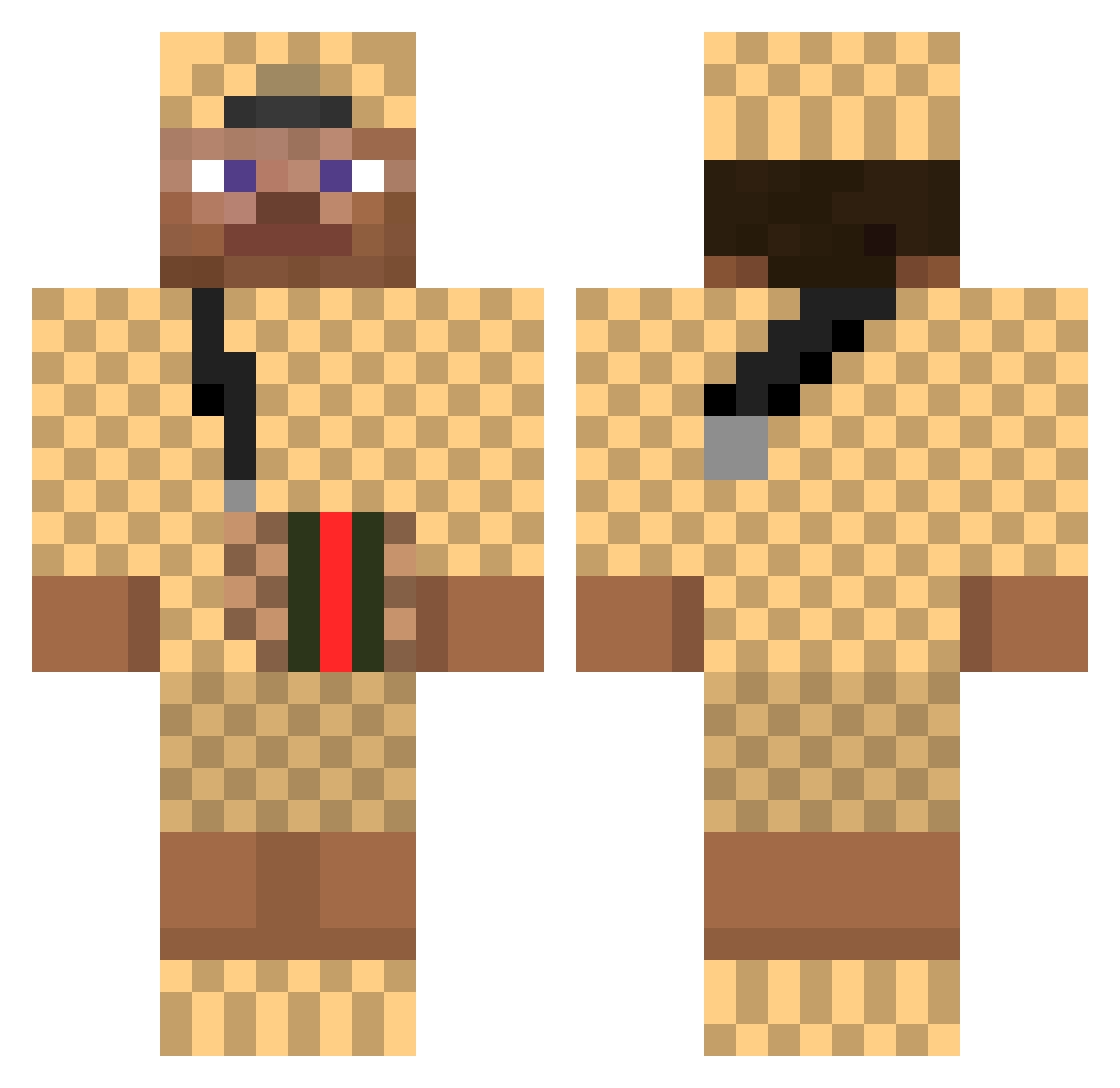
Current Minecraft skin of the player RolandoFernando, loaded from the official Mojang API. Rotate the 3D model with your mouse or finger, then download the skin as a PNG file and use it in Minecraft: Bedrock Edition or Java Edition for free. When RolandoFernando changes their skin, this page updates automatically and the old skin stays in the history below.
Other players with this skin (376)
RolandoFernando was the 157th player we have seen with this skin, first spotted on 08.09.2026. The same skin was seen on these players. Open a nickname to see their current skin and skin history.
 BQsausSELLER XAVIER78 RaDicaL_NiNjA_ zGree TheSmallSloth Cheamp riqustar minchan011 timmytime2 ImDustinX Makalay Edanur mrman02 x_tris Basic_S3 medetaskar SaurierA Coatesyy Croatified Mxhammed_29 QutYz CasperCDC Twannetjuhhh letsgoRich Vapenec NxGG T_Mobile GoatyGio Kaneloo Snowflakeez Nahran MunchingGays HEK1T gucci_fendi_drip Trollgamer679 PinaiSek OhKash 07Rudi DrSocrates DDienasty VSSBANGER69 timmybae Amoor_Jr LinniJagermeistr Proper_Geezer DVM_Jamy_Tropico Lennergy Kayzouuu bigboynike spamdog1 MollyStewart Kevinho2002 asdadds Nardou Ehyeet RolexKiki __DonKo__ Rizzmuss LiljeeG Getroll
More Gucci Minecraft skins
How to install the RolandoFernando skin
- Press the Download button above to save the skin as a PNG file.
- Minecraft: Bedrock Edition (PE): open the Dressing Room from the main menu (or tap your character → Edit Character), go to Classic Skins → Owned, press the + (new skin) button, choose the downloaded PNG and pick the Classic (Steve) model. Works on PC and mobile; consoles cannot import custom skins.
- Minecraft: Java Edition: open the Minecraft Launcher, go to the Skins tab, click New Skin, load the PNG, pick the Classic (Steve) model and press Save & Use. You can also upload it at minecraft.net → Profile → Change Skin.
The skin does not show up after import - what should I do?
Restart Minecraft and open the Dressing Room again - imported skins sometimes appear only after a restart. Also make sure you selected the imported skin and picked the Classic (Steve) model.
Which model should I choose, Classic or Slim?
This skin is designed for the Classic (Steve) model. If you pick the wrong model, the arms of the skin will look stretched or squeezed.
Is the skin of RolandoFernando free to download?
Yes. Press Download, save the PNG file and use it in Minecraft: Bedrock Edition or Java Edition - no payment or registration needed. The skin also works on multiplayer servers and Realms.
More skins
Looking for more? Go back to all Minecraft skins and check the top skins of the week, month and all time, or find any player's skin by nickname.