
RobotenFilip - Minecraft Skins & Skin History
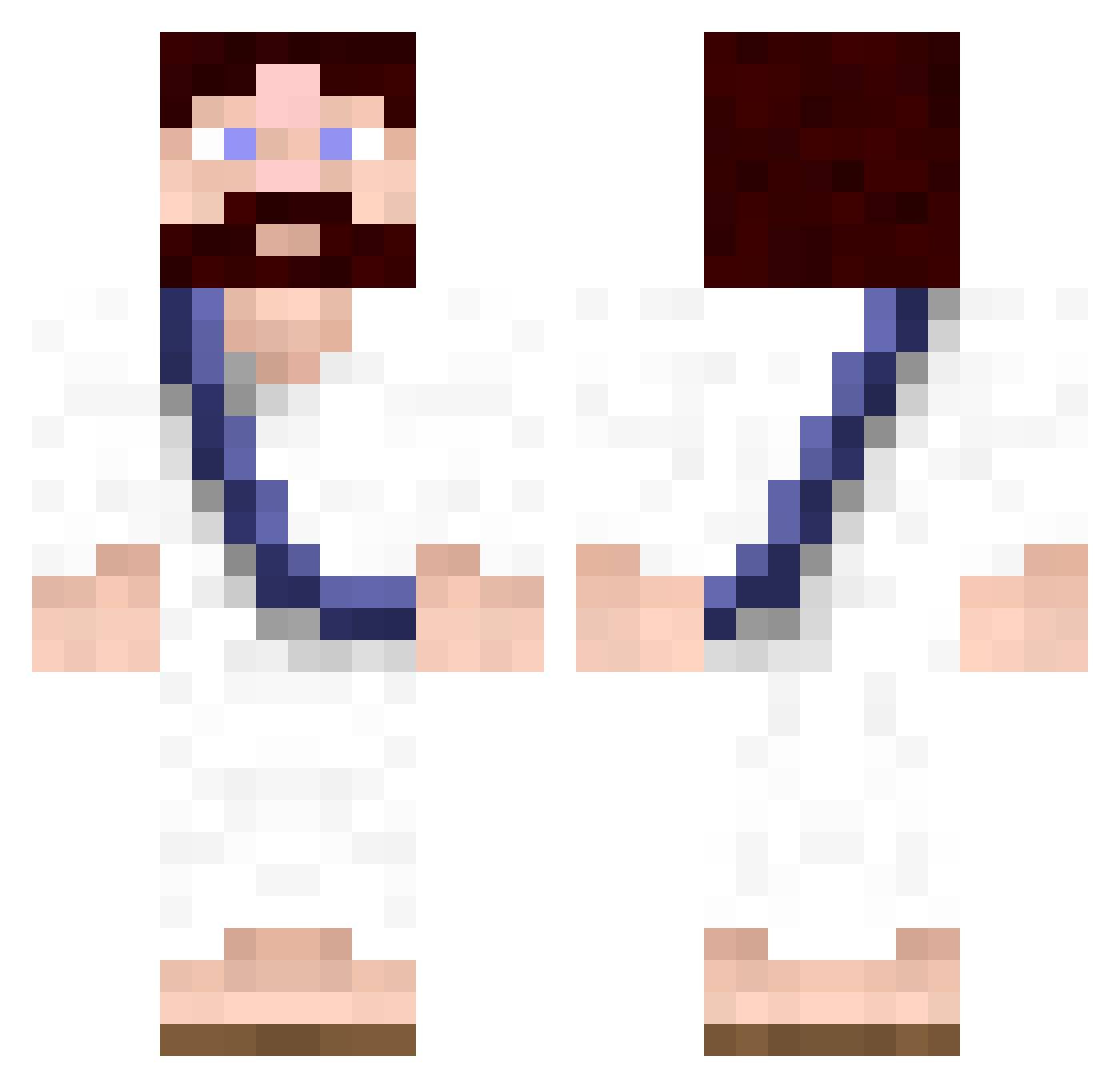
Current Minecraft skin of the player RobotenFilip, loaded from the official Mojang API. Rotate the 3D model with your mouse or finger, then download the skin as a PNG file and use it in Minecraft: Bedrock Edition or Java Edition for free. When RobotenFilip changes their skin, this page updates automatically and the old skin stays in the history below.
Other players with this skin (619)
RobotenFilip was the 556th player we have seen with this skin, first spotted on 23.10.2026. The same skin was seen on these players. Open a nickname to see their current skin and skin history.
 eggvard pwh506 kooguy24 odinRR af0r1zm3r everysky GiraffeinaStorm fd76 fishman50 MrLiLCR MexicanMunchie The_Leuter_10 Fabreezio DoubledareTV ruzareinis tomogre2 adroid28 nicocowarxen panochi TXELISIONS brainsquash potatoman195 Aeviternal Lichtelwichtel PePPe93 Eliminqted_v2 peepants2 sYsTemix bruint Interest73 Jesucks mine00015 Sorley96 SacoETrampa Jesusi vin20cent soundsbyjuno iSquirrel xxsgplayerxx95 Thebackground YurDadsBoyfriend kolitu123 Schnitzelmann95 lenno598 MadeByHand CallMeCuz Double_OO jdn1775 Groumpff TheFeret AidanCantwell_ cdawg50 KnechtRubrecht TheKreamySausage dad_im_in_jail arnheitere Joethehype Mazzocco creberj Mulsk
More Bible Minecraft skins
How to install the RobotenFilip skin
- Press the Download button above to save the skin as a PNG file.
- Minecraft: Bedrock Edition (PE): open the Dressing Room from the main menu (or tap your character → Edit Character), go to Classic Skins → Owned, press the + (new skin) button, choose the downloaded PNG and pick the Classic (Steve) model. Works on PC and mobile; consoles cannot import custom skins.
- Minecraft: Java Edition: open the Minecraft Launcher, go to the Skins tab, click New Skin, load the PNG, pick the Classic (Steve) model and press Save & Use. You can also upload it at minecraft.net → Profile → Change Skin.
The skin does not show up after import - what should I do?
Restart Minecraft and open the Dressing Room again - imported skins sometimes appear only after a restart. Also make sure you selected the imported skin and picked the Classic (Steve) model.
Which model should I choose, Classic or Slim?
This skin is designed for the Classic (Steve) model. If you pick the wrong model, the arms of the skin will look stretched or squeezed.
Is the skin of RobotenFilip free to download?
Yes. Press Download, save the PNG file and use it in Minecraft: Bedrock Edition or Java Edition - no payment or registration needed. The skin also works on multiplayer servers and Realms.
More skins
Looking for more? Go back to all Minecraft skins and check the top skins of the week, month and all time, or find any player's skin by nickname.