
RobertHart - Minecraft Skins & Skin History
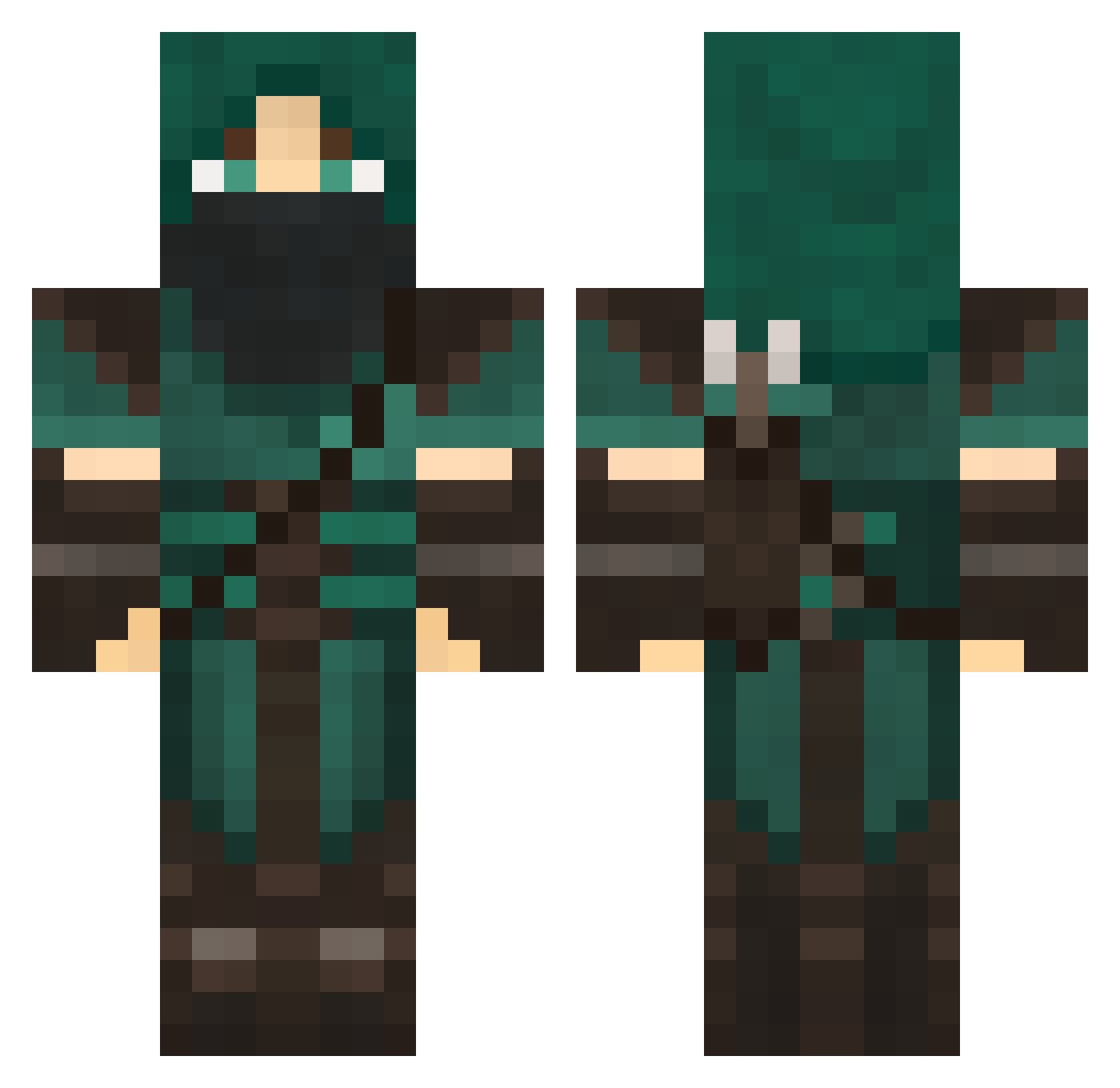
Current Minecraft skin of the player RobertHart, loaded from the official Mojang API. Rotate the 3D model with your mouse or finger, then download the skin as a PNG file and use it in Minecraft: Bedrock Edition or Java Edition for free. When RobertHart changes their skin, this page updates automatically and the old skin stays in the history below.
Other players with this skin (844)
RobertHart was the 719th player we have seen with this skin, first spotted on 02.11.2026. The same skin was seen on these players. Open a nickname to see their current skin and skin history.
 AMSTERDAMMAN DaveDamager Lazzerwolf1107 Kwayzar55 MulchDiggum parry124 _Vasto MrCraftero Tabris07 Marskillzzz tobias1706 lizzy6666 brunixx Arkangel9660 wimpyOwl REDDOT1915 TheKeenEye Ditmetkchunick iniki10 H4V0CK m11_ Jackadoo bobiscool3 Aphixin MrDutton Sun_Tea raxior MatBat99 tclar1112 ssiimik Aivaxela Lukey_105 nick243 KazzDePlage darthslushy dKz1 FarranMasterMage PaladinFighter _Tris PaulRedSmith Eae02 Gunchar18 _LandonN_ pinkhippo345 LeaTJ ThiccTree64 dragon_of_dark Simcityman123 alattala8 shadovv24 Knorfi Swoll_pie Blouden raukuhl Passi136 homerun14 shadowkingsman1 Guanaco1487 XCansoyX MiniDude912
More Rogue Minecraft skins
How to install the RobertHart skin
- Press the Download button above to save the skin as a PNG file.
- Minecraft: Bedrock Edition (PE): open the Dressing Room from the main menu (or tap your character → Edit Character), go to Classic Skins → Owned, press the + (new skin) button, choose the downloaded PNG and pick the Classic (Steve) model. Works on PC and mobile; consoles cannot import custom skins.
- Minecraft: Java Edition: open the Minecraft Launcher, go to the Skins tab, click New Skin, load the PNG, pick the Classic (Steve) model and press Save & Use. You can also upload it at minecraft.net → Profile → Change Skin.
The skin does not show up after import - what should I do?
Restart Minecraft and open the Dressing Room again - imported skins sometimes appear only after a restart. Also make sure you selected the imported skin and picked the Classic (Steve) model.
Which model should I choose, Classic or Slim?
This skin is designed for the Classic (Steve) model. If you pick the wrong model, the arms of the skin will look stretched or squeezed.
Is the skin of RobertHart free to download?
Yes. Press Download, save the PNG file and use it in Minecraft: Bedrock Edition or Java Edition - no payment or registration needed. The skin also works on multiplayer servers and Realms.
More skins
Looking for more? Go back to all Minecraft skins and check the top skins of the week, month and all time, or find any player's skin by nickname.