
RoanYourBoat_ - Minecraft Skins & Skin History
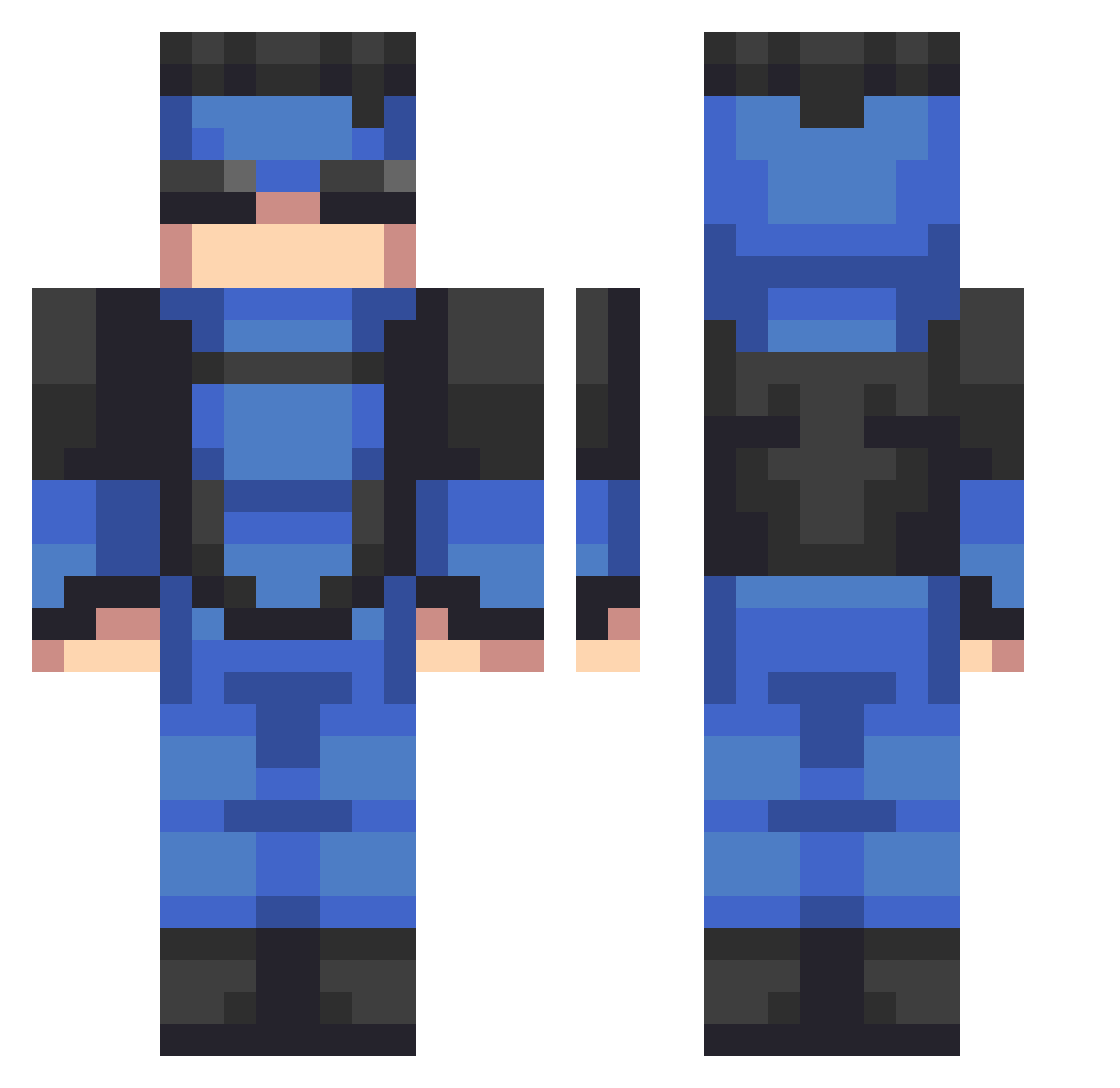
Current Minecraft skin of the player RoanYourBoat_, loaded from the official Mojang API. Rotate the 3D model with your mouse or finger, then download the skin as a PNG file and use it in Minecraft: Bedrock Edition or Java Edition for free. When RoanYourBoat_ changes their skin, this page updates automatically and the old skin stays in the history below.
Other players with this skin (534)
RoanYourBoat_ was the 414th player we have seen with this skin, first spotted on 12.10.2026. The same skin was seen on these players. Open a nickname to see their current skin and skin history.
 SludgyEar goopmain Twiggy_Upset GroundedFossil18 TY_exiwiz jvsant JUNJAW Dreamgamer825 CoolCloudz101 denismzi SwattALot TheOtherTS zriyaha PriceOaks Trote13 Humam1006 rlukz_ Mandom33 _MrBruce_ Kalechipz12 Dyslexical2638 julianpc13 Greasball01 ahrwel jflan_ CombatSkorost AydenAz7 MewXGalaxy117 watonwaffles MAKTOUM_DXB maxx_c8 Phonixo CookieMaster563 ClydetheGlyde Xideo thehairybaca xizart DannyBoyyyyyy clarff CasualManIan ItsFabel cloudsyxxr drozdzowka Josheola2001 O1cT Martimn1906 Empirer_HD AuntDouma13 Red_Riot26 Impactzzs Jeremysccc LaserRami Adrianvm6721 kineticwizzy ImSpill DoubleLL17 BinksD1 Mctavishgaming sosocrafter pandalive
More Solid Snake Minecraft skins
How to install the RoanYourBoat_ skin
- Press the Download button above to save the skin as a PNG file.
- Minecraft: Bedrock Edition (PE): open the Dressing Room from the main menu (or tap your character → Edit Character), go to Classic Skins → Owned, press the + (new skin) button, choose the downloaded PNG and pick the Classic (Steve) model. Works on PC and mobile; consoles cannot import custom skins.
- Minecraft: Java Edition: open the Minecraft Launcher, go to the Skins tab, click New Skin, load the PNG, pick the Classic (Steve) model and press Save & Use. You can also upload it at minecraft.net → Profile → Change Skin.
The skin does not show up after import - what should I do?
Restart Minecraft and open the Dressing Room again - imported skins sometimes appear only after a restart. Also make sure you selected the imported skin and picked the Classic (Steve) model.
Which model should I choose, Classic or Slim?
This skin is designed for the Classic (Steve) model. If you pick the wrong model, the arms of the skin will look stretched or squeezed.
Is the skin of RoanYourBoat_ free to download?
Yes. Press Download, save the PNG file and use it in Minecraft: Bedrock Edition or Java Edition - no payment or registration needed. The skin also works on multiplayer servers and Realms.
More skins
Looking for more? Go back to all Minecraft skins and check the top skins of the week, month and all time, or find any player's skin by nickname.