
RoadBadger - Minecraft Skins & Skin History
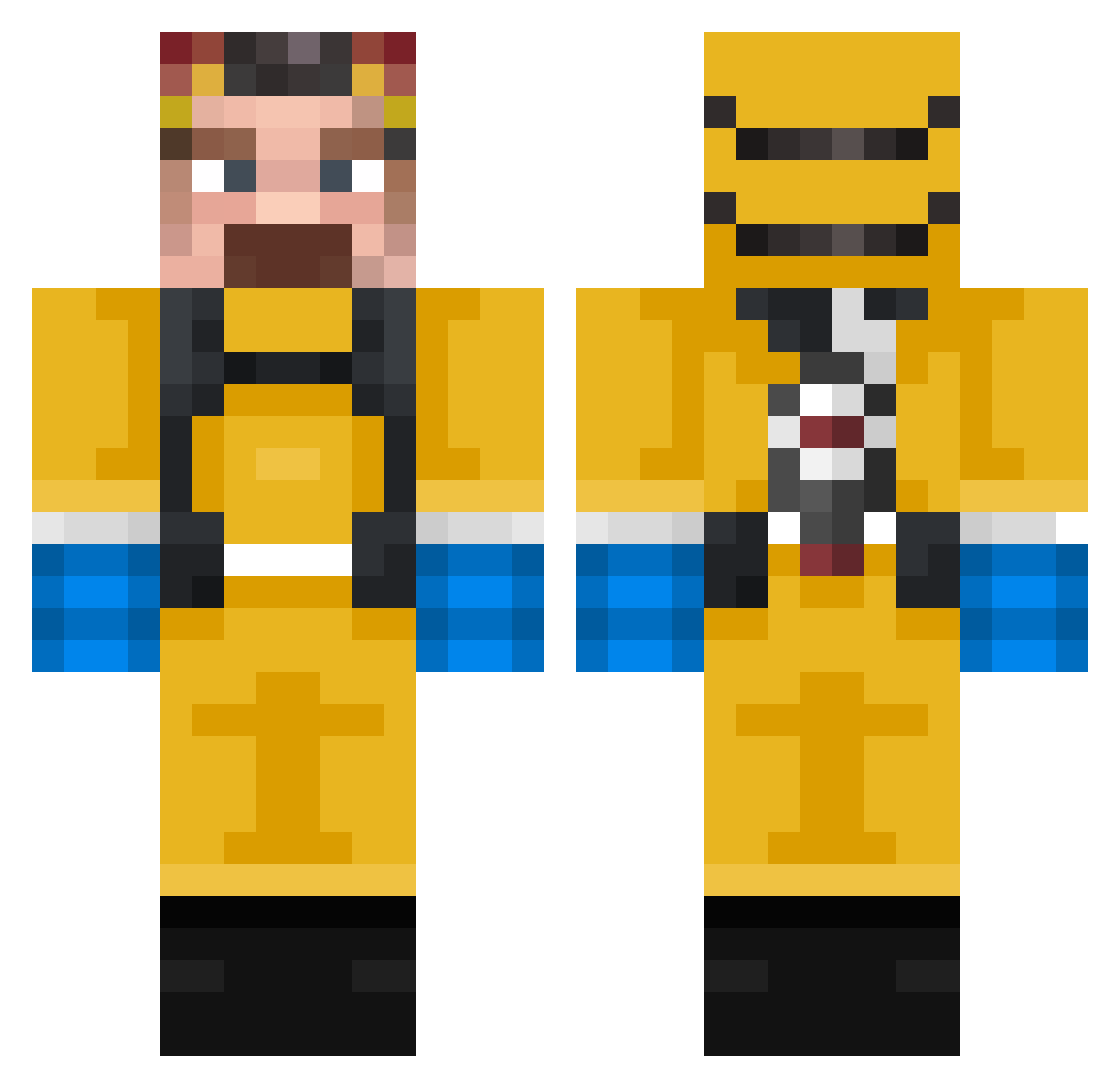
Current Minecraft skin of the player RoadBadger, loaded from the official Mojang API. Rotate the 3D model with your mouse or finger, then download the skin as a PNG file and use it in Minecraft: Bedrock Edition or Java Edition for free. When RoadBadger changes their skin, this page updates automatically and the old skin stays in the history below.
Other players with this skin (317)
RoadBadger was the 232nd player we have seen with this skin, first spotted on 07.10.2026. The same skin was seen on these players. Open a nickname to see their current skin and skin history.
 ohmygop ZzzRagnarr PoyebPapi GandalfOfRave Minaa06 Kosli1207KK blakeabov deadpool9F Eastward_3 Kibo_2 mati329x Vakninlol cheeriosplease juandavidmira18 Dflt_JJ RedLikesSkyblock Jovial_l eascool1 dopydems MoNiXD15 CYANNINJA10 M4N60 Halwa88 Tikullo CountDoculous69 kapdrengen123 RealMatthis_ SoraMurai Cannon888 tylersds89 PeterGisel HeisenbergMorg Pegasus_1712 ___Norbert___ femboylover223 TheHonoredGuy Zarbidoor Default_Hobo DEydoLon BottleHunter 3bdo5 DavVeil Peebow BERT_DAVS ThOmAs6307 uleglykundel vexuus tboy114 dudi3210 GLMlol Kamper420 JThompsonX1 luminous1972 Lamkeep JoaoPauloMA fisheydre gr4c13_4 cHa0sTV Pirona Severnal
More Walter White Minecraft skins
See all 567 Walter White skins
How to install the RoadBadger skin
- Press the Download button above to save the skin as a PNG file.
- Minecraft: Bedrock Edition (PE): open the Dressing Room from the main menu (or tap your character → Edit Character), go to Classic Skins → Owned, press the + (new skin) button, choose the downloaded PNG and pick the Classic (Steve) model. Works on PC and mobile; consoles cannot import custom skins.
- Minecraft: Java Edition: open the Minecraft Launcher, go to the Skins tab, click New Skin, load the PNG, pick the Classic (Steve) model and press Save & Use. You can also upload it at minecraft.net → Profile → Change Skin.
The skin does not show up after import - what should I do?
Restart Minecraft and open the Dressing Room again - imported skins sometimes appear only after a restart. Also make sure you selected the imported skin and picked the Classic (Steve) model.
Which model should I choose, Classic or Slim?
This skin is designed for the Classic (Steve) model. If you pick the wrong model, the arms of the skin will look stretched or squeezed.
Is the skin of RoadBadger free to download?
Yes. Press Download, save the PNG file and use it in Minecraft: Bedrock Edition or Java Edition - no payment or registration needed. The skin also works on multiplayer servers and Realms.
More skins
Looking for more? Go back to all Minecraft skins and check the top skins of the week, month and all time, or find any player's skin by nickname.