
RoBoT_Kop - Minecraft Skins & Skin History
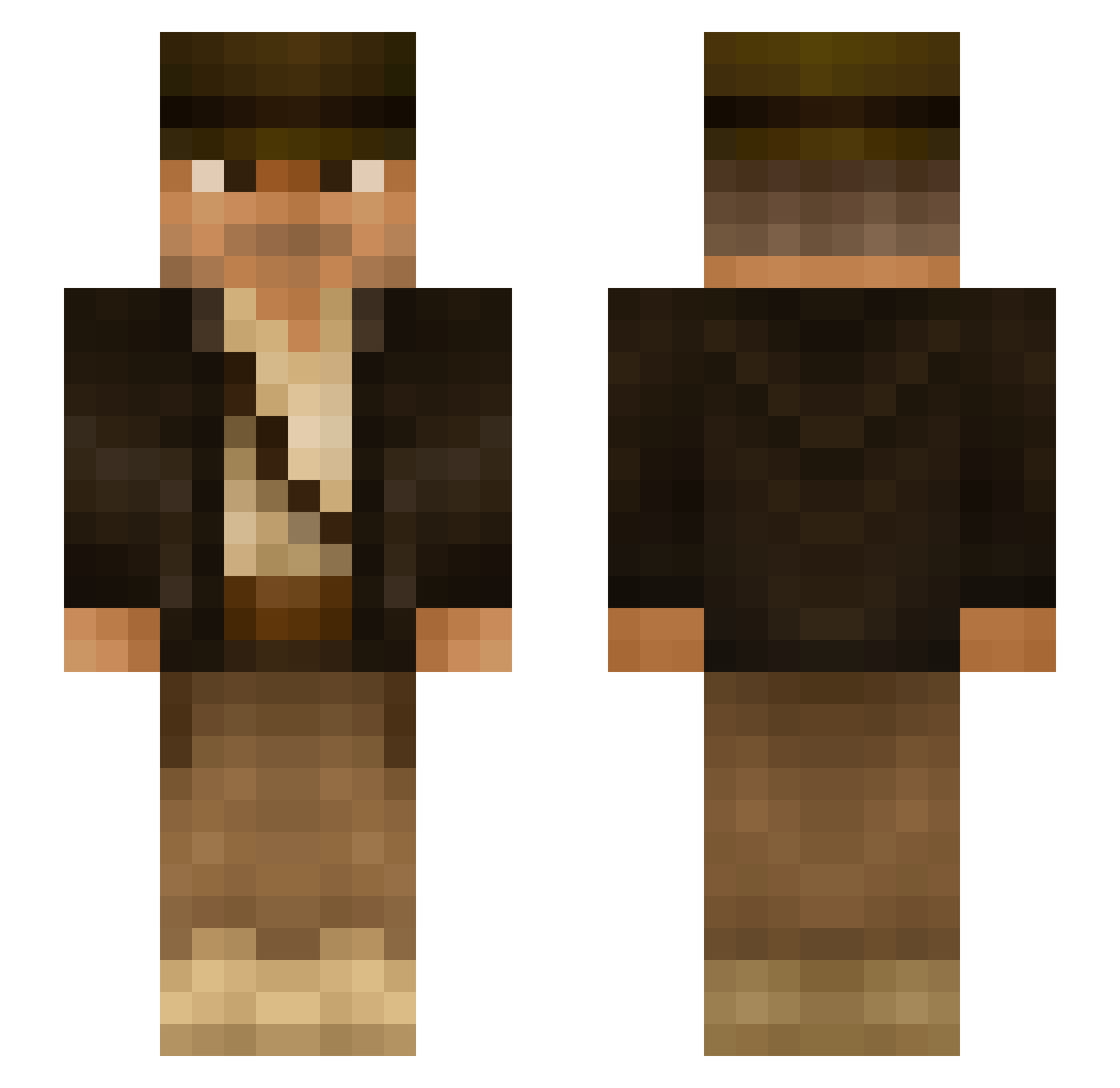
Current Minecraft skin of the player RoBoT_Kop, loaded from the official Mojang API. Rotate the 3D model with your mouse or finger, then download the skin as a PNG file and use it in Minecraft: Bedrock Edition or Java Edition for free. When RoBoT_Kop changes their skin, this page updates automatically and the old skin stays in the history below.
Other players with this skin (292)
RoBoT_Kop was the 127th player we have seen with this skin, first spotted on 10.09.2026. The same skin was seen on these players. Open a nickname to see their current skin and skin history.
 moarly LordSchatten CBastos77 Meister_Marv GodShade Hughmungoos njones4 J__son__ Bido007 SOHMAN JJBrewer23 K10D Pow3rStorm Legofanaat unixeon TrollPlayerPL DatAshley poopenmayer Yttrium2k Harryleeb HugoTheElder WoWJava PaganelV supraholic Astro6695 JoacoCabar WhiteWolf1210 Mawlle Teobullen dylll999 3vanthegr8 Sunlight_Wolf Omega_Galaxy braint_alien Lumistos C4MP0_ Zezeeeeee EnzoPolizel Criebwyn NotTheDuchess HardToCraft Uteliggar69 SirbetoxD Pilkoo LoneBlack Kevkga DankSome brainy_alien Reedster500 00werner _prawy Zoomex Apex150 Melkerino CentralRic Richardson_03 APcuh Deejay01 Noudlesooop burghaa
More Indiana Jones Minecraft skins
See all 80 Indiana Jones skins
How to install the RoBoT_Kop skin
- Press the Download button above to save the skin as a PNG file.
- Minecraft: Bedrock Edition (PE): open the Dressing Room from the main menu (or tap your character → Edit Character), go to Classic Skins → Owned, press the + (new skin) button, choose the downloaded PNG and pick the Slim (Alex) model. Works on PC and mobile; consoles cannot import custom skins.
- Minecraft: Java Edition: open the Minecraft Launcher, go to the Skins tab, click New Skin, load the PNG, pick the Slim (Alex) model and press Save & Use. You can also upload it at minecraft.net → Profile → Change Skin.
The skin does not show up after import - what should I do?
Restart Minecraft and open the Dressing Room again - imported skins sometimes appear only after a restart. Also make sure you selected the imported skin and picked the Slim (Alex) model.
Which model should I choose, Classic or Slim?
This skin is designed for the Slim (Alex) model. If you pick the wrong model, the arms of the skin will look stretched or squeezed.
Is the skin of RoBoT_Kop free to download?
Yes. Press Download, save the PNG file and use it in Minecraft: Bedrock Edition or Java Edition - no payment or registration needed. The skin also works on multiplayer servers and Realms.
More skins
Looking for more? Go back to all Minecraft skins and check the top skins of the week, month and all time, or find any player's skin by nickname.