
Rizzle_Dizzle_ - Minecraft Skins & Skin History
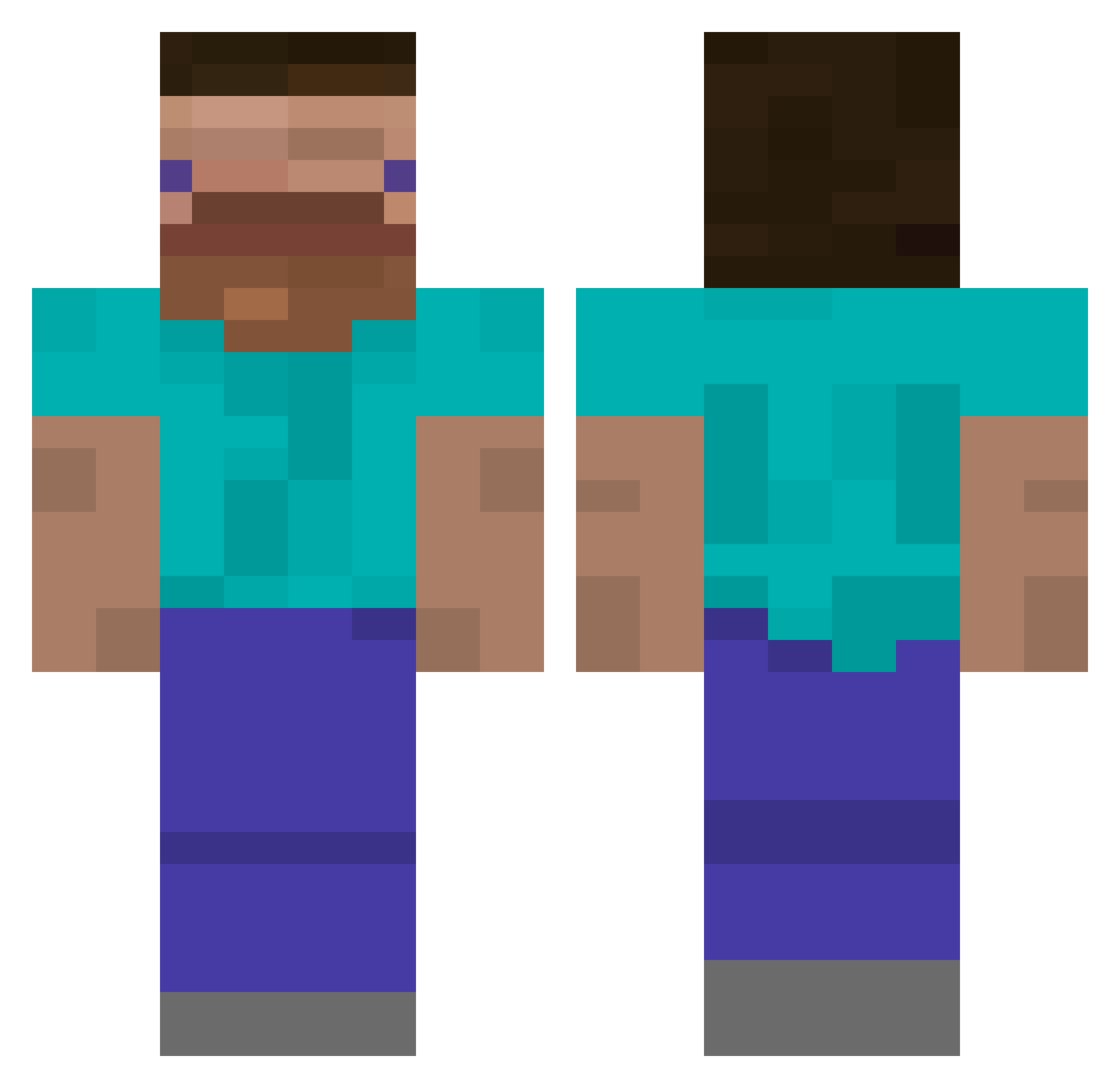
Current Minecraft skin of the player Rizzle_Dizzle_, loaded from the official Mojang API. Rotate the 3D model with your mouse or finger, then download the skin as a PNG file and use it in Minecraft: Bedrock Edition or Java Edition for free. When Rizzle_Dizzle_ changes their skin, this page updates automatically and the old skin stays in the history below.
Other players with this skin (385)
Rizzle_Dizzle_ was the 3rd player we have seen with this skin, first spotted on 22.07.2026. The same skin was seen on these players. Open a nickname to see their current skin and skin history.
 Romashka420 soda_tech supersonicdude Chisgetin imhungry5000 JacobHolloway Lord_Lucipurr Tatocho lee126 fella126 sossig12 kuba3432 4h_w MrKillerZombies faimse Fred_Derkinson Hiro3226 pachata5 Lillebror97 DRlVLER YoungFs Nihlus_1337 Herr_Ziehlein Gsoed zackzepro tf7h eiko777 0jun2 RudySpeedy DinoApples clud03 teenangster MeisterCarnosXXL TJ4T0M guood444 z1udi Lappland115 MegaGabGab 114514191910 Simply_Blade ItzNick000 N8RON personguyDrew MertenSmash MrMoose525 ruukkukaktus SpicyOrHot KIMKAY123 ICE_Teil Abrll
 bk9064 Przemcio vdfr d1mon4k Vagzy Patator69 ILEEE d_enn Juandark23 jemaan137
How to install the Rizzle_Dizzle_ skin
- Press the Download button above to save the skin as a PNG file.
- Minecraft: Bedrock Edition (PE): open the Dressing Room from the main menu (or tap your character → Edit Character), go to Classic Skins → Owned, press the + (new skin) button, choose the downloaded PNG and pick the Classic (Steve) model. Works on PC and mobile; consoles cannot import custom skins.
- Minecraft: Java Edition: open the Minecraft Launcher, go to the Skins tab, click New Skin, load the PNG, pick the Classic (Steve) model and press Save & Use. You can also upload it at minecraft.net → Profile → Change Skin.
The skin does not show up after import - what should I do?
Restart Minecraft and open the Dressing Room again - imported skins sometimes appear only after a restart. Also make sure you selected the imported skin and picked the Classic (Steve) model.
Which model should I choose, Classic or Slim?
This skin is designed for the Classic (Steve) model. If you pick the wrong model, the arms of the skin will look stretched or squeezed.
Is the skin of Rizzle_Dizzle_ free to download?
Yes. Press Download, save the PNG file and use it in Minecraft: Bedrock Edition or Java Edition - no payment or registration needed. The skin also works on multiplayer servers and Realms.
More skins
Looking for more? Go back to all Minecraft skins and check the top skins of the week, month and all time, or find any player's skin by nickname.