
Rip_Spectre - Minecraft Skins & Skin History
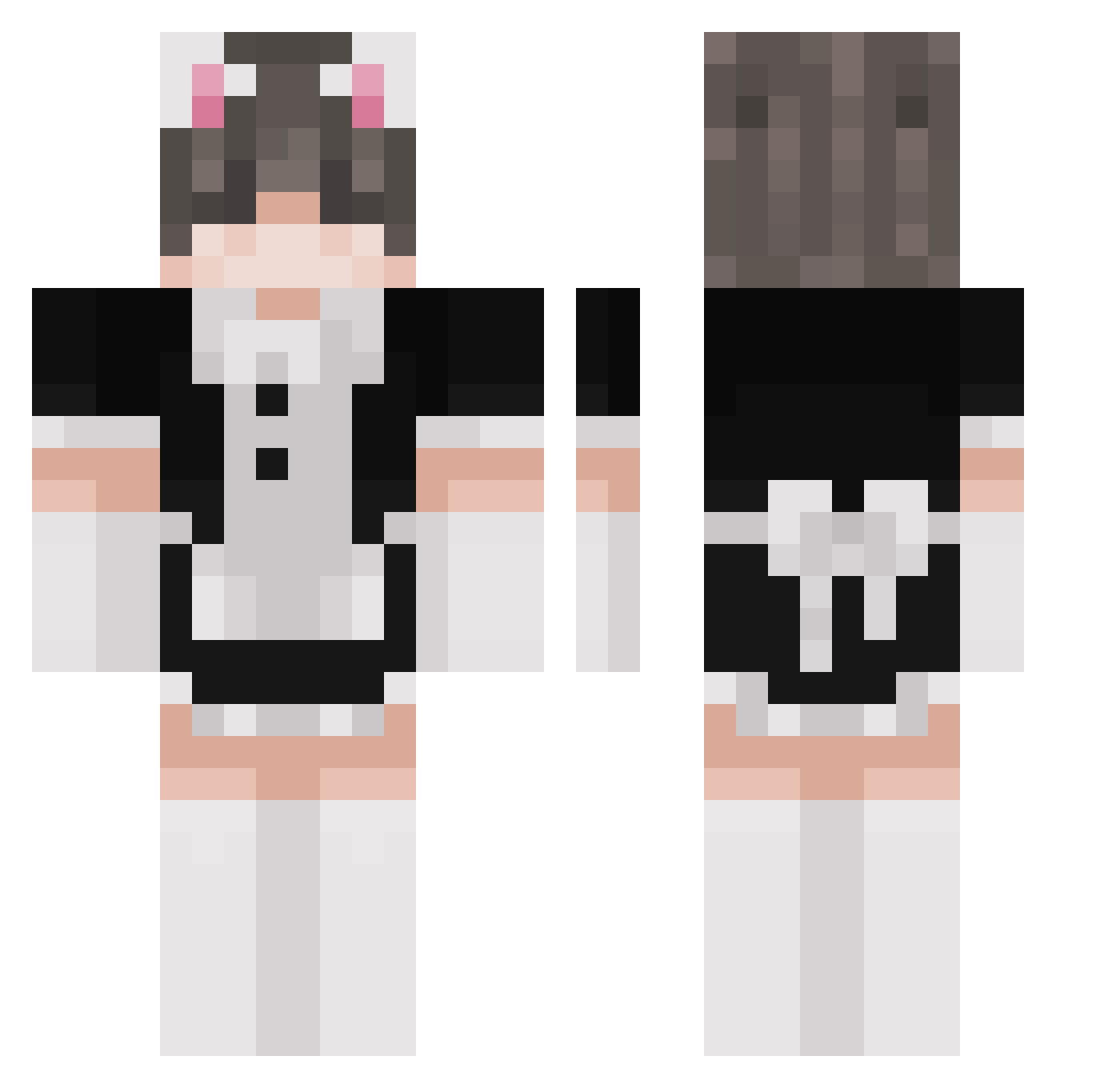
Current Minecraft skin of the player Rip_Spectre, loaded from the official Mojang API. Rotate the 3D model with your mouse or finger, then download the skin as a PNG file and use it in Minecraft: Bedrock Edition or Java Edition for free. When Rip_Spectre changes their skin, this page updates automatically and the old skin stays in the history below.
Other players with this skin (261)
Rip_Spectre was the 150th player we have seen with this skin, first spotted on 26.09.2026. The same skin was seen on these players. Open a nickname to see their current skin and skin history.
 Roloburger RefusedMax enoisha Alu_Senpai Rhenta LittleFrackinCat EncryptRelic586 BudeReatz RaddestShober ibszm Tofu_0260 elz41 N_nashi xcxds Amarowoo Quartz_kun Kevin_Garcia Yoda_1998 Nine_of_Cats ReikerRom Yralyuo IShaneI aeonggi KingCaty HaruKaiju dDuxx_ EiEnwalD scp6824 FatNaga KasyWasy _KeksimusMaximus ChanpignonFraise Drail__ eschoriat Kronss moxinxin MAN_0033 Mio12456 olddrade NugetTIN DonSJ lubiedzieci21_ Femboyfeethunter Protazy551 klisha Yuukek MassiveTurtle69 WrozkaSalmonella porkchop47_ NatsuDaScientist Phant0m_Kitty Ellisuuu IDEAShop otsk xluisexx StarfishQueeen Jadexxn ihyjms SupaMurph debikv
More Maid Minecraft skins
How to install the Rip_Spectre skin
- Press the Download button above to save the skin as a PNG file.
- Minecraft: Bedrock Edition (PE): open the Dressing Room from the main menu (or tap your character → Edit Character), go to Classic Skins → Owned, press the + (new skin) button, choose the downloaded PNG and pick the Classic (Steve) model. Works on PC and mobile; consoles cannot import custom skins.
- Minecraft: Java Edition: open the Minecraft Launcher, go to the Skins tab, click New Skin, load the PNG, pick the Classic (Steve) model and press Save & Use. You can also upload it at minecraft.net → Profile → Change Skin.
The skin does not show up after import - what should I do?
Restart Minecraft and open the Dressing Room again - imported skins sometimes appear only after a restart. Also make sure you selected the imported skin and picked the Classic (Steve) model.
Which model should I choose, Classic or Slim?
This skin is designed for the Classic (Steve) model. If you pick the wrong model, the arms of the skin will look stretched or squeezed.
Is the skin of Rip_Spectre free to download?
Yes. Press Download, save the PNG file and use it in Minecraft: Bedrock Edition or Java Edition - no payment or registration needed. The skin also works on multiplayer servers and Realms.
More skins
Looking for more? Go back to all Minecraft skins and check the top skins of the week, month and all time, or find any player's skin by nickname.