
Rio_67 - Minecraft Skins & Skin History
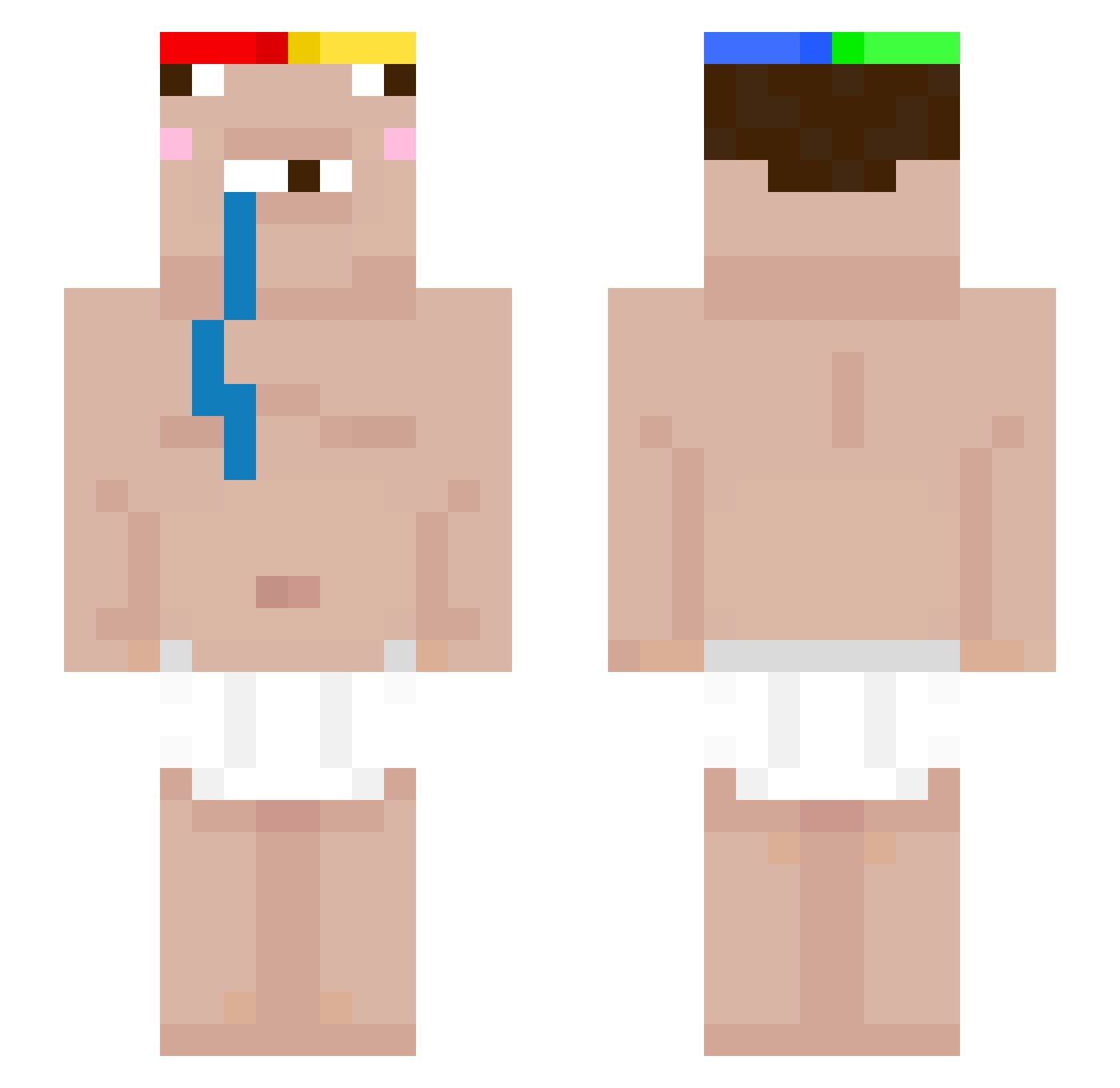
Current Minecraft skin of the player Rio_67, loaded from the official Mojang API. Rotate the 3D model with your mouse or finger, then download the skin as a PNG file and use it in Minecraft: Bedrock Edition or Java Edition for free. When Rio_67 changes their skin, this page updates automatically and the old skin stays in the history below.
Other players with this skin (66)
Rio_67 was the 19th player we have seen with this skin, first spotted on 01.10.2026. The same skin was seen on these players. Open a nickname to see their current skin and skin history.
 Leonardopro09121 dxickmen pyrexu Rizyyn nope_busher BackFuzzball771 Kubekx2014 esz_ bigblackbarry69 jasoncc08 cash121345 Kos3q miri2577 Mrs_black987 JAVIEER litranger52 Alvarez1945 Amdoula cadufofo YoavCal Rainnst cob_seth DEANCPVP chelsea_xp anecaug lola5275 Junness Canape69 Saaaaden Coudezin perunlol Herold69 kratos68 idkerik wifiviston killtov Droolinz wiflate mspychal PacBlack Tuiheee WANCHOLIU ArreV2 limafeliz keyraee xlucato alkaabi2012 temptaYT Lydian_ prosper666 joe56500 njfg _013k Boazthepro PhuwitandPleng rrese vinimvdz Fumiyanyan Karinis Mimilo0o
More Drooling Minecraft skins
How to install the Rio_67 skin
- Press the Download button above to save the skin as a PNG file.
- Minecraft: Bedrock Edition (PE): open the Dressing Room from the main menu (or tap your character → Edit Character), go to Classic Skins → Owned, press the + (new skin) button, choose the downloaded PNG and pick the Slim (Alex) model. Works on PC and mobile; consoles cannot import custom skins.
- Minecraft: Java Edition: open the Minecraft Launcher, go to the Skins tab, click New Skin, load the PNG, pick the Slim (Alex) model and press Save & Use. You can also upload it at minecraft.net → Profile → Change Skin.
The skin does not show up after import - what should I do?
Restart Minecraft and open the Dressing Room again - imported skins sometimes appear only after a restart. Also make sure you selected the imported skin and picked the Slim (Alex) model.
Which model should I choose, Classic or Slim?
This skin is designed for the Slim (Alex) model. If you pick the wrong model, the arms of the skin will look stretched or squeezed.
Is the skin of Rio_67 free to download?
Yes. Press Download, save the PNG file and use it in Minecraft: Bedrock Edition or Java Edition - no payment or registration needed. The skin also works on multiplayer servers and Realms.
More skins
Looking for more? Go back to all Minecraft skins and check the top skins of the week, month and all time, or find any player's skin by nickname.