
RingertheHooper - Minecraft Skins & Skin History
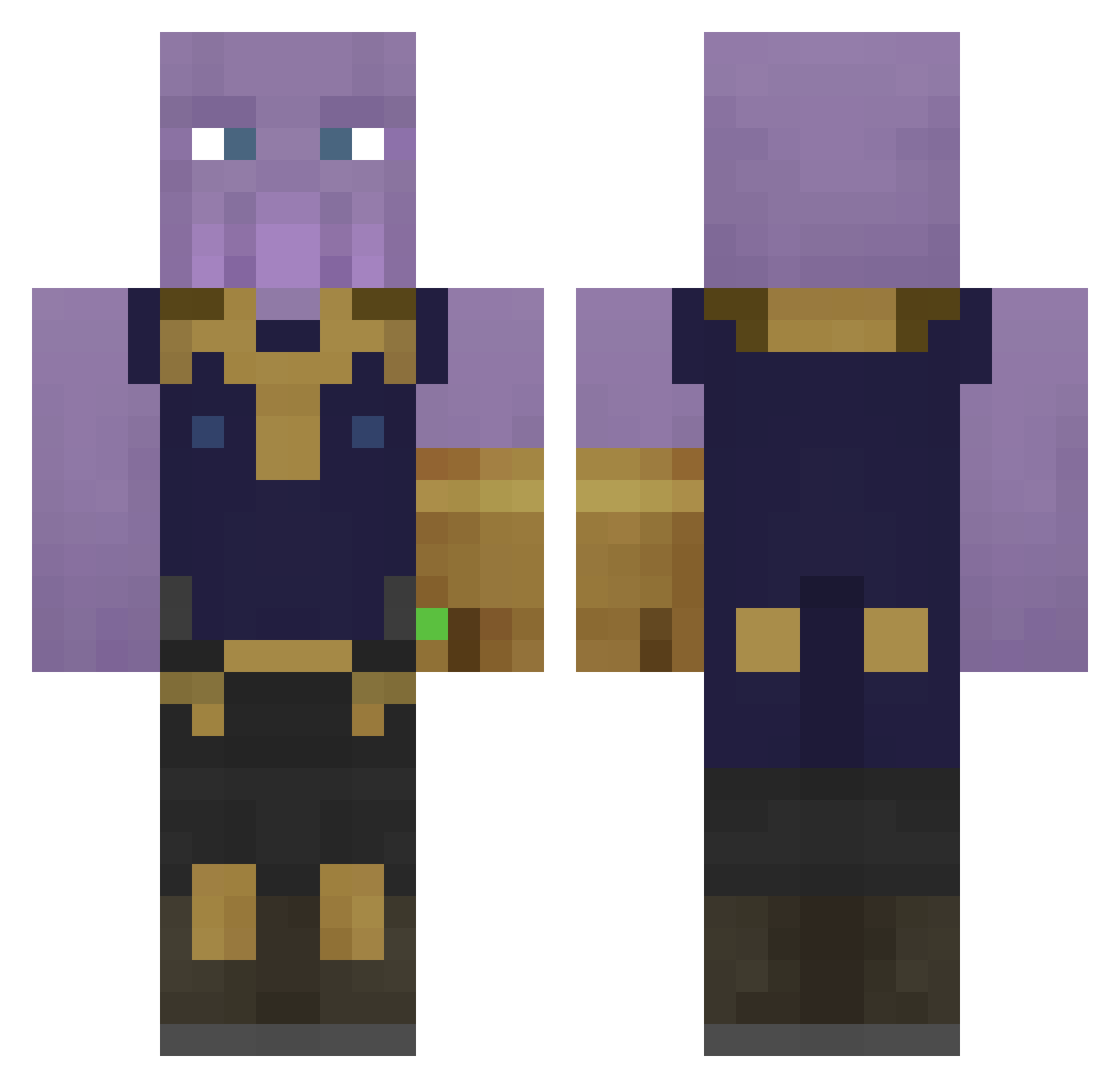
Current Minecraft skin of the player RingertheHooper, loaded from the official Mojang API. Rotate the 3D model with your mouse or finger, then download the skin as a PNG file and use it in Minecraft: Bedrock Edition or Java Edition for free. When RingertheHooper changes their skin, this page updates automatically and the old skin stays in the history below.
Other players with this skin (323)
RingertheHooper was the 48th player we have seen with this skin, first spotted on 07.08.2026. The same skin was seen on these players. Open a nickname to see their current skin and skin history.
 Patirri Lucarion1998 JoaoSMoraes SandiBoy2302 MINI_MACD ur_mother_in_law hellobonk Manuelchapo47 9yujin_ Whanos niceoneistaken Slikusha Jakewall25 Brisall CropDuster765 Keelany Guideway keblem Grevy9 Gurtej2 DylPickleBoy2424 Augiewatters Aradalf ApexFaulty reqyk Alpha_Lemon anish22 omer_mustafaa zeghvan NotAnidem Asrimikniv Preachinglemon Moonmoth15
 1333481 brittz95 AmbiNotAnimating Tagtamere Kobkat ggalcoforado SendoA97 UnPlantedTree 7985661 oscarbs123 Wolframio44 NathanG1033 daeho0616 RobbWinter Average16 Adriein AKIRA3DY2 tacobellguy1 Zhulthar Monna_ TurkuMies01 Sebastiamm prof_rarted T_rulezzz spagoogsen LolloJam3r HTXiao
More Thanos Minecraft skins
How to install the RingertheHooper skin
- Press the Download button above to save the skin as a PNG file.
- Minecraft: Bedrock Edition (PE): open the Dressing Room from the main menu (or tap your character → Edit Character), go to Classic Skins → Owned, press the + (new skin) button, choose the downloaded PNG and pick the Classic (Steve) model. Works on PC and mobile; consoles cannot import custom skins.
- Minecraft: Java Edition: open the Minecraft Launcher, go to the Skins tab, click New Skin, load the PNG, pick the Classic (Steve) model and press Save & Use. You can also upload it at minecraft.net → Profile → Change Skin.
The skin does not show up after import - what should I do?
Restart Minecraft and open the Dressing Room again - imported skins sometimes appear only after a restart. Also make sure you selected the imported skin and picked the Classic (Steve) model.
Which model should I choose, Classic or Slim?
This skin is designed for the Classic (Steve) model. If you pick the wrong model, the arms of the skin will look stretched or squeezed.
Is the skin of RingertheHooper free to download?
Yes. Press Download, save the PNG file and use it in Minecraft: Bedrock Edition or Java Edition - no payment or registration needed. The skin also works on multiplayer servers and Realms.
More skins
Looking for more? Go back to all Minecraft skins and check the top skins of the week, month and all time, or find any player's skin by nickname.