
RiaPonzu - Minecraft Skins & Skin History
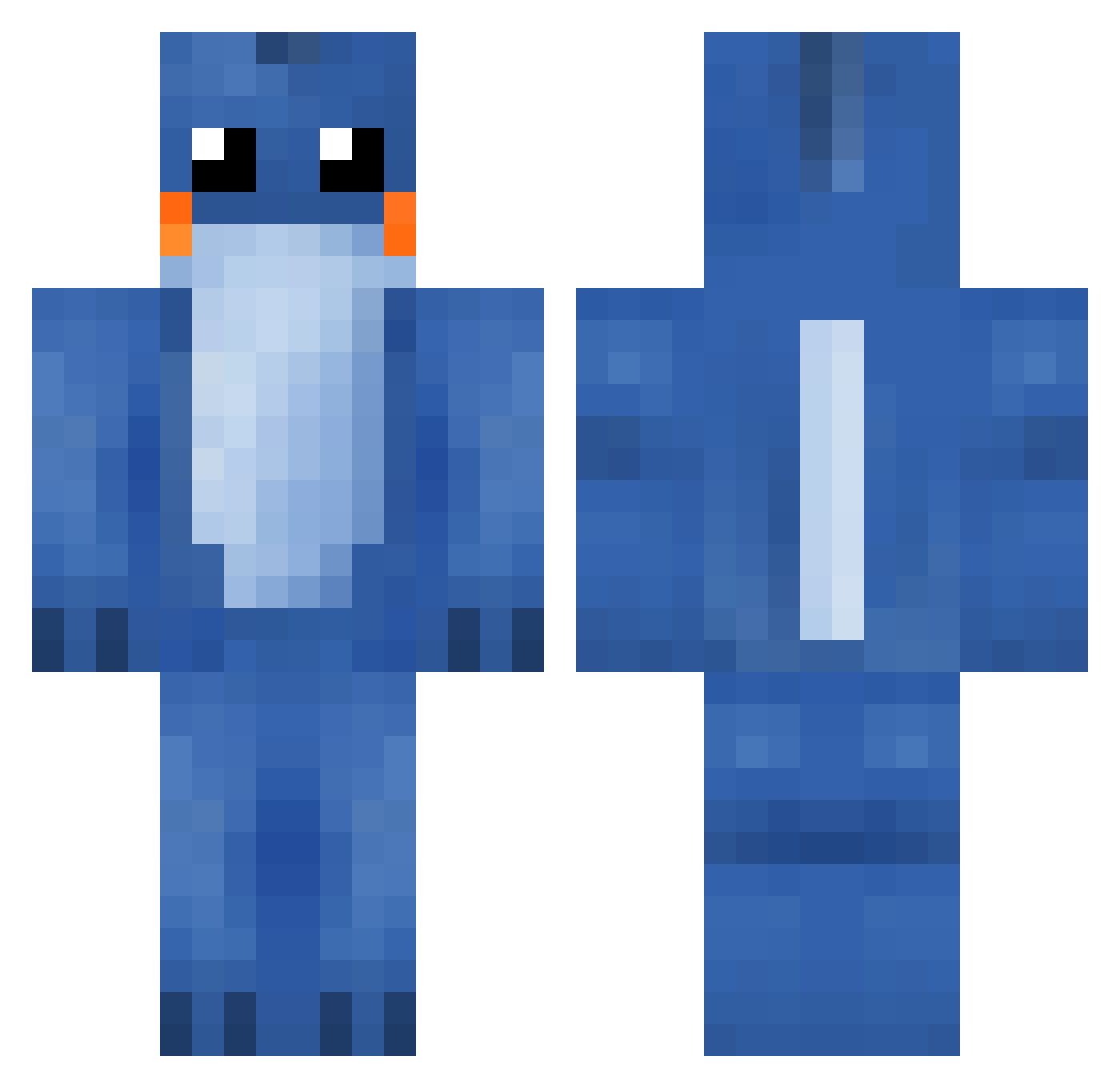
Current Minecraft skin of the player RiaPonzu, loaded from the official Mojang API. Rotate the 3D model with your mouse or finger, then download the skin as a PNG file and use it in Minecraft: Bedrock Edition or Java Edition for free. When RiaPonzu changes their skin, this page updates automatically and the old skin stays in the history below.
Other players with this skin (59)
RiaPonzu was the 14th player we have seen with this skin, first spotted on 13.08.2026. The same skin was seen on these players. Open a nickname to see their current skin and skin history.
 Lisan49 Agente_G4925 Danopy TheElement_Kai AkariAlt HackingVirus Jorgeto0 DaaashingSkills JeonTank9 Carnaval0 Sensationbolls CatboyKel Dannynvn Franchooo1 rishi__ li_17 MiniMinotaurz ppony0 xoxoRebel Crazyy_69 gg9rgny sns8659 cheeesepp Rustysw0rd Zakariye J020124 Quasar_Dragon suiciideboy_ BlauweStuiterbal _Urlus_ Oeugusta luda03571 Light_101 sekasen thiboo oranygem Rhegg Soft_James6502 Frozenbolls GalaxyGuinea Aeqox Syxofficial Gandou Baby_Ninja_4359 Soarer02 MudkipDEUSS kulhanbeyi THE_JI James8222 blueebird VladRad CagateDosso VanTruble TheBraveNoob ikbencoolxd MrEiswolf XIM3N Daweinism Sungularity
More Lilo And Stitch Minecraft skins
See all 448 Lilo And Stitch skins
How to install the RiaPonzu skin
- Press the Download button above to save the skin as a PNG file.
- Minecraft: Bedrock Edition (PE): open the Dressing Room from the main menu (or tap your character → Edit Character), go to Classic Skins → Owned, press the + (new skin) button, choose the downloaded PNG and pick the Classic (Steve) model. Works on PC and mobile; consoles cannot import custom skins.
- Minecraft: Java Edition: open the Minecraft Launcher, go to the Skins tab, click New Skin, load the PNG, pick the Classic (Steve) model and press Save & Use. You can also upload it at minecraft.net → Profile → Change Skin.
The skin does not show up after import - what should I do?
Restart Minecraft and open the Dressing Room again - imported skins sometimes appear only after a restart. Also make sure you selected the imported skin and picked the Classic (Steve) model.
Which model should I choose, Classic or Slim?
This skin is designed for the Classic (Steve) model. If you pick the wrong model, the arms of the skin will look stretched or squeezed.
Is the skin of RiaPonzu free to download?
Yes. Press Download, save the PNG file and use it in Minecraft: Bedrock Edition or Java Edition - no payment or registration needed. The skin also works on multiplayer servers and Realms.
More skins
Looking for more? Go back to all Minecraft skins and check the top skins of the week, month and all time, or find any player's skin by nickname.