
Retcar - Minecraft Skins & Skin History
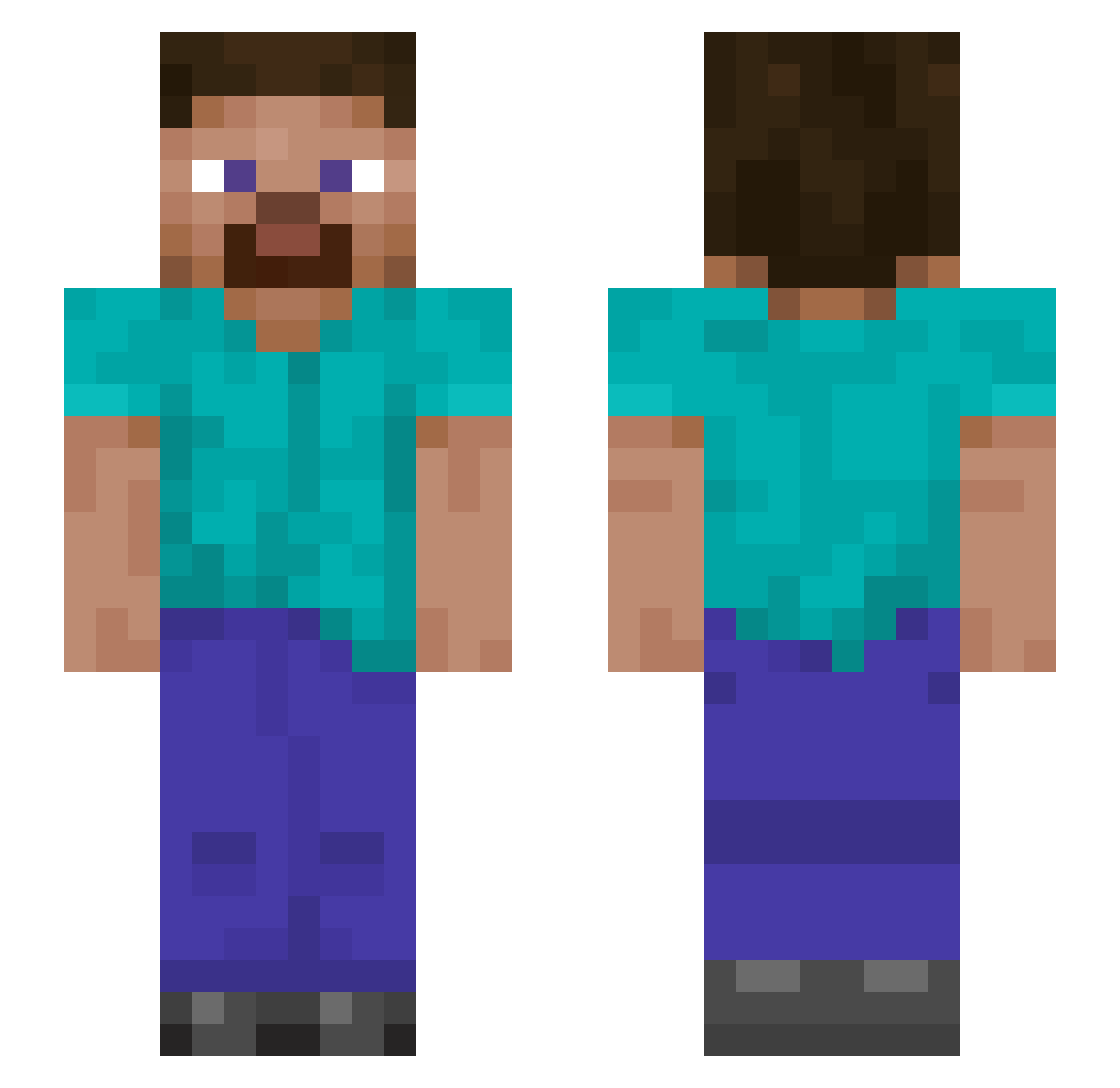
Current Minecraft skin of the player Retcar, loaded from the official Mojang API. Rotate the 3D model with your mouse or finger, then download the skin as a PNG file and use it in Minecraft: Bedrock Edition or Java Edition for free. When Retcar changes their skin, this page updates automatically and the old skin stays in the history below.
Other players with this skin (890)
Retcar was the 206th player we have seen with this skin, first spotted on 15.08.2026. The same skin was seen on these players. Open a nickname to see their current skin and skin history.
 dilligadf MortifiedLuke Sonnibee Katzmeowski Phil240 lewisawalsh DatAssKyle Fredstar240 Bdog698 ErikCaetano Kloppsided SMLLPPBOI Ryanpark777 mdarn1 scout7791 Sivnis MarcosJaime14 DriftyPlayzz _3ae CCharlos isaaccc10 D_Osoba Bazza439 ICHIKAWAshi Maujara Nonolith Trebolli Kessos3 zhang223 Teddy2756 Zer0Dark6 Fordrykker aetchii Bob292013 Connor275 FILITREX Timarac young_ghost FoxerK linkskywalker81 NACHO5179 GLYGuardian DeadlyKupo Richard_KiKi YungKako ActiveTurtle44 Erase_f japRrTV Quan0630 AloneJay slipperyaim Limerance0 Sendward SphericalAfro vulcan1917 dmoreira1720 AdaptiveConch57 156456456 Cloak187 BejloJR
How to install the Retcar skin
- Press the Download button above to save the skin as a PNG file.
- Minecraft: Bedrock Edition (PE): open the Dressing Room from the main menu (or tap your character → Edit Character), go to Classic Skins → Owned, press the + (new skin) button, choose the downloaded PNG and pick the Slim (Alex) model. Works on PC and mobile; consoles cannot import custom skins.
- Minecraft: Java Edition: open the Minecraft Launcher, go to the Skins tab, click New Skin, load the PNG, pick the Slim (Alex) model and press Save & Use. You can also upload it at minecraft.net → Profile → Change Skin.
The skin does not show up after import - what should I do?
Restart Minecraft and open the Dressing Room again - imported skins sometimes appear only after a restart. Also make sure you selected the imported skin and picked the Slim (Alex) model.
Which model should I choose, Classic or Slim?
This skin is designed for the Slim (Alex) model. If you pick the wrong model, the arms of the skin will look stretched or squeezed.
Is the skin of Retcar free to download?
Yes. Press Download, save the PNG file and use it in Minecraft: Bedrock Edition or Java Edition - no payment or registration needed. The skin also works on multiplayer servers and Realms.
More skins
Looking for more? Go back to all Minecraft skins and check the top skins of the week, month and all time, or find any player's skin by nickname.