
Renexx90 - Minecraft Skins & Skin History
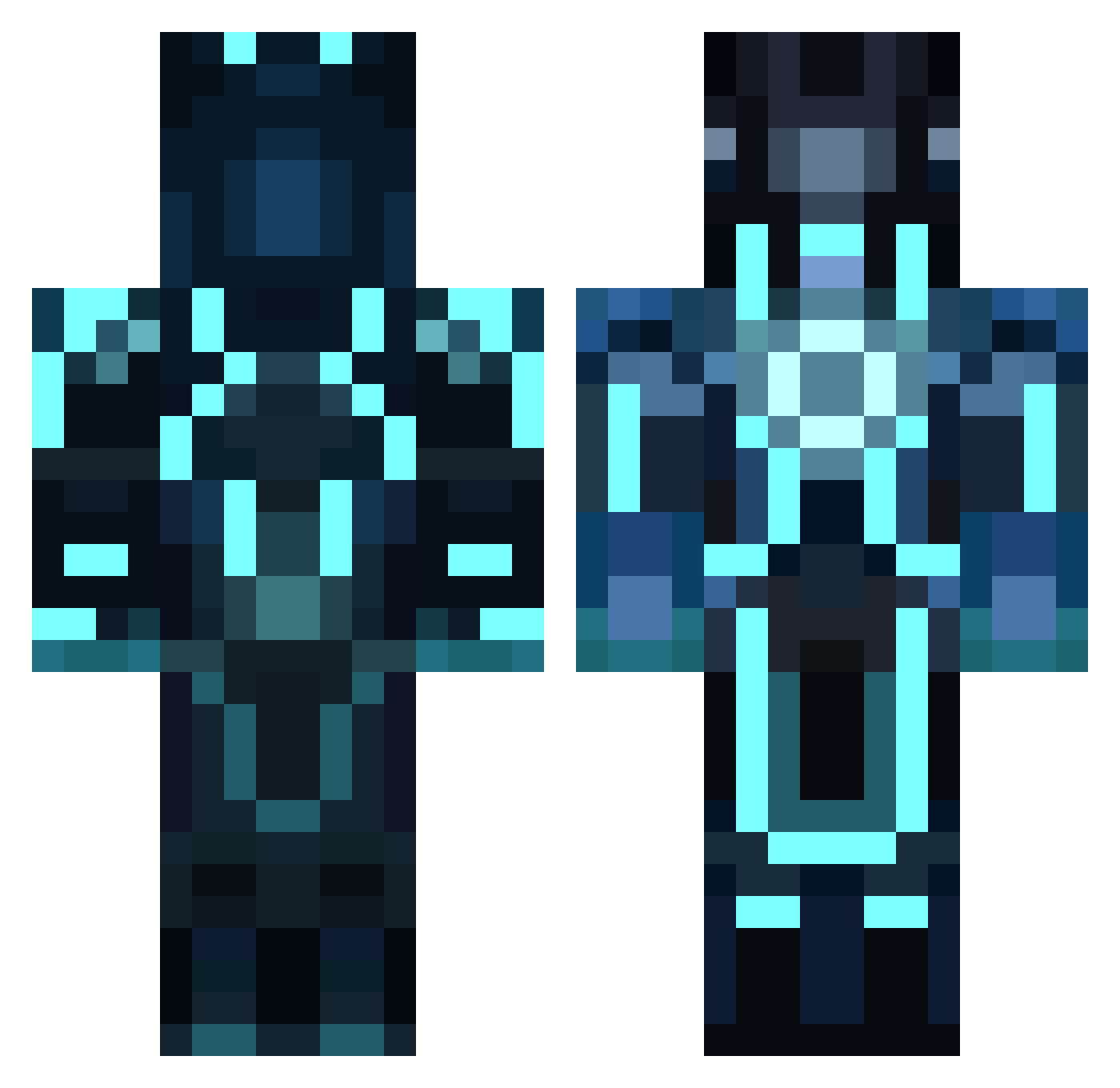
Current Minecraft skin of the player Renexx90, loaded from the official Mojang API. Rotate the 3D model with your mouse or finger, then download the skin as a PNG file and use it in Minecraft: Bedrock Edition or Java Edition for free. When Renexx90 changes their skin, this page updates automatically and the old skin stays in the history below.
Other players with this skin (1041)
Renexx90 was the 865th player we have seen with this skin, first spotted on 02.11.2026. The same skin was seen on these players. Open a nickname to see their current skin and skin history.
 jacklove234 Abbezero2 Jman1906 Hunterman07 winestone DankusMemeos sergolias Tun3rb0y WebClimber rasmus0617 FireFox2020 FishAteShark Dr_Rogers_E _Azwraith_ shazar76 CalebJP5 Villstad2 xXKingComaXx eaglekr999 Mutant7 skrillex1782 Klotzebeen Ivyscousin rickramsey123 Andrew_W py2025 Lukea0305 king_boi dhnwolverine baronMathias T0user jaaphetschaap Fabibassi iamginger2 Tiikkii Maytender DarkTron12 samuelwsd Zoola200 momentum2201 Doctor_Salih CallyJoe conni70 tbatman31 Jmax250 Lokatana banrisk MattFTWS KalebJaxKarson cyberdragon656 Kristian_K_J julekeul Erbse2000 superkid220 y_nic Gozandos Brendongood23 thewarcrafter912 CrystalXephos Phyrexia3702
More Glowing Armor Minecraft skins
See all 71 Glowing Armor skins
How to install the Renexx90 skin
- Press the Download button above to save the skin as a PNG file.
- Minecraft: Bedrock Edition (PE): open the Dressing Room from the main menu (or tap your character → Edit Character), go to Classic Skins → Owned, press the + (new skin) button, choose the downloaded PNG and pick the Classic (Steve) model. Works on PC and mobile; consoles cannot import custom skins.
- Minecraft: Java Edition: open the Minecraft Launcher, go to the Skins tab, click New Skin, load the PNG, pick the Classic (Steve) model and press Save & Use. You can also upload it at minecraft.net → Profile → Change Skin.
The skin does not show up after import - what should I do?
Restart Minecraft and open the Dressing Room again - imported skins sometimes appear only after a restart. Also make sure you selected the imported skin and picked the Classic (Steve) model.
Which model should I choose, Classic or Slim?
This skin is designed for the Classic (Steve) model. If you pick the wrong model, the arms of the skin will look stretched or squeezed.
Is the skin of Renexx90 free to download?
Yes. Press Download, save the PNG file and use it in Minecraft: Bedrock Edition or Java Edition - no payment or registration needed. The skin also works on multiplayer servers and Realms.
More skins
Looking for more? Go back to all Minecraft skins and check the top skins of the week, month and all time, or find any player's skin by nickname.