
RemiOrhi - Minecraft Skins & Skin History
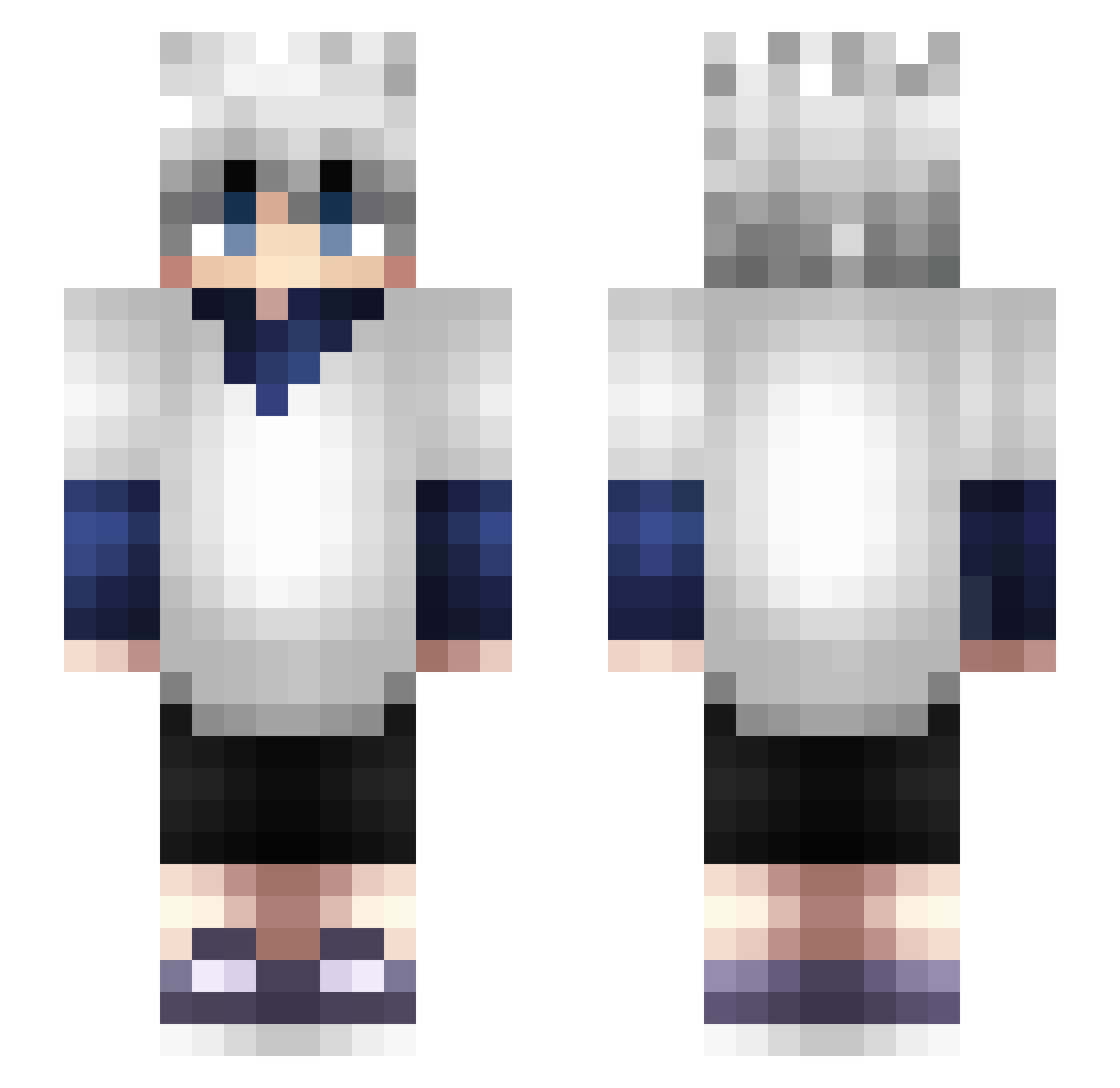
Current Minecraft skin of the player RemiOrhi, loaded from the official Mojang API. Rotate the 3D model with your mouse or finger, then download the skin as a PNG file and use it in Minecraft: Bedrock Edition or Java Edition for free. When RemiOrhi changes their skin, this page updates automatically and the old skin stays in the history below.
Other players with this skin (365)
RemiOrhi was the 340th player we have seen with this skin, first spotted on 26.10.2026. The same skin was seen on these players. Open a nickname to see their current skin and skin history.
 Arthergaming ForgiveDrian SonYoYo Sagee1086 Yeetsauc3x SHIBAMEISTER Hihumin7 Dys05 Froggo_The_End Lynch97 alexzld RKAPS65 Romaricer JamioJadeux DerJ0Jo juulz1413 Roko30 xjae22 _VnX672 Guao_Guao YnekK_ zoryo KrillGeniy Chicken_N_Beer Davolono KOARA7777 Iplayvalorantt sami4v ebberto ElMoignonn Injigo_ bipo7 iiMaDoo_Z uShadoww_ Tfinn27 Esophis revd7 Anime3nthusiast KeremCemK_ _ThePanDaGirl_ IceSword1 luigi1073 Fomast alinykES Cromax_25 KnightSZN SHL1 billy66005 tinchitoou LutpiiUrBoy CxEroo ottolito Jenahhh RZinMC IrmNotSad Kirby_Jun _vinnyjj_ Malikx Vessallius little_baka420
More Killua Zoldyck Minecraft skins
See all 181 Killua Zoldyck skins
How to install the RemiOrhi skin
- Press the Download button above to save the skin as a PNG file.
- Minecraft: Bedrock Edition (PE): open the Dressing Room from the main menu (or tap your character → Edit Character), go to Classic Skins → Owned, press the + (new skin) button, choose the downloaded PNG and pick the Slim (Alex) model. Works on PC and mobile; consoles cannot import custom skins.
- Minecraft: Java Edition: open the Minecraft Launcher, go to the Skins tab, click New Skin, load the PNG, pick the Slim (Alex) model and press Save & Use. You can also upload it at minecraft.net → Profile → Change Skin.
The skin does not show up after import - what should I do?
Restart Minecraft and open the Dressing Room again - imported skins sometimes appear only after a restart. Also make sure you selected the imported skin and picked the Slim (Alex) model.
Which model should I choose, Classic or Slim?
This skin is designed for the Slim (Alex) model. If you pick the wrong model, the arms of the skin will look stretched or squeezed.
Is the skin of RemiOrhi free to download?
Yes. Press Download, save the PNG file and use it in Minecraft: Bedrock Edition or Java Edition - no payment or registration needed. The skin also works on multiplayer servers and Realms.
More skins
Looking for more? Go back to all Minecraft skins and check the top skins of the week, month and all time, or find any player's skin by nickname.