
RektByDaZZle - Minecraft Skins & Skin History
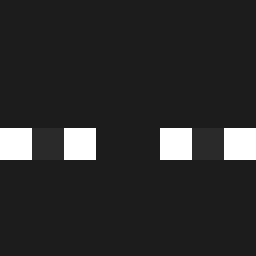
Current Minecraft skin of the player RektByDaZZle, loaded from the official Mojang API. Rotate the 3D model with your mouse or finger, then download the skin as a PNG file and use it in Minecraft: Bedrock Edition or Java Edition for free. When RektByDaZZle changes their skin, this page updates automatically and the old skin stays in the history below.

Other players with this skin (516)
RektByDaZZle was the 506th player we have seen with this skin, first spotted on 29.10.2026. The same skin was seen on these players. Open a nickname to see their current skin and skin history.
 iWeFx1 ingerdingous 9Smoke tacrdrx UeberVater8383 saninou57 youmoses ALECK_01 Enrifav_rick Arturooo123 bmxmo Torndead98 TENdobrej Toto12499 Anthony09098 DARVU619100 SayouMiK VixFlux NONAME7rs OPPONENT_17 Punsu Loveforme lopolloXD OgKubus_ dantebvs dn_wls Alpsan23 Lindell_09 gibson85 A7fred spicyG000D soledq Exceldark MGautvik HingOh Lopau siiikzzz Mushurelie DerBrumm AwitaDeH0rchata Calepp Dan37iel noblinking Ryze_Yusuf NikolaVML AdaNinja inkvtis08 ItsmeSnoozy Iana__ rubykun LOSTDEADPOOL961 Lecompte_GG pkz1 pmg0927 shy9_29h XxX8xX Daytryan Maxitaxi453 HalisF 32_Manuu
How to install the RektByDaZZle skin
- Press the Download button above to save the skin as a PNG file.
- Minecraft: Bedrock Edition (PE): open the Dressing Room from the main menu (or tap your character → Edit Character), go to Classic Skins → Owned, press the + (new skin) button, choose the downloaded PNG and pick the Classic (Steve) model. Works on PC and mobile; consoles cannot import custom skins.
- Minecraft: Java Edition: open the Minecraft Launcher, go to the Skins tab, click New Skin, load the PNG, pick the Classic (Steve) model and press Save & Use. You can also upload it at minecraft.net → Profile → Change Skin.
The skin does not show up after import - what should I do?
Restart Minecraft and open the Dressing Room again - imported skins sometimes appear only after a restart. Also make sure you selected the imported skin and picked the Classic (Steve) model.
Which model should I choose, Classic or Slim?
This skin is designed for the Classic (Steve) model. If you pick the wrong model, the arms of the skin will look stretched or squeezed.
Is the skin of RektByDaZZle free to download?
Yes. Press Download, save the PNG file and use it in Minecraft: Bedrock Edition or Java Edition - no payment or registration needed. The skin also works on multiplayer servers and Realms.
More skins
Looking for more? Go back to all Minecraft skins and check the top skins of the week, month and all time, or find any player's skin by nickname.