
Redigests - Minecraft Skins & Skin History
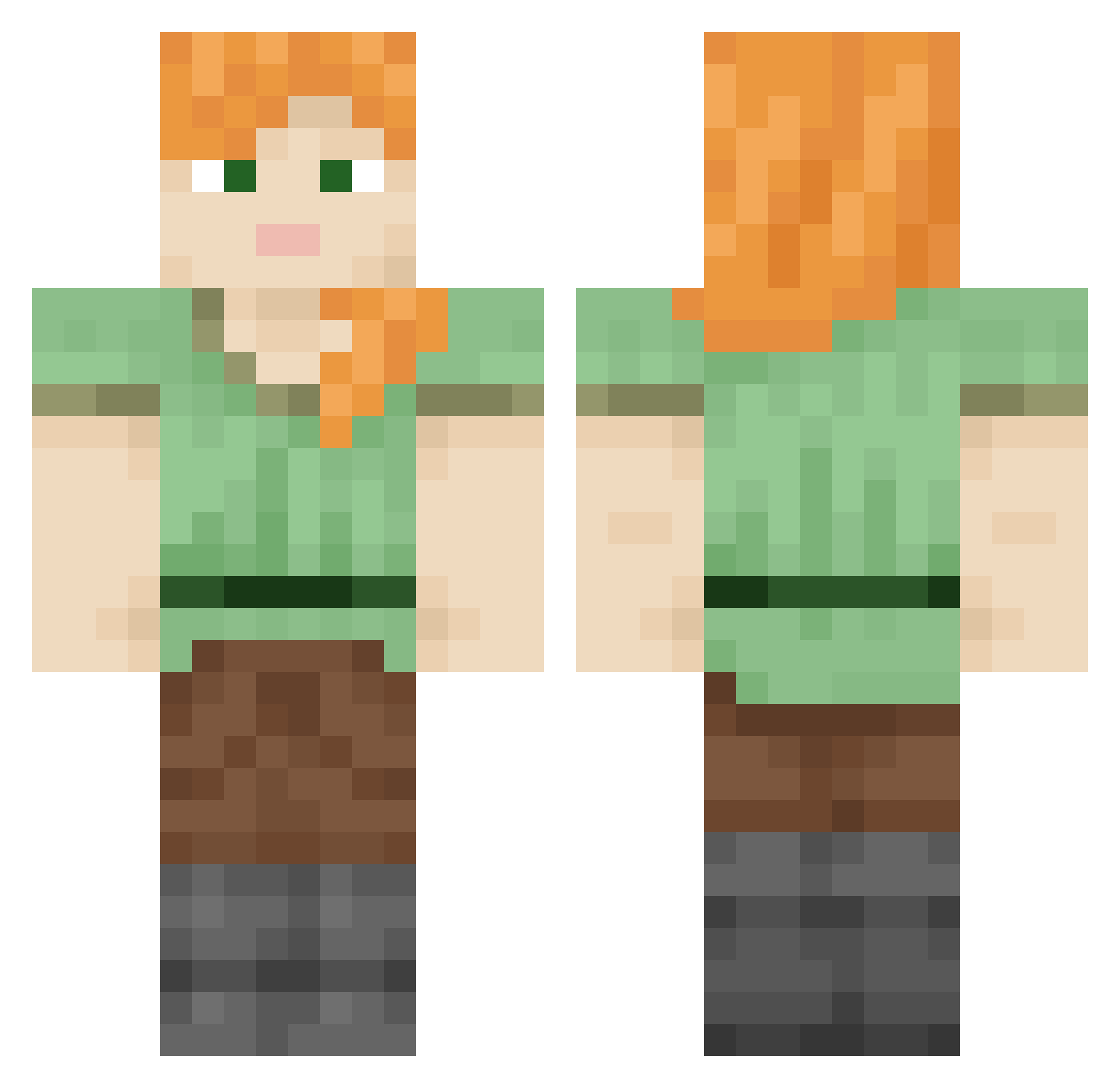
Current Minecraft skin of the player Redigests, loaded from the official Mojang API. Rotate the 3D model with your mouse or finger, then download the skin as a PNG file and use it in Minecraft: Bedrock Edition or Java Edition for free. When Redigests changes their skin, this page updates automatically and the old skin stays in the history below.
Other players with this skin (847)
Redigests was the 731st player we have seen with this skin, first spotted on 23.10.2026. The same skin was seen on these players. Open a nickname to see their current skin and skin history.
 DIICKY777 iDavud slasavisik MachWind Monkeyscythe Endite unmuzzled HiAaron StarPhilt7 Spokeshave Rafastar evilarthas228_ Sn_Jr16 brubru Urikayne_ Fractionated gzz outboxing Fungify Iliahi Ordeals Bethuel vera_froggie antichurki1488 AweStruck cecils Exegetical Sisterless unalone GenburtenX Granddaddy Acevel larder Nisus GodChinnedChin Unwired jaronaman Sarment Spurtle Erugos Beefmcnugget OsmosisLover punchinello MasterMegan Blasterrrrrrrr Nilghai AnybodyAgrees smngrenada Pinochle KWhittington lucario6_66 OfficialKev Matix2010 Semitaur bluebush RueGervaise Craig TurtleOSP Gray_stickman Herobrinne
How to install the Redigests skin
- Press the Download button above to save the skin as a PNG file.
- Minecraft: Bedrock Edition (PE): open the Dressing Room from the main menu (or tap your character → Edit Character), go to Classic Skins → Owned, press the + (new skin) button, choose the downloaded PNG and pick the Classic (Steve) model. Works on PC and mobile; consoles cannot import custom skins.
- Minecraft: Java Edition: open the Minecraft Launcher, go to the Skins tab, click New Skin, load the PNG, pick the Classic (Steve) model and press Save & Use. You can also upload it at minecraft.net → Profile → Change Skin.
The skin does not show up after import - what should I do?
Restart Minecraft and open the Dressing Room again - imported skins sometimes appear only after a restart. Also make sure you selected the imported skin and picked the Classic (Steve) model.
Which model should I choose, Classic or Slim?
This skin is designed for the Classic (Steve) model. If you pick the wrong model, the arms of the skin will look stretched or squeezed.
Is the skin of Redigests free to download?
Yes. Press Download, save the PNG file and use it in Minecraft: Bedrock Edition or Java Edition - no payment or registration needed. The skin also works on multiplayer servers and Realms.
More skins
Looking for more? Go back to all Minecraft skins and check the top skins of the week, month and all time, or find any player's skin by nickname.