
Red_Velvet_30 - Minecraft Skins & Skin History
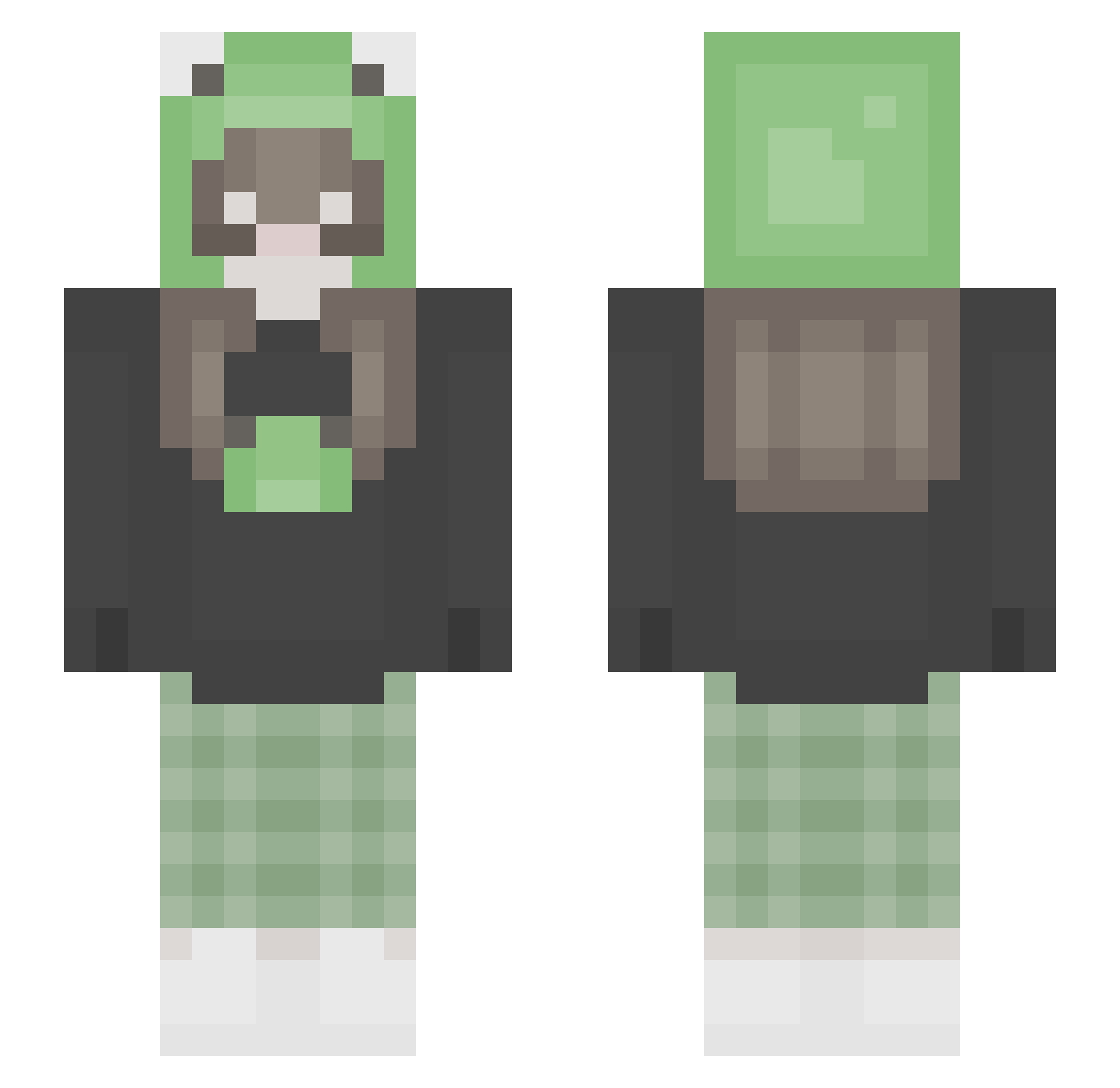
Current Minecraft skin of the player Red_Velvet_30, loaded from the official Mojang API. Rotate the 3D model with your mouse or finger, then download the skin as a PNG file and use it in Minecraft: Bedrock Edition or Java Edition for free. When Red_Velvet_30 changes their skin, this page updates automatically and the old skin stays in the history below.
Other players with this skin (292)
Red_Velvet_30 was the 233rd player we have seen with this skin, first spotted on 19.10.2026. The same skin was seen on these players. Open a nickname to see their current skin and skin history.
 taeiivrse PinkBrenda burgdog itsnotjessica SageCamden Zara4real Lunaa_noob BoekeBentex CinnamonPreso LMori Shrekaz notnuji froggygabby famyna eag3rLydare mayherthind DAKHTFTT phhishy Gugsx beckyscool Belpoppe _mpjack_ Mlinky DC_sammi sofih111 May_Celhin Anii_ya savannaholsonn Minmin_x KeqingIsMine makenzoid Izzy_hamilton seokrich mugyumugyu keikeishroomm ftnyuni Life_Socks P_EKKA Evy_Orz Claclaxx Millo06 sofsen ritalinda SchmorfritzZ Fish_er1 Xx_KatyCraft_xX crocclown x_laraa Ottakringer uhiida SeungWoo1027 Bfroggie yildizrm okura463 xlittlecrow1 tuddle_ karimuhh nicka_aaa moonbxbyy phonkericy
More Pastel Minecraft skins
How to install the Red_Velvet_30 skin
- Press the Download button above to save the skin as a PNG file.
- Minecraft: Bedrock Edition (PE): open the Dressing Room from the main menu (or tap your character → Edit Character), go to Classic Skins → Owned, press the + (new skin) button, choose the downloaded PNG and pick the Slim (Alex) model. Works on PC and mobile; consoles cannot import custom skins.
- Minecraft: Java Edition: open the Minecraft Launcher, go to the Skins tab, click New Skin, load the PNG, pick the Slim (Alex) model and press Save & Use. You can also upload it at minecraft.net → Profile → Change Skin.
The skin does not show up after import - what should I do?
Restart Minecraft and open the Dressing Room again - imported skins sometimes appear only after a restart. Also make sure you selected the imported skin and picked the Slim (Alex) model.
Which model should I choose, Classic or Slim?
This skin is designed for the Slim (Alex) model. If you pick the wrong model, the arms of the skin will look stretched or squeezed.
Is the skin of Red_Velvet_30 free to download?
Yes. Press Download, save the PNG file and use it in Minecraft: Bedrock Edition or Java Edition - no payment or registration needed. The skin also works on multiplayer servers and Realms.
More skins
Looking for more? Go back to all Minecraft skins and check the top skins of the week, month and all time, or find any player's skin by nickname.