
Realm_Master632 - Minecraft Skins & Skin History
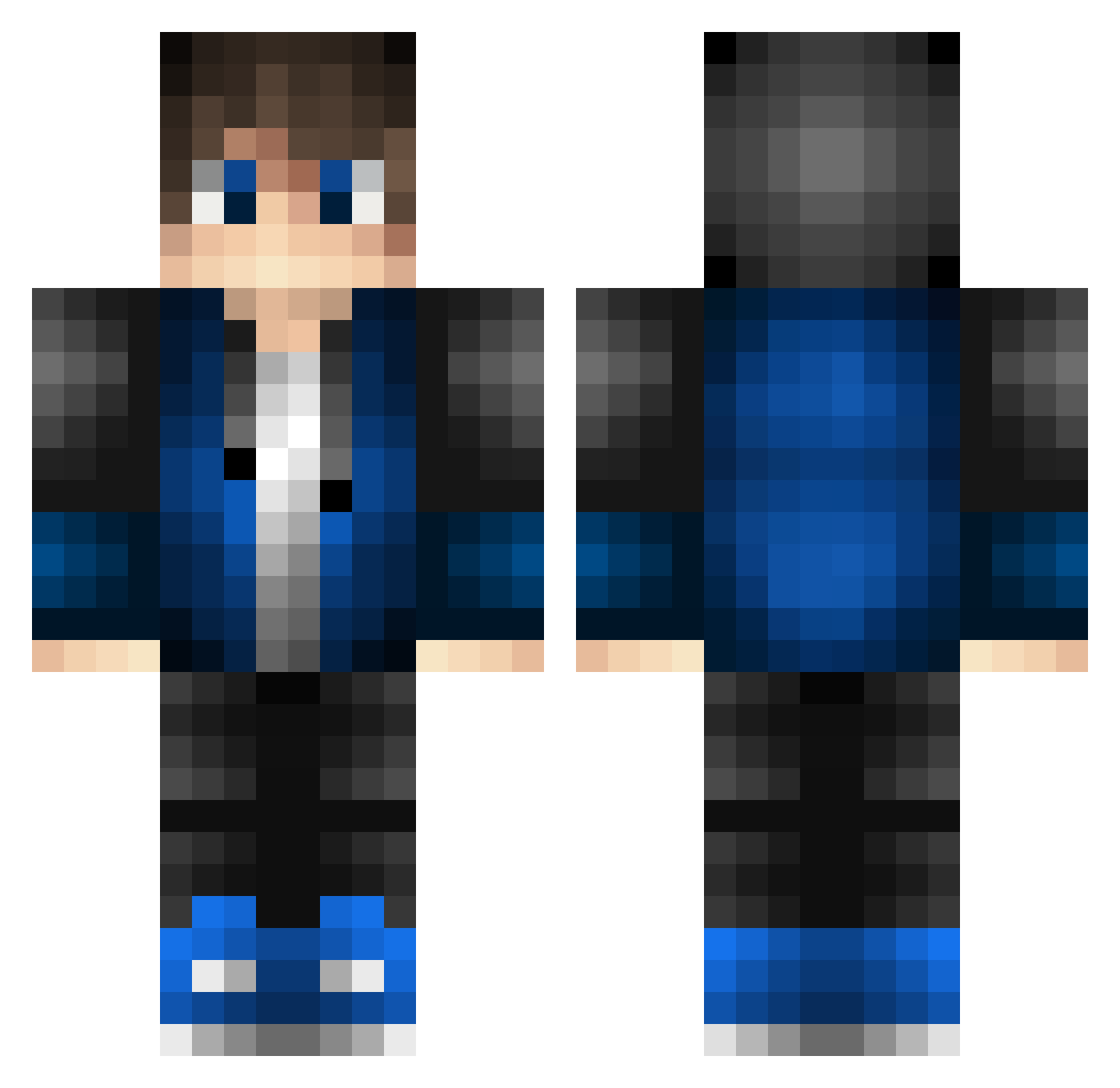
Current Minecraft skin of the player Realm_Master632, loaded from the official Mojang API. Rotate the 3D model with your mouse or finger, then download the skin as a PNG file and use it in Minecraft: Bedrock Edition or Java Edition for free. When Realm_Master632 changes their skin, this page updates automatically and the old skin stays in the history below.
Other players with this skin (528)
Realm_Master632 was the 465th player we have seen with this skin, first spotted on 24.10.2026. The same skin was seen on these players. Open a nickname to see their current skin and skin history.
 FrostyBigYFly ChrisEliteyt Frost__Plays Char1ie2009 CChromes MytheOceana blakebaile richie8919 Dig1tal_ WarZeN1 VALKNUTHD1 CraftNinja7778 Rantoraz James2206 Zandbye _bretton Synerg1zed_ GablekingZFR DuskVale92 DanielDNL Sezru Cman5864 Euroust _K4ko_ WildOnIce Minty_frankie EminIpek00 Python_014 Aran_sky Ambyth Nykols2 Jxmper Cyanic8933 Doctorj7418 TheoMac08 kearuga Lordtop4ik_YT Skorki51 ComboDogo shox1582 HugoOxid iMrAlexis Leejames2305 bingtera Nhateh PV_3_09 Ice_Fuze Senne007 Chr1s_Viper phillhj803 Maarcus_s codista_ko L30N_0 miitse Klauts7 TheCoIIector Crew2master99 Jusufy roos6 _KINNJA_
How to install the Realm_Master632 skin
- Press the Download button above to save the skin as a PNG file.
- Minecraft: Bedrock Edition (PE): open the Dressing Room from the main menu (or tap your character → Edit Character), go to Classic Skins → Owned, press the + (new skin) button, choose the downloaded PNG and pick the Classic (Steve) model. Works on PC and mobile; consoles cannot import custom skins.
- Minecraft: Java Edition: open the Minecraft Launcher, go to the Skins tab, click New Skin, load the PNG, pick the Classic (Steve) model and press Save & Use. You can also upload it at minecraft.net → Profile → Change Skin.
The skin does not show up after import - what should I do?
Restart Minecraft and open the Dressing Room again - imported skins sometimes appear only after a restart. Also make sure you selected the imported skin and picked the Classic (Steve) model.
Which model should I choose, Classic or Slim?
This skin is designed for the Classic (Steve) model. If you pick the wrong model, the arms of the skin will look stretched or squeezed.
Is the skin of Realm_Master632 free to download?
Yes. Press Download, save the PNG file and use it in Minecraft: Bedrock Edition or Java Edition - no payment or registration needed. The skin also works on multiplayer servers and Realms.
More skins
Looking for more? Go back to all Minecraft skins and check the top skins of the week, month and all time, or find any player's skin by nickname.