
Reader925 - Minecraft Skins & Skin History
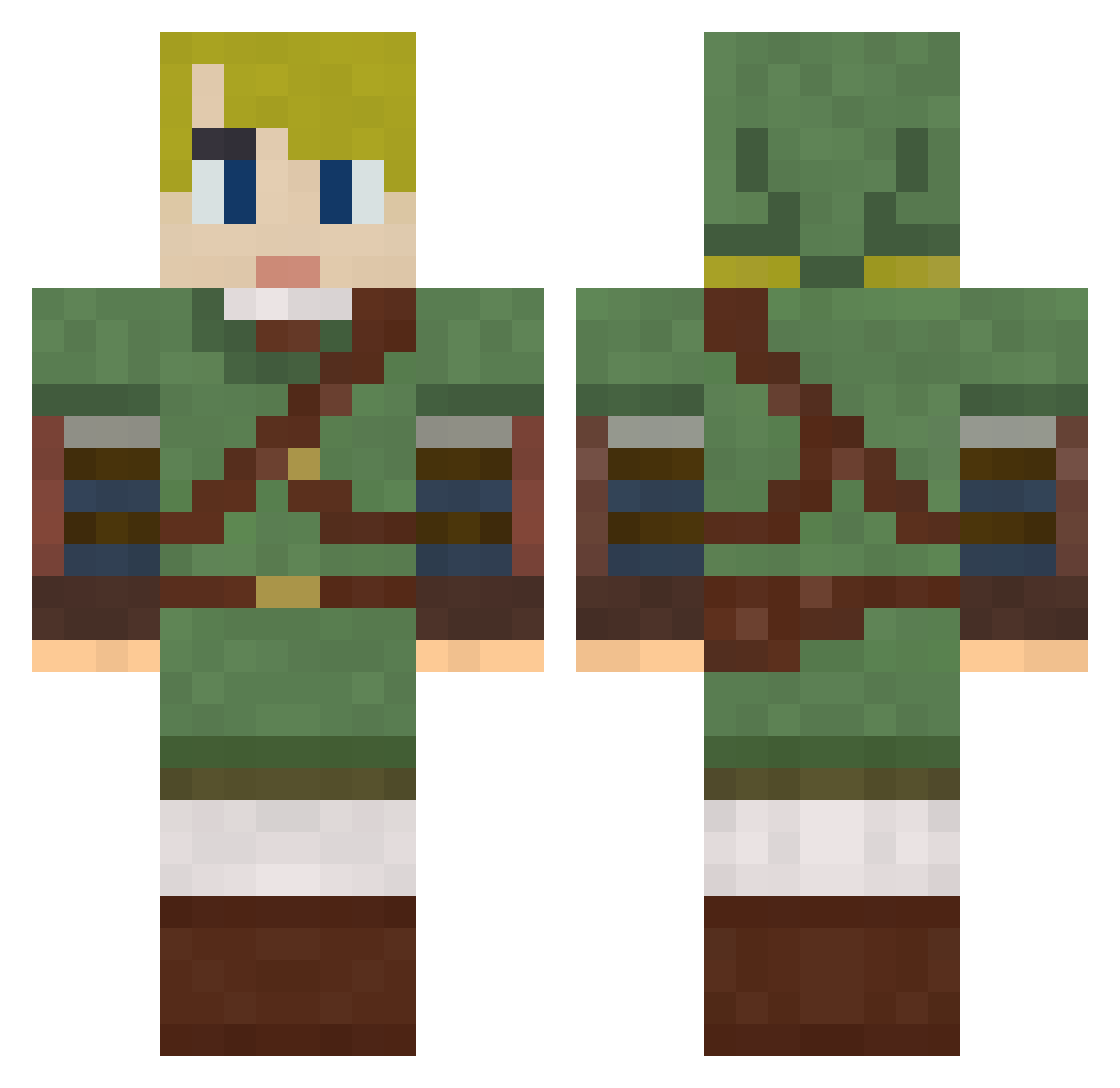
Current Minecraft skin of the player Reader925, loaded from the official Mojang API. Rotate the 3D model with your mouse or finger, then download the skin as a PNG file and use it in Minecraft: Bedrock Edition or Java Edition for free. When Reader925 changes their skin, this page updates automatically and the old skin stays in the history below.
Other players with this skin (286)
Reader925 was the 56th player we have seen with this skin, first spotted on 12.08.2026. The same skin was seen on these players. Open a nickname to see their current skin and skin history.
 SKyDRP mahimahi9011 Linkhunter10 samet361 ElvibrasOMG Cipher_cube demig0d44 Absynthe njbizzle rynlcms L1fthras1l Crazy04_ Maurgrimm Cbizzzy DexxLabs DerpWasTaken TreKopperTe fallenhero24 Mariondf Permondilac Akrilos29 Kekeh slinoles HellBoundAz Panda90 Alexander_HRK NetheriteCat735 c0uchm0nster Pasta_Party xeduardoisalivex LaughingLibra84 godofwar199477 Ketal71 Yxuan1012 solaris999 Gok11 NyqCHi Bambino1703 TootsiePopNjoyer Igor12462 Gabdao firice3 jbj2b BartBlokker BilledZero89777 Rapt_o_r Forteng Swordthief CocoGold criminalbreakin HedMuMky84 TobyTofu InphaseWind4151 alexfer85 alakazam318 Imaginezz Christopher44 plasmaninja53 Drextd yust
More Zelda Minecraft skins
How to install the Reader925 skin
- Press the Download button above to save the skin as a PNG file.
- Minecraft: Bedrock Edition (PE): open the Dressing Room from the main menu (or tap your character → Edit Character), go to Classic Skins → Owned, press the + (new skin) button, choose the downloaded PNG and pick the Classic (Steve) model. Works on PC and mobile; consoles cannot import custom skins.
- Minecraft: Java Edition: open the Minecraft Launcher, go to the Skins tab, click New Skin, load the PNG, pick the Classic (Steve) model and press Save & Use. You can also upload it at minecraft.net → Profile → Change Skin.
The skin does not show up after import - what should I do?
Restart Minecraft and open the Dressing Room again - imported skins sometimes appear only after a restart. Also make sure you selected the imported skin and picked the Classic (Steve) model.
Which model should I choose, Classic or Slim?
This skin is designed for the Classic (Steve) model. If you pick the wrong model, the arms of the skin will look stretched or squeezed.
Is the skin of Reader925 free to download?
Yes. Press Download, save the PNG file and use it in Minecraft: Bedrock Edition or Java Edition - no payment or registration needed. The skin also works on multiplayer servers and Realms.
More skins
Looking for more? Go back to all Minecraft skins and check the top skins of the week, month and all time, or find any player's skin by nickname.