
ReLuckyBR - Minecraft Skins & Skin History
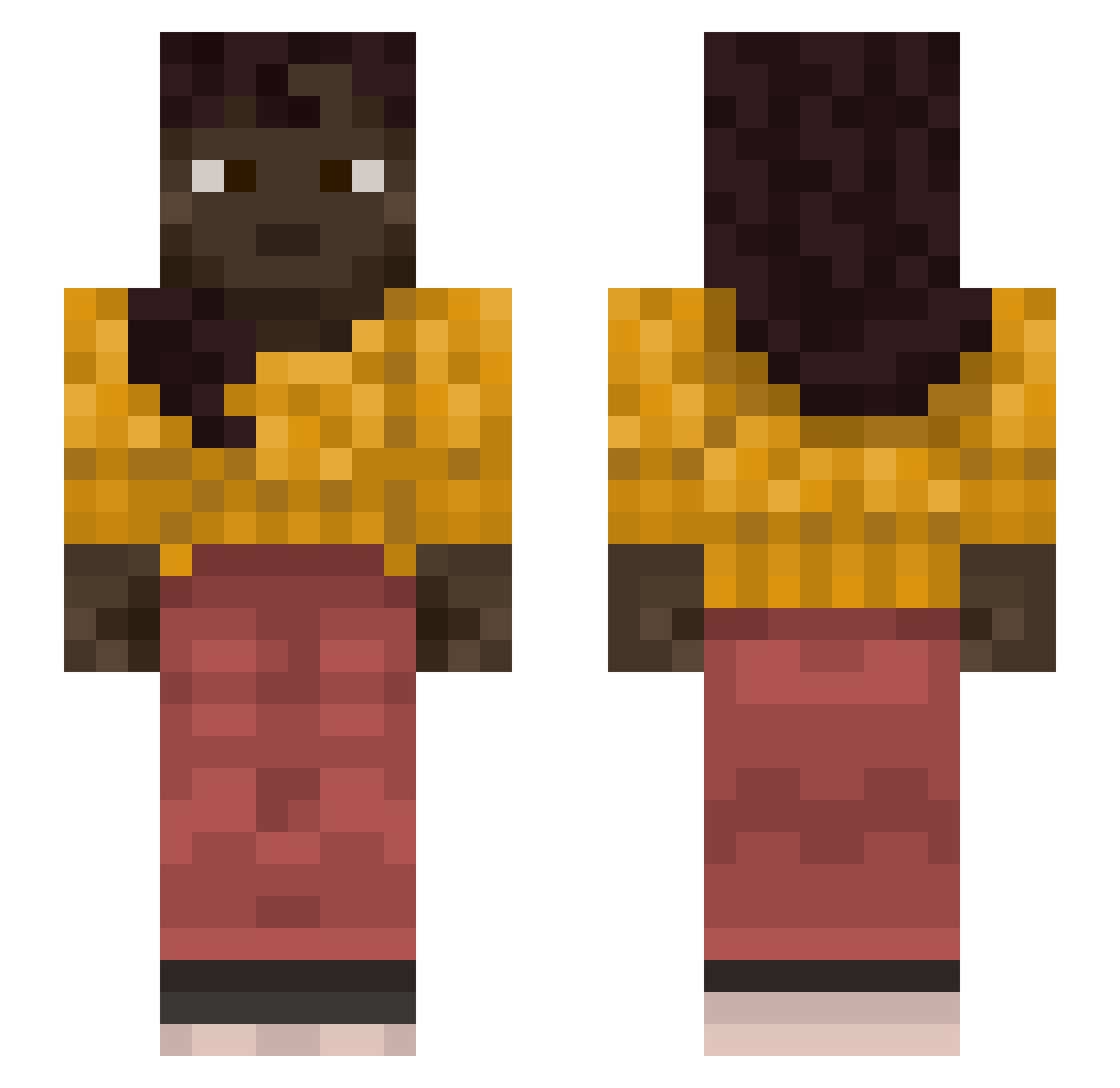
Current Minecraft skin of the player ReLuckyBR, loaded from the official Mojang API. Rotate the 3D model with your mouse or finger, then download the skin as a PNG file and use it in Minecraft: Bedrock Edition or Java Edition for free. When ReLuckyBR changes their skin, this page updates automatically and the old skin stays in the history below.
Other players with this skin (1127)
ReLuckyBR was the 1067th player we have seen with this skin, first spotted on 29.10.2026. The same skin was seen on these players. Open a nickname to see their current skin and skin history.
 skibidisus67 Daaxter LePlusBeauu Unkwon796 Yuttyy79 jerryseinfeld3 Industrys Rambo13h Whioxx paraphasia D4nny135 WoLVsTieN fourb Embelm Betrace paxilla Elbaf Bellevue rifts Celebrations katom3 Robay__ TieDog biforin Fiyapvp Waffle_priest supermario04 lightning745 Rationalize Barilla manbot LukeByers16 Captain__Nemo Jankix Puncharoo Uplifts KUBAkubek2137 SeizureSoldier69 WindWuffl69 variadic Speeling PsychoAnalyst ichmaches4 Quacky KingPlayXX shuss1899 factotum PanDeFresa Undergarment malcu_ NickelodeonKid albaovd Jobako myszkazbazarku Mc7788 LegendLeeks Synnph Lyrate Croyl kimmo
More Braid Minecraft skins
How to install the ReLuckyBR skin
- Press the Download button above to save the skin as a PNG file.
- Minecraft: Bedrock Edition (PE): open the Dressing Room from the main menu (or tap your character → Edit Character), go to Classic Skins → Owned, press the + (new skin) button, choose the downloaded PNG and pick the Slim (Alex) model. Works on PC and mobile; consoles cannot import custom skins.
- Minecraft: Java Edition: open the Minecraft Launcher, go to the Skins tab, click New Skin, load the PNG, pick the Slim (Alex) model and press Save & Use. You can also upload it at minecraft.net → Profile → Change Skin.
The skin does not show up after import - what should I do?
Restart Minecraft and open the Dressing Room again - imported skins sometimes appear only after a restart. Also make sure you selected the imported skin and picked the Slim (Alex) model.
Which model should I choose, Classic or Slim?
This skin is designed for the Slim (Alex) model. If you pick the wrong model, the arms of the skin will look stretched or squeezed.
Is the skin of ReLuckyBR free to download?
Yes. Press Download, save the PNG file and use it in Minecraft: Bedrock Edition or Java Edition - no payment or registration needed. The skin also works on multiplayer servers and Realms.
More skins
Looking for more? Go back to all Minecraft skins and check the top skins of the week, month and all time, or find any player's skin by nickname.