
RazzerBoy174 - Minecraft Skins & Skin History
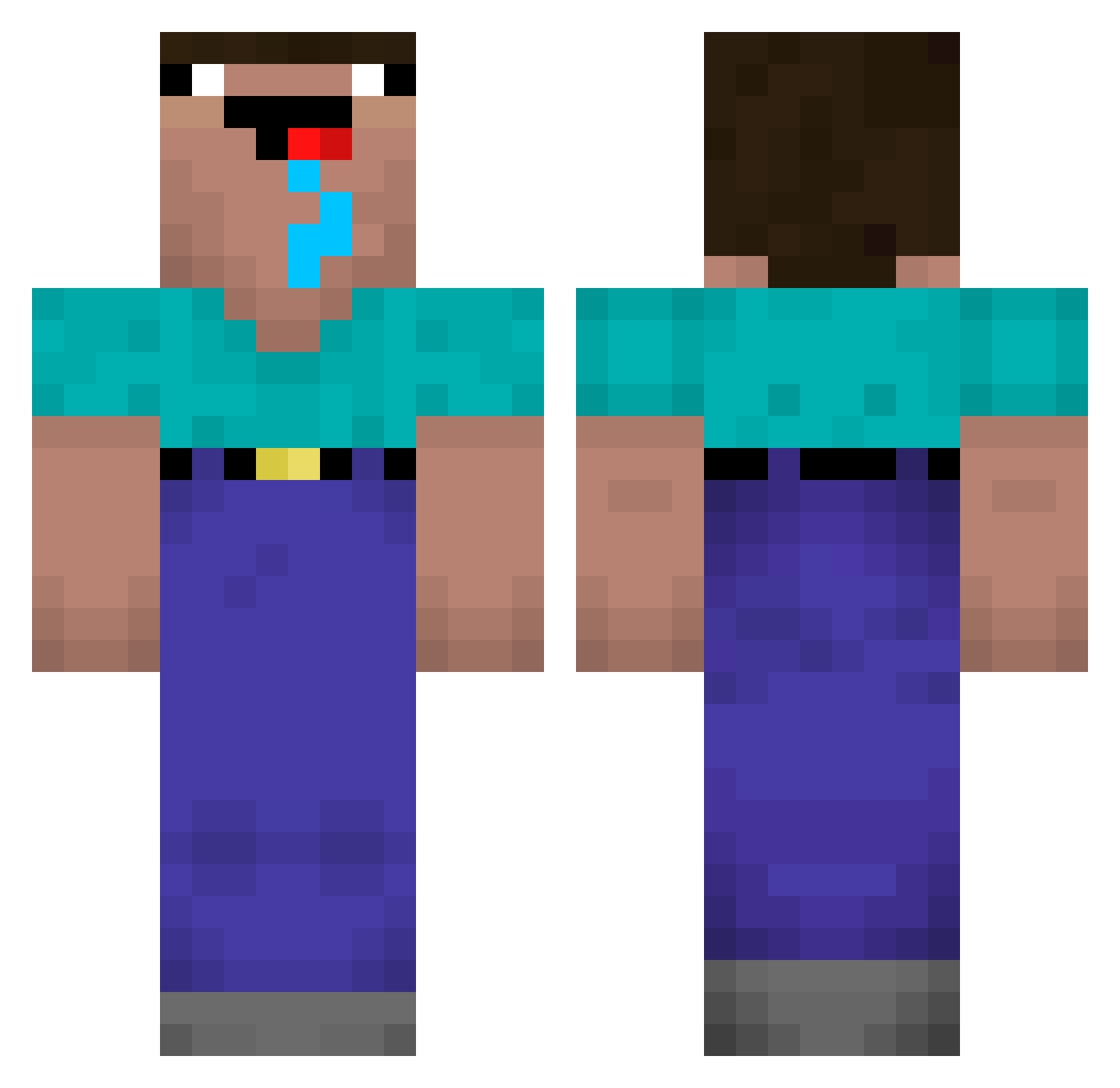
Current Minecraft skin of the player RazzerBoy174, loaded from the official Mojang API. Rotate the 3D model with your mouse or finger, then download the skin as a PNG file and use it in Minecraft: Bedrock Edition or Java Edition for free. When RazzerBoy174 changes their skin, this page updates automatically and the old skin stays in the history below.
Other players with this skin (220)
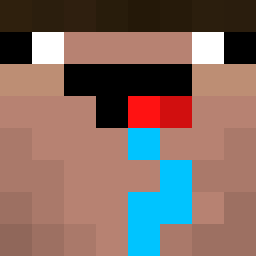
RazzerBoy174 was the 172nd player we have seen with this skin, first spotted on 11.10.2026. The same skin was seen on these players. Open a nickname to see their current skin and skin history.
 ExZaust immuperkele skitas Dextard lojtegaarden6 1nD_ Mr_Henzu angelo30050 Ippoglycemie fgye YinLi245 friselis_ ATrudge Shara6 rembet1 A1iou Nicky297 hanwoolcute Marhin11 WhiffyWolf68792 BigBilly259 KingHerb102 Targetdummy POTATO_The_Dogg MoistThroat Bandido387 janron2013 ImPetry Delavan Ethan_Liu PURIMPAT Quijas Ichikawaa01 xyllian123 williambenji Famaa_ MyNameIsKelvin bobsnob_ tushkeissifam moistybush Oszkii BerkayKoray hunZ09 MTVBU Don_Pablittto Draggiejj imGu siuuuuuuuuuu12 Guilhermino ven0Mcito Cookie4Dookie JapaAH AgentUSB rokmc5631 unkelstalin Bartek_Zombie Shaman12345 maxenskii GoonMaxxer9412 drysalter
More Drooling Minecraft skins
How to install the RazzerBoy174 skin
- Press the Download button above to save the skin as a PNG file.
- Minecraft: Bedrock Edition (PE): open the Dressing Room from the main menu (or tap your character → Edit Character), go to Classic Skins → Owned, press the + (new skin) button, choose the downloaded PNG and pick the Classic (Steve) model. Works on PC and mobile; consoles cannot import custom skins.
- Minecraft: Java Edition: open the Minecraft Launcher, go to the Skins tab, click New Skin, load the PNG, pick the Classic (Steve) model and press Save & Use. You can also upload it at minecraft.net → Profile → Change Skin.
The skin does not show up after import - what should I do?
Restart Minecraft and open the Dressing Room again - imported skins sometimes appear only after a restart. Also make sure you selected the imported skin and picked the Classic (Steve) model.
Which model should I choose, Classic or Slim?
This skin is designed for the Classic (Steve) model. If you pick the wrong model, the arms of the skin will look stretched or squeezed.
Is the skin of RazzerBoy174 free to download?
Yes. Press Download, save the PNG file and use it in Minecraft: Bedrock Edition or Java Edition - no payment or registration needed. The skin also works on multiplayer servers and Realms.
More skins
Looking for more? Go back to all Minecraft skins and check the top skins of the week, month and all time, or find any player's skin by nickname.