
Rayder444 - Minecraft Skins & Skin History
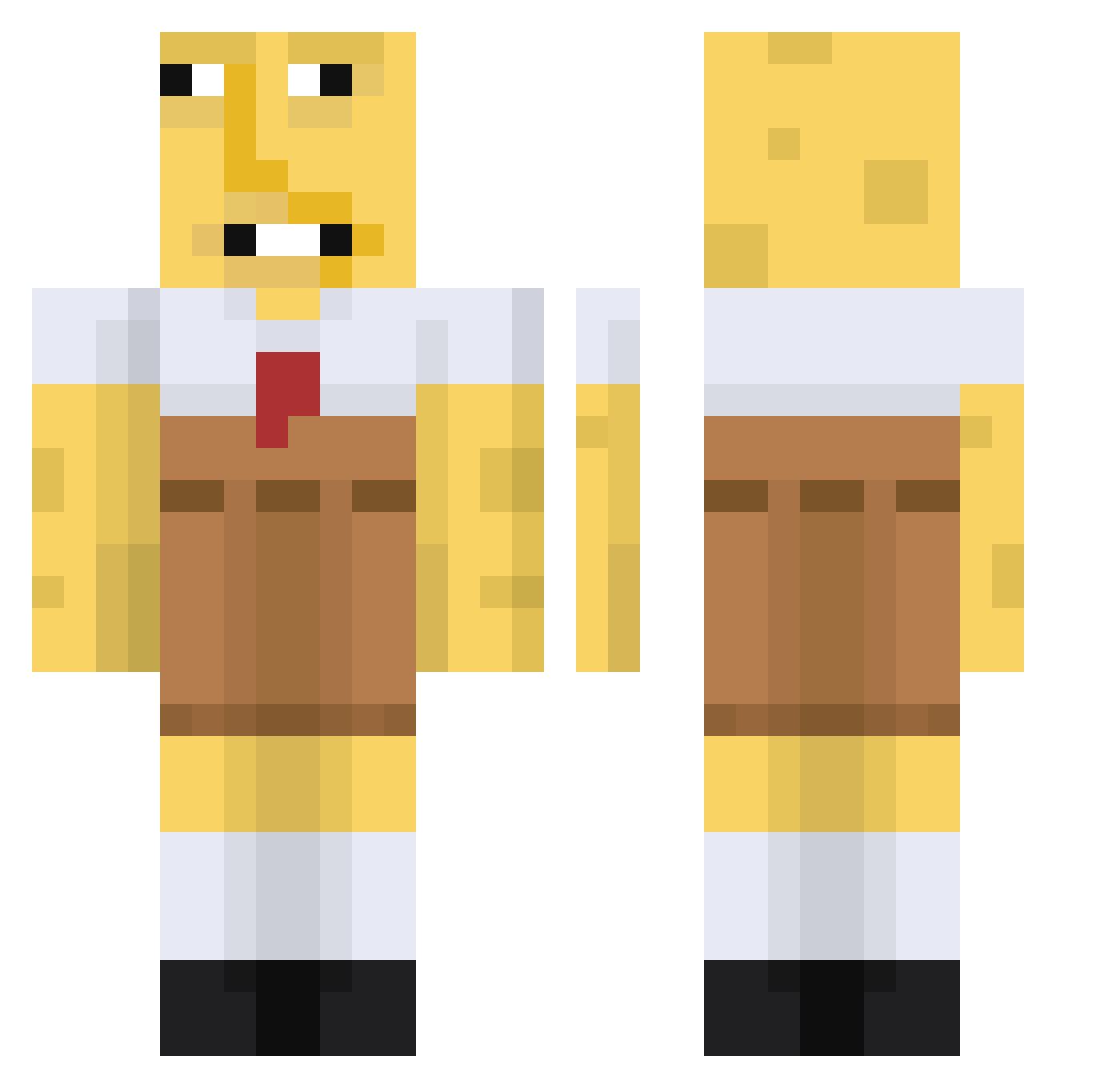
Current Minecraft skin of the player Rayder444, loaded from the official Mojang API. Rotate the 3D model with your mouse or finger, then download the skin as a PNG file and use it in Minecraft: Bedrock Edition or Java Edition for free. When Rayder444 changes their skin, this page updates automatically and the old skin stays in the history below.
Other players with this skin (670)
Rayder444 was the 597th player we have seen with this skin, first spotted on 25.10.2026. The same skin was seen on these players. Open a nickname to see their current skin and skin history.
 SilentCabinet The_MoleMan_ ken75 ConfieEnVosMacri Soggy_Bread58 stomny skullkid753 God_Shadow150 Grandads_ptsd FaZeWeenie sonabologna BallerBryce1 Wombert0_0 123yaz Mishima__ Juanillosky Pooer69 BenVerplant DJisHokage xxDANielXXlll Karearea1995 ButterChugs babyiafe Stick3011 Odazeb 3585833 theonearon MrDingleDingles jarold5431 williamodin AndrewYip BjAramo BorisPastis Zock3rFr3ak Dabbadon1 Slashmo zDerq slayer7600 tuvaledterligi VganSupirior LeoniGraceSj MinSimm XxSerpentxX_ Cosmic_04 iKylito yubangs SSensai Beep___ SussyBoi Thomas_Watt Mackdaddy1205 Xianvicente olsonstudios SwapzyNa Kyeon_SY Zacnxovo MC_Hydra SargentSaop244 1qb2p4 sweatypandas1
More Spongebob Minecraft skins
How to install the Rayder444 skin
- Press the Download button above to save the skin as a PNG file.
- Minecraft: Bedrock Edition (PE): open the Dressing Room from the main menu (or tap your character → Edit Character), go to Classic Skins → Owned, press the + (new skin) button, choose the downloaded PNG and pick the Classic (Steve) model. Works on PC and mobile; consoles cannot import custom skins.
- Minecraft: Java Edition: open the Minecraft Launcher, go to the Skins tab, click New Skin, load the PNG, pick the Classic (Steve) model and press Save & Use. You can also upload it at minecraft.net → Profile → Change Skin.
The skin does not show up after import - what should I do?
Restart Minecraft and open the Dressing Room again - imported skins sometimes appear only after a restart. Also make sure you selected the imported skin and picked the Classic (Steve) model.
Which model should I choose, Classic or Slim?
This skin is designed for the Classic (Steve) model. If you pick the wrong model, the arms of the skin will look stretched or squeezed.
Is the skin of Rayder444 free to download?
Yes. Press Download, save the PNG file and use it in Minecraft: Bedrock Edition or Java Edition - no payment or registration needed. The skin also works on multiplayer servers and Realms.
More skins
Looking for more? Go back to all Minecraft skins and check the top skins of the week, month and all time, or find any player's skin by nickname.