
Rayan21652 - Minecraft Skins & Skin History
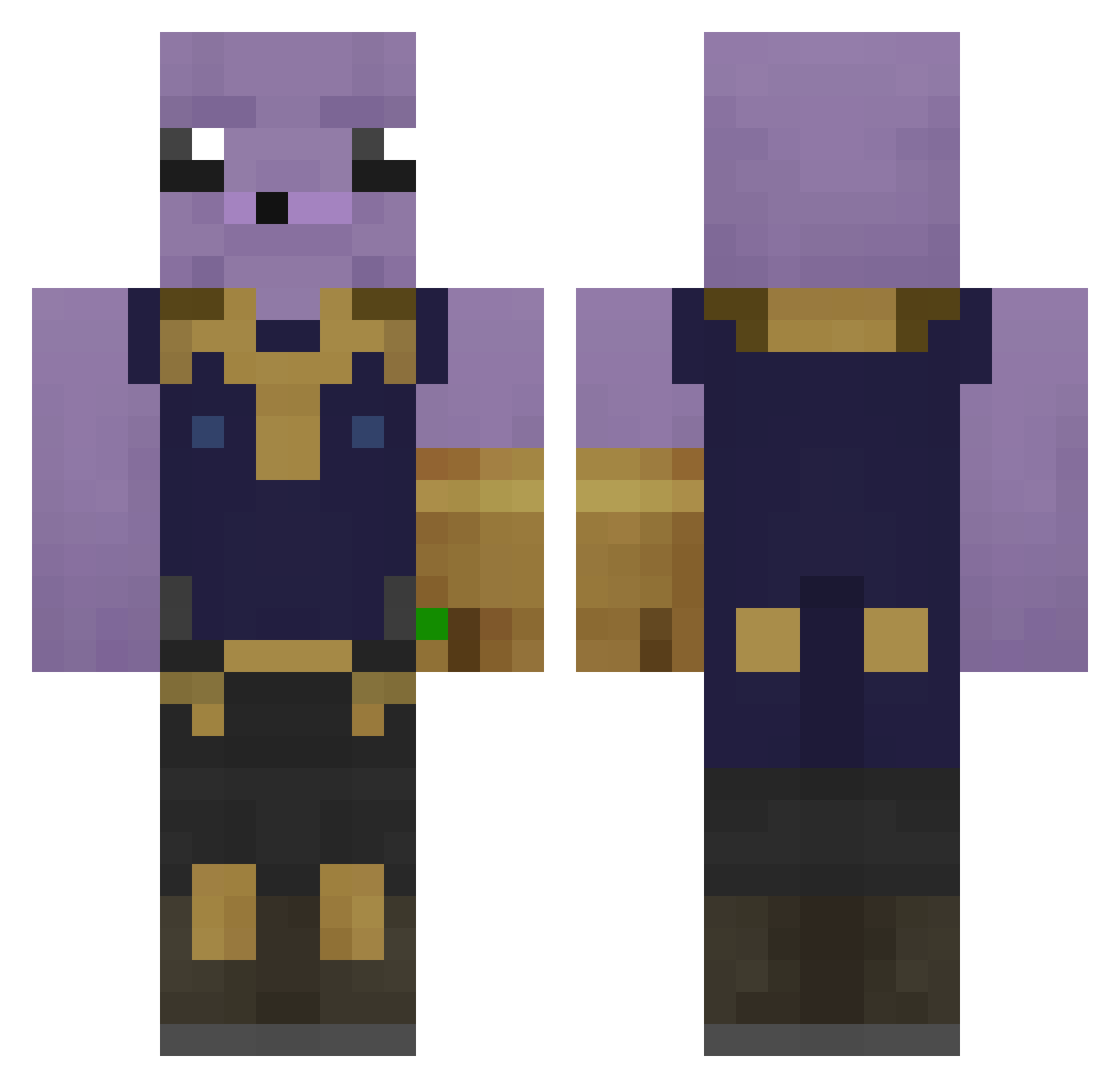
Current Minecraft skin of the player Rayan21652, loaded from the official Mojang API. Rotate the 3D model with your mouse or finger, then download the skin as a PNG file and use it in Minecraft: Bedrock Edition or Java Edition for free. When Rayan21652 changes their skin, this page updates automatically and the old skin stays in the history below.
Other players with this skin (242)
Rayan21652 was the 126th player we have seen with this skin, first spotted on 17.09.2026. The same skin was seen on these players. Open a nickname to see their current skin and skin history.
 UneTortuee Summercamp37 MinatoBom frijoleguy Xelox_YT sanosonas LeTastic That_Guy_Isaiah DoofChay Norkrief TimDeJonkie_ PotadoLover thegemgrinch NoobBanana _Jebac_Disa_ InFameSalamand3r hh020205 ColdCorgi noalefou6 SerryTerror ciclaw dan1540 IchmagNatursekt Youngblood10123 PacFirst SoSAD127 Thebest_0688 SayMiho darealcheeseboi Ansprechpartner TheCursedLord Fe8790 Virislav go0k RangerHunter45 ElCruz577 heitormaciel Rdizzle69 Lud24 QuesoBlake Mellowmunky7 c4rmy_ juujs krbGames BodahBuildah LasknaFrozen amadeira Lunarmea1lt PigeonChaser2000 SigurdKage Carlaobr33 tomasz___hajto ItsNixx iFarted360 thiagoRTSEP Thenicenice7 IFartedOnUMoM 13432iii lelenocka kulabersamet
More Thanos Minecraft skins
How to install the Rayan21652 skin
- Press the Download button above to save the skin as a PNG file.
- Minecraft: Bedrock Edition (PE): open the Dressing Room from the main menu (or tap your character → Edit Character), go to Classic Skins → Owned, press the + (new skin) button, choose the downloaded PNG and pick the Classic (Steve) model. Works on PC and mobile; consoles cannot import custom skins.
- Minecraft: Java Edition: open the Minecraft Launcher, go to the Skins tab, click New Skin, load the PNG, pick the Classic (Steve) model and press Save & Use. You can also upload it at minecraft.net → Profile → Change Skin.
The skin does not show up after import - what should I do?
Restart Minecraft and open the Dressing Room again - imported skins sometimes appear only after a restart. Also make sure you selected the imported skin and picked the Classic (Steve) model.
Which model should I choose, Classic or Slim?
This skin is designed for the Classic (Steve) model. If you pick the wrong model, the arms of the skin will look stretched or squeezed.
Is the skin of Rayan21652 free to download?
Yes. Press Download, save the PNG file and use it in Minecraft: Bedrock Edition or Java Edition - no payment or registration needed. The skin also works on multiplayer servers and Realms.
More skins
Looking for more? Go back to all Minecraft skins and check the top skins of the week, month and all time, or find any player's skin by nickname.