
Ravings - Minecraft Skins & Skin History
Current Minecraft skin of the player Ravings, loaded from the official Mojang API. Rotate the 3D model with your mouse or finger, then download the skin as a PNG file and use it in Minecraft: Bedrock Edition or Java Edition for free. When Ravings changes their skin, this page updates automatically and the old skin stays in the history below.
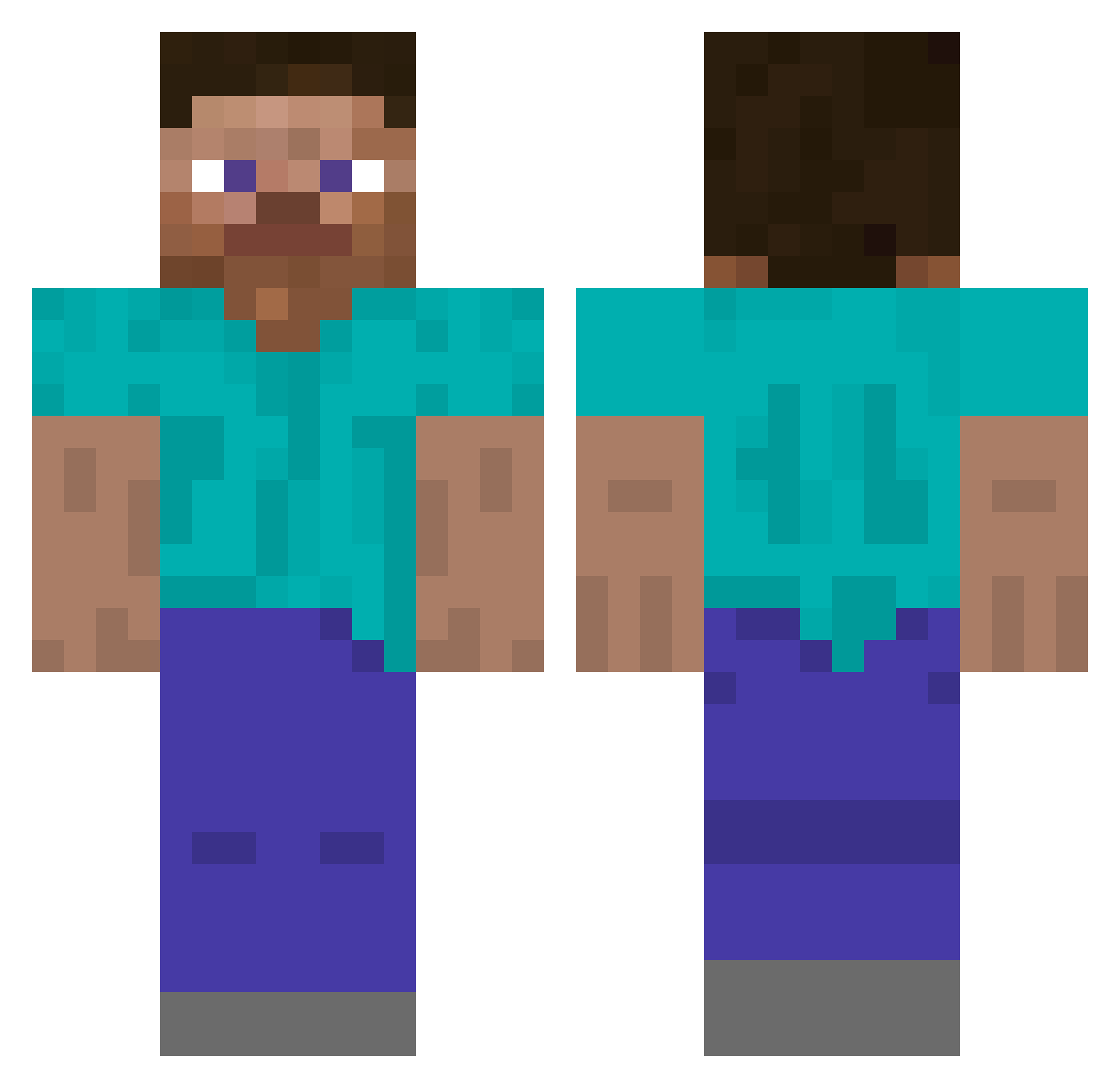
Other players with this skin (5791)
Ravings was the 5383rd player we have seen with this skin, first spotted on 12.11.2026. The same skin was seen on these players. Open a nickname to see their current skin and skin history.
 xWingman48 Robin0509 klicker0 OminousHominid_ Stilichon 4bsylon Riezu ALiFe fr4zze charliebrown209 1u_5 Infecund Cimbal furumq KeYondre Anikan201 hacker31060 notepad77 Kinghorn Zubazzzz ThiagoTuber KingCortez EatPlayRepest _u_u_u_ ThaOnlyAce Rockets StorJocke DylanM34 Midnightly baeksnecks pimu ojWY CDaddyL super_minero_33 SadHypixel pastacraig elvisparsley Bill3 azsenca IAPlays jittrtr rwhx BruhICantPVP 1uvly yung10bag Miltoooon ChristopherMMC benston_ palsy Rebelton TigriManjSonCaca MoistClamm69 _mng EXMP ItsMeHellloo sordini Opponency FullFight straykidshyunjin RJentina
How to install the Ravings skin
- Press the Download button above to save the skin as a PNG file.
- Minecraft: Bedrock Edition (PE): open the Dressing Room from the main menu (or tap your character → Edit Character), go to Classic Skins → Owned, press the + (new skin) button, choose the downloaded PNG and pick the Classic (Steve) model. Works on PC and mobile; consoles cannot import custom skins.
- Minecraft: Java Edition: open the Minecraft Launcher, go to the Skins tab, click New Skin, load the PNG, pick the Classic (Steve) model and press Save & Use. You can also upload it at minecraft.net → Profile → Change Skin.
The skin does not show up after import - what should I do?
Restart Minecraft and open the Dressing Room again - imported skins sometimes appear only after a restart. Also make sure you selected the imported skin and picked the Classic (Steve) model.
Which model should I choose, Classic or Slim?
This skin is designed for the Classic (Steve) model. If you pick the wrong model, the arms of the skin will look stretched or squeezed.
Is the skin of Ravings free to download?
Yes. Press Download, save the PNG file and use it in Minecraft: Bedrock Edition or Java Edition - no payment or registration needed. The skin also works on multiplayer servers and Realms.
More skins
Looking for more? Go back to all Minecraft skins and check the top skins of the week, month and all time, or find any player's skin by nickname.