
Rataliia - Minecraft Skins & Skin History
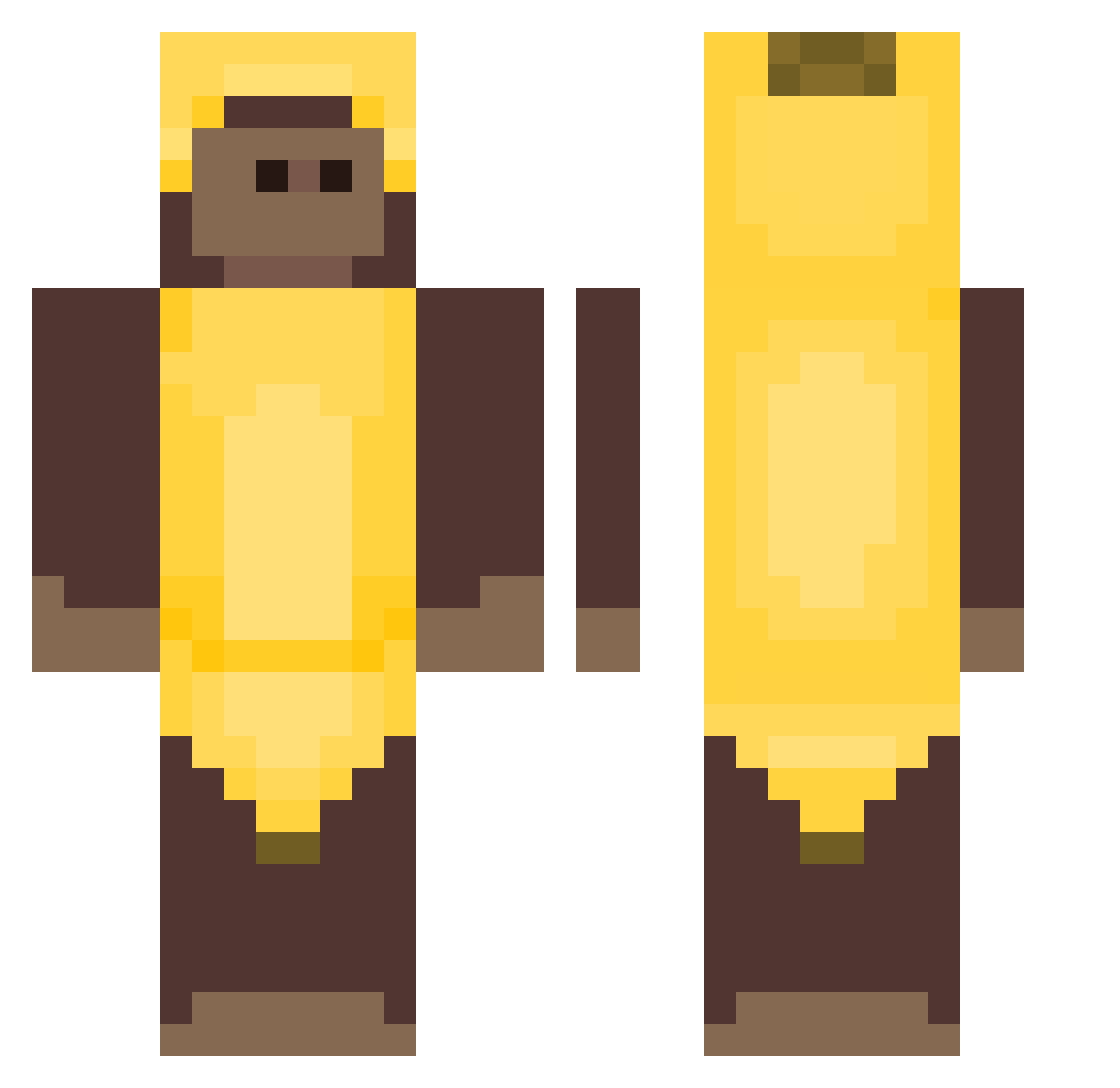
Current Minecraft skin of the player Rataliia, loaded from the official Mojang API. Rotate the 3D model with your mouse or finger, then download the skin as a PNG file and use it in Minecraft: Bedrock Edition or Java Edition for free. When Rataliia changes their skin, this page updates automatically and the old skin stays in the history below.
Other players with this skin (515)
Rataliia was the 484th player we have seen with this skin, first spotted on 13.11.2026. The same skin was seen on these players. Open a nickname to see their current skin and skin history.
 SusFromAmongUs Nuniooo Velial_ Baku221 pastor080 SourGrep Esau222 asdadasd124 ArnyZas 4rturo_ Benuth NEXADR BananaBoy5656 OwnDutchGamer davidbowie1 Rudilini SniperMonkeis ebebe22 JhostinFN SebFromVinland PCHELA9 walmartspecial bigboyjohn609 tvmus a_f_g jelito1001 gabef88 6ProfessorChaos9 Sa1vatore_ Angel3057YT 77SIETE camposAnthony mirrek_ Bluetezza sebasdrolex Para_Keetz Joannejly gangster_gus evilmacy odwu Pue0 choijaeyong fre66dy pork_blood Lihnu Bryant10 Medalloo vichogodoy14 Juicyman1 her0o0o0o0 tianshuming BBBBEANS YourNansDead czerniol CommanderDubdor marojzz DaRkON24 JerryRG Markiuu24 Qivam
More Banana Costume Minecraft skins
See all 59 Banana Costume skins
How to install the Rataliia skin
- Press the Download button above to save the skin as a PNG file.
- Minecraft: Bedrock Edition (PE): open the Dressing Room from the main menu (or tap your character → Edit Character), go to Classic Skins → Owned, press the + (new skin) button, choose the downloaded PNG and pick the Classic (Steve) model. Works on PC and mobile; consoles cannot import custom skins.
- Minecraft: Java Edition: open the Minecraft Launcher, go to the Skins tab, click New Skin, load the PNG, pick the Classic (Steve) model and press Save & Use. You can also upload it at minecraft.net → Profile → Change Skin.
The skin does not show up after import - what should I do?
Restart Minecraft and open the Dressing Room again - imported skins sometimes appear only after a restart. Also make sure you selected the imported skin and picked the Classic (Steve) model.
Which model should I choose, Classic or Slim?
This skin is designed for the Classic (Steve) model. If you pick the wrong model, the arms of the skin will look stretched or squeezed.
Is the skin of Rataliia free to download?
Yes. Press Download, save the PNG file and use it in Minecraft: Bedrock Edition or Java Edition - no payment or registration needed. The skin also works on multiplayer servers and Realms.
More skins
Looking for more? Go back to all Minecraft skins and check the top skins of the week, month and all time, or find any player's skin by nickname.